- Overview of Batoi Hosting
- Renew Your Domain Name with Batoi
- Protect or Lock Your Domain Name with Batoi
- View Action History of Your Domain Name
- Manage Name Servers for a Domain Name
- Forward a Domain Name to a Different Website
- Handle Privacy Protection for a Domain Name
- Domain Name Whois Data Reminders from Batoi
- Modify the Contact Details of Your Domain Name
- Backup Your Website with cPanel on Linux
- Managing DNS Records in Linux Hosting via cPanel: A Comprehensive Guide
- Create FTP Accounts in Your Linux Hosting using cPanel
- Backup and Restore Your Linux Hosting Account via cPanel
- Effortless 301 and 302 Redirects in Linux Hosting: A Detailed cPanel Guide
- How to Seamlessly Manage DNS Records with Batoi's Premium DNS Service through Your Domain Control Panel
- Mastering Contact Management within Batoi's Domain Control Panel
- Step-by-Step Guide: Managing Business/Enterprise Email via My Domain Control Panel
- How to Efficiently Manage Users and Assign Administrative Roles in Google Workspace
- A Complete Guide to Purchasing and Managing Google Workspace through Batoi Hosting Control Panel
- Effortless Migration from cPanel Email to Google Workspace: Your Step-by-Step Guide
- Setting Up Google Workspace Using cPanel: A Comprehensive Guide
- How to Add an SPF Record to Your DNS Settings for Email Security
- Setup of Microsoft Office 365 Using cPanel: A Comprehensive Guide
- Reviewing Your Linux Hosting Resource Allocation and Usage in cPanel
- Creating and Managing Sub-domains with cPanel on Linux
- How Do I Emulate DNS Change on My PC?
- Effortless Migration from cPanel Email to Microsoft Office 365: Your Step-by-Step Guide
- How to Set up MFA for Your Microsoft Office 365 Outlook Account
- Setting up POP or IMAP Email on an Apple iPhone
- Creating and Managing MySQL Databases with cPanel on Linux
- How to Fix the Error '0x800CCC1A' in Microsoft Outlook?
- How to Fix the Error '0x800CCC78' in Microsoft Outlook?
- Setting up Email Account on Your Mac Mail Application
- Installing WordPress within Your Hosting Account with cPanel on Linux
- Setting up POP or IMAP Email on an Android Phone
- Setting up Mozilla Thunderbird as Your Email Client in Windows PC
- Setting up Microsoft Outlook as Your Email Client in Your Windows PC
- Setting up Mozilla Thunderbird as Your Email Client in Mac
- Creating Email Accounts with cPanel on Linux
- Creating More FTP Accounts with cPanel on Linux
- Accessing cPanel and Webmail on Linux
- Generate a Certificate Signing Request (CSR)
- Generate the Domain Secret or the Authorization Code for Your Domain Name
- How to Fix the Error '0x800CCCDD' in Microsoft Outlook with IMAP Server?
- Comprehensive Guide to Managing PHP Settings in cPanel on Your Linux Hosting Account
- Integration of Google Analytics on Your Website
- My Emails Are Bouncing Back. What Should I Do?
- What should I do when I cannot access my email or website on My Windows PC?
- Password Protect Files and Folders with cPanel on Linux
- Transfer Your Domain Name from your Current Registrar to Batoi
- Uploading Your Files with an FTP client (FileZilla)
Generate a Certificate Signing Request (CSR)
This how-to will walk you through generating a certificate signing request (CSR) in cPanel.
Log on to you hosting control panel.
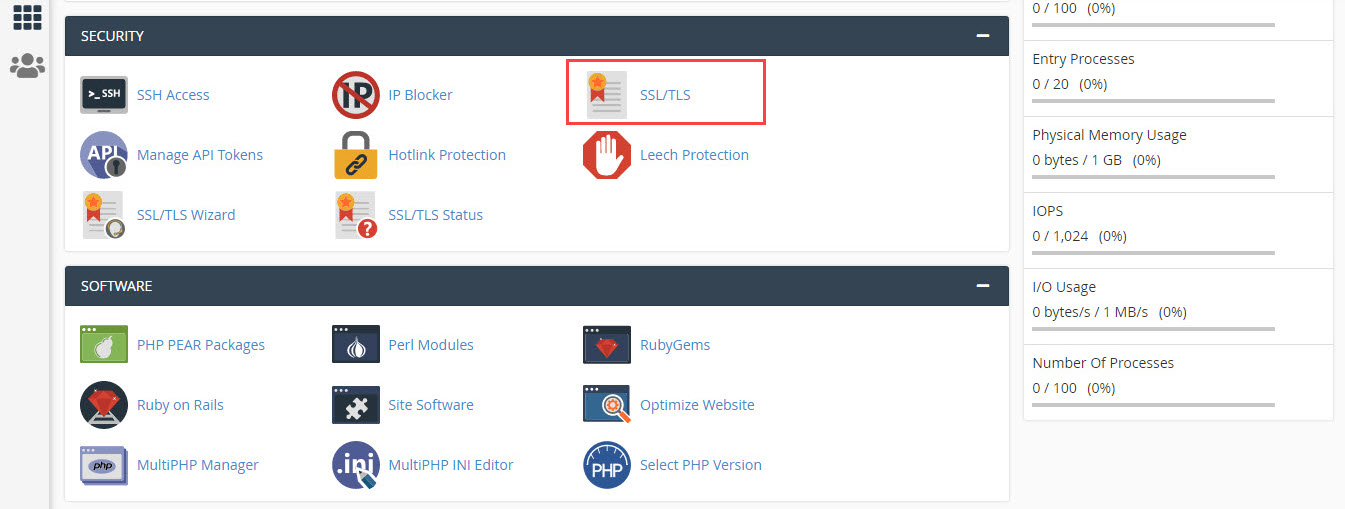
Go to SSL/TLS under SECURITY section and click on it, as shown in Figure 1.
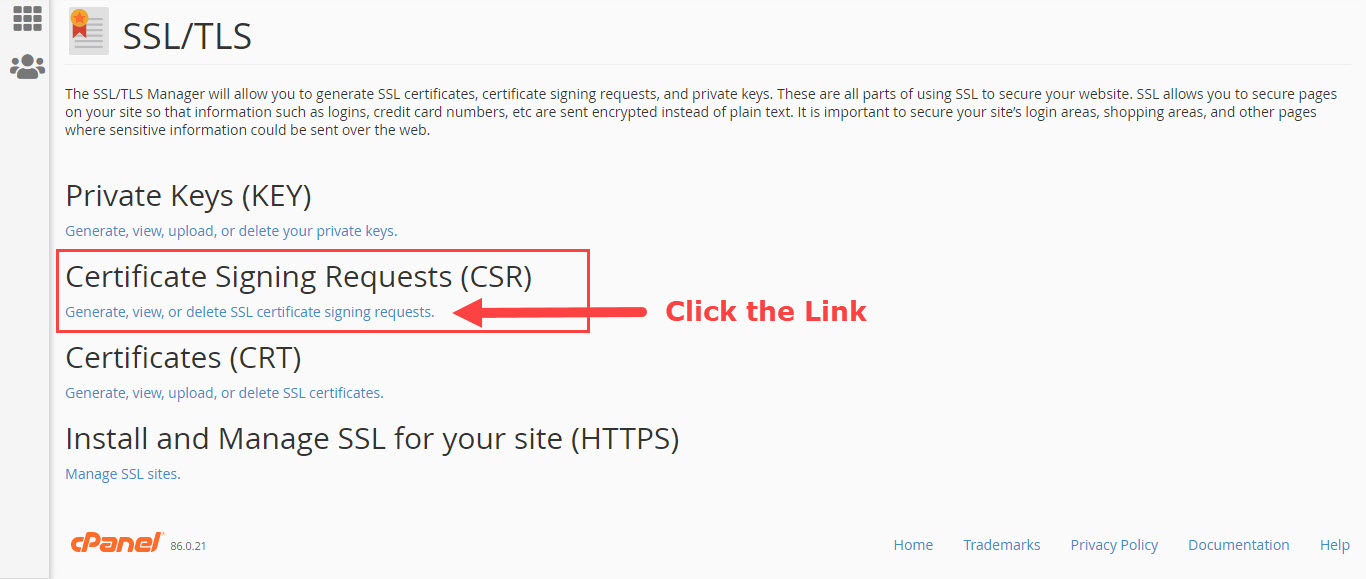
On the SSL/TLS click the link Certificate Signing Requests (CSR), as shown in Figure 2.
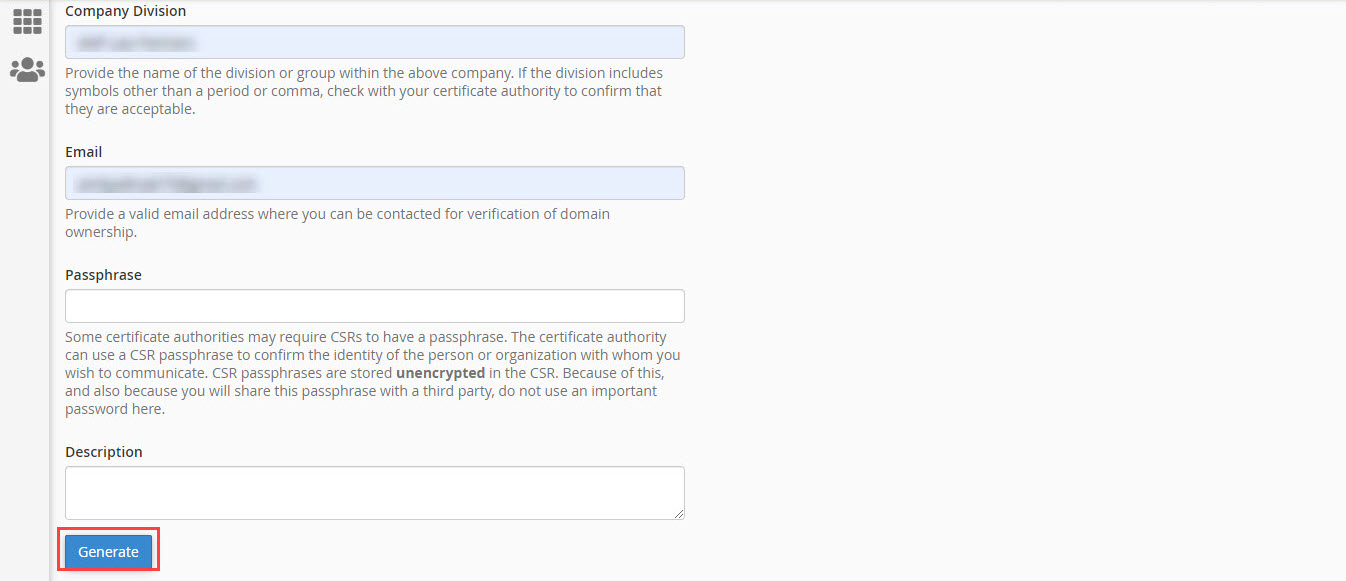
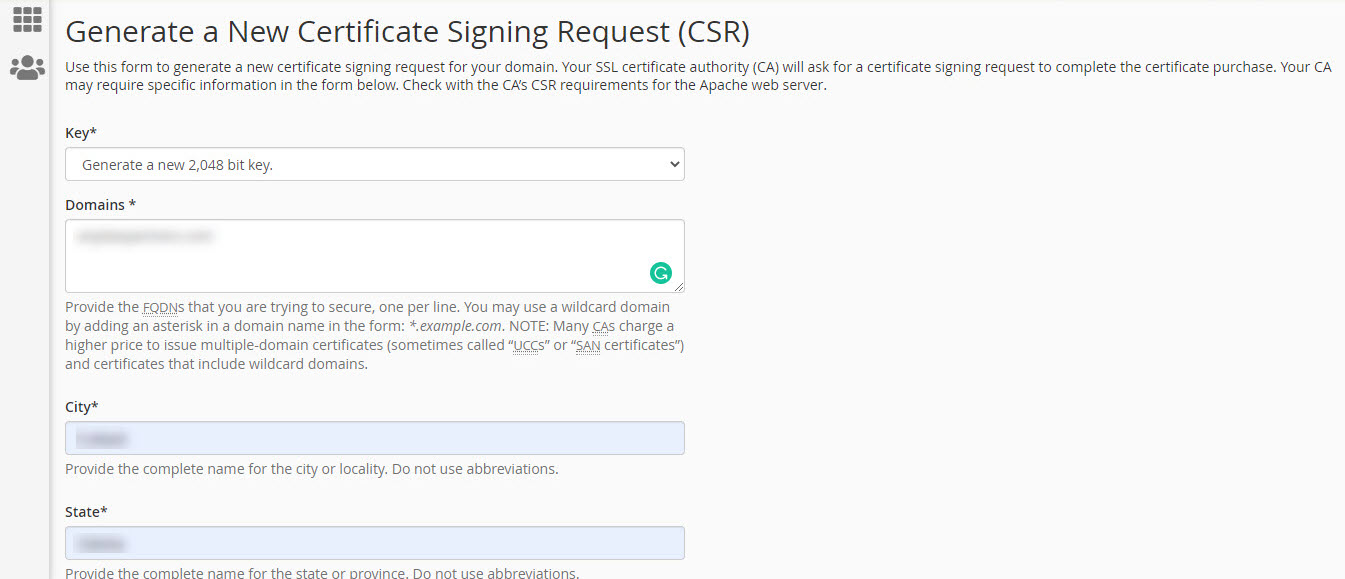
Fill up the form with the required details and click the button Generate, as shown in Figure 3 and 4.
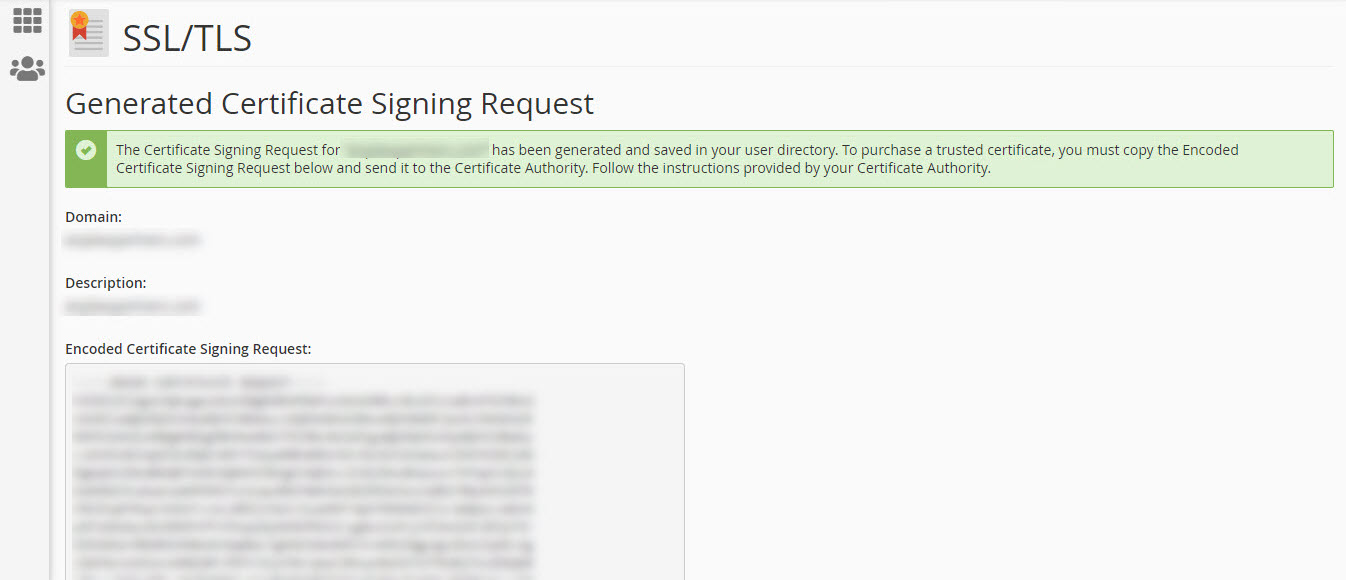
Once the Generate button is clicked the server will process your request and generate the Certificate Signing Requests (CSR), as shown in Figure 5.