
Guide navigation 3 of 42
What this page helps you accomplish
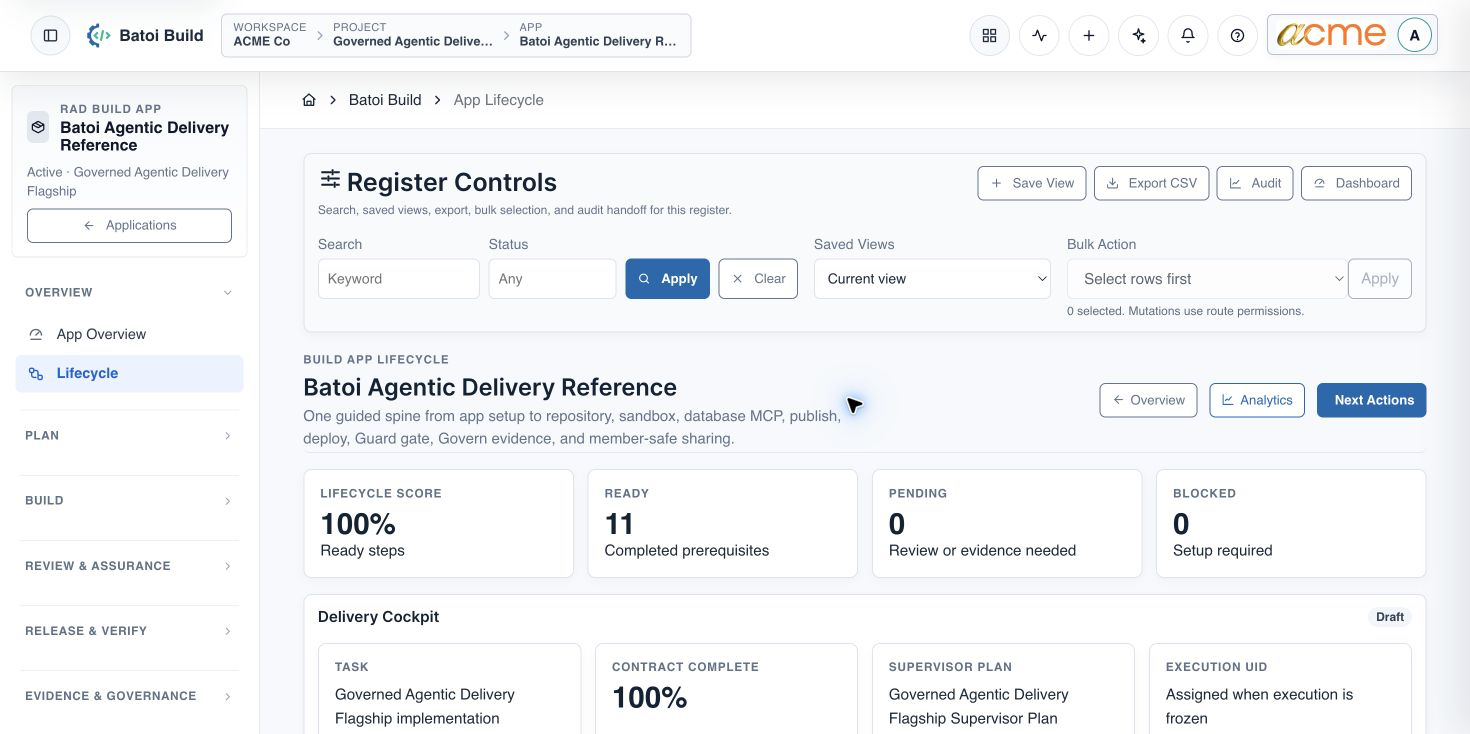
Follow the current 11-check Batoi Build App Lifecycle from App record and canonical source through verified deployment, evidence, Guard review, and optional member-safe sharing.
Scope and authority
Access to the intended authenticated workspace through My Batoi Authority to review the selected App, its optional Project context, canonical source, sandbox, database, release, and sharing records
Guided Lifecycle
Follow the current 11-check Batoi Build App Lifecycle from App record and canonical source through verified deployment, evidence, Guard review, and optional member-safe sharing.
Observable business result
The app has verified setup, deployment, assurance, evidence, and member-sharing outcomes rather than lifecycle badges alone.
The expected record or action is missing.
Recommended recovery: Return to the intended context and ask an Owner or Admin to confirm access. Do not use another person’s account.Who should use this article
This article is for Workspace Owners, Workspace Admins, Builders, and Release Owners who are authorized to complete or review this task. A consequential decision remains with the accountable person.
Before you begin
- Access to the intended authenticated workspace through My Batoi
- Authority to review the selected App, its optional Project context, canonical source, sandbox, database, release, and sharing records
- Use approved sample or operational information only. Never enter a password, token, private key, or unnecessary personal information.
Open the App Lifecycle
- Enter the authorized workspace through My Batoi.
- Open Build, choose Applications, and select the intended app.
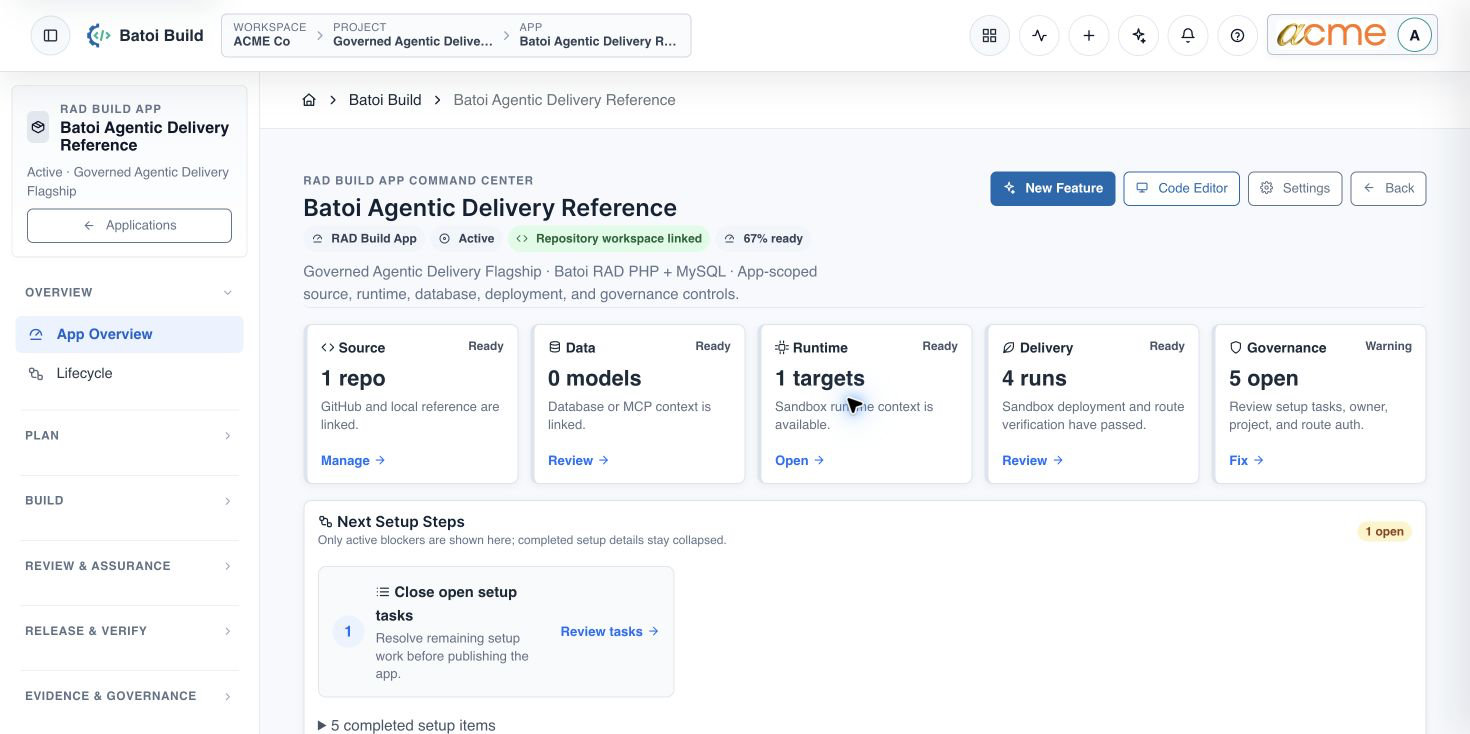
- Under Overview, open Lifecycle.
- Confirm that the workspace, App, owner, and any optional Project shown in the selected-App context are correct.
Complete the lifecycle in four phases
1. Establish the app context
- App Record: confirm the app name, stable key, build mode, app type, runtime, owner, and Active status.
- Project Coordination: optionally assign a Core Project when related work, governance, or member sharing needs a coordinating context. An App can otherwise remain independent.
- Canonical Source: choose the approved version-controlled source for the App and verify its ownership, review status, and publishing responsibility.
2. Connect the sandbox runtime
- Sandbox Target: register a non-production target and verify that its source and credential boundary are correct.
- App Data: connect the approved App database or data service and confirm its access and schema-change authority without exposing connection secrets.
- Baseline Build: place the foundational app in its canonical source, apply the approved schema and seed data, and verify the homepage and health route.
3. Publish, verify, and preserve evidence
- Publish Run: publish an explicit reviewed revision to the sandbox and require a persisted run manifest.
- Deployment Verification: confirm the deployment reached a terminal status and independently check the homepage, health route, and data adapter result.
- Guard Gate: run the release-specific Guard evaluation; an Active gate is not the same as a Passed evaluation.
- Govern Evidence: record the source, review, publish, deployment, Guard, and approval outcome with an accountable owner.
4. Share only an approved member view
- Member-Safe Sharing: when project-based sharing is required, assign a Project and create a policy with an explicit recipient, audience, redaction level, visible sections, and approval state. Otherwise, record that this optional delivery channel is not enabled.
Use honest completion criteria
| Lifecycle area | Do not stop at | Verify instead |
|---|---|---|
| Canonical source | Connection selected | Correct App source, reviewed version, integrity state, and accountable delivery owner. |
| Publish | Run created | Terminal status, exact revision and target, and persisted publish-run manifest. |
| Deployment | Deployment row exists | Succeeded status plus independent homepage, health, and adapter checks. |
| Guard | Gate is Active | Release-specific evaluation passed or an authorized, time-bounded exception exists. |
| Evidence | Evidence record exists | Evidence is reviewable, linked to the release outcome, and accepted where required. |
| Sharing | Sharing control is available | The intended project policy is Ready or Approved and the member portal shows only permitted content. |
Continue with focused articles
- Create an Application Workspace in Batoi Build
- Connect a Source Repository to Batoi Build
- Prepare a Sandbox Environment in Batoi Build
- Connect an Application Database in Batoi Build
- Configure and Apply a Security Policy Gate in Guard
- Prepare an Evidence Plan in Batoi Govern
- Publish and Verify an Application Release in Build
- Configure Member-Safe Project Sharing
Troubleshooting and recovery
| What you see | What to check | Safe next action |
|---|---|---|
| The expected record or action is missing. | Workspace, project/app context, role, status filters, and prerequisites. | Return to the intended context and ask an Owner or Admin to confirm access. Do not use another person’s account. |
| The status remains incomplete or needs review. | Required fields, evidence, approvals, source connections, checks, and owners. | Record the missing item and owner. Do not mark the task complete until it can be independently verified. |
| The result conflicts with policy or evidence. | Scope, source recency, exception authority, decision conditions, and reviewer independence. | Do not bypass the control. Return the item for correction or escalate it through the authorized route. |
Safety and governance
Final verification
Next step
Continue with the next verified article in this Product Guide, or return to the Batoi Platform Product Guide.