
Guide navigation 1 of 42
What this page helps you accomplish
Use this guide if your team is starting with Playbook or wants to make workspace knowledge more reliable, reusable, and safe to share.
Scope and authority
Access to the intended Batoi workspace and permission to create or review Playbook items An approved knowledge purpose, accountable owner, and intended audience
Getting Started
Use this guide if your team is starting with Playbook or wants to make workspace knowledge more reliable, reusable, and safe to share.
Observable business result
Use this guide if your team is starting with Playbook or wants to make workspace knowledge more reliable, reusable, and safe to share.
The expected record or action is missing.
Recommended recovery: Return to the intended context and ask an Owner or Admin to confirm access. Do not use another person’s account.Who should use this article
This article is for Workspace Owners, Workspace Admins, and Operators who are authorized to complete or review this task. A consequential decision remains with the accountable person.
Before you begin
- Access to the intended Batoi workspace and permission to create or review Playbook items
- An approved knowledge purpose, accountable owner, and intended audience
- Approved references or sample information that can be shared within that audience
- Use approved sample or operational information only. Never enter a password, token, private key, or unnecessary personal information.
Workflow overview
Who This Guide Is For
Use this guide if your team is starting with Playbook or wants to make workspace knowledge more reliable, reusable, and safe to share.
What To Put In Playbook
Use Playbook for knowledge that should last beyond a single conversation.
Good candidates include:
| Need | Use |
|---|---|
| Workspace guidance | Page |
| Repeatable procedure | Runbook |
| Project rationale | Decision |
| Meeting output | Meeting Note |
| Repeated question | FAQ |
| Reusable technical reference | Code Snippet |
| Member-facing instruction | Published Page or FAQ |
| Security or compliance operation | Runbook, Secure Reference, Evidence Guide |
Avoid storing passwords, API keys, raw tokens, unsupported claims, personal scratch notes, and one-time chat replies.
Step 1: Create the Workspace Operating Guide
Create a Page titled:
Workspace Operating Guide
Use these sections:
- Purpose
- Workspace owners
- Project model
- Communication norms
- Support and escalation
- Review cadence
Outcome: everyone gets one reliable place to understand how the workspace operates.
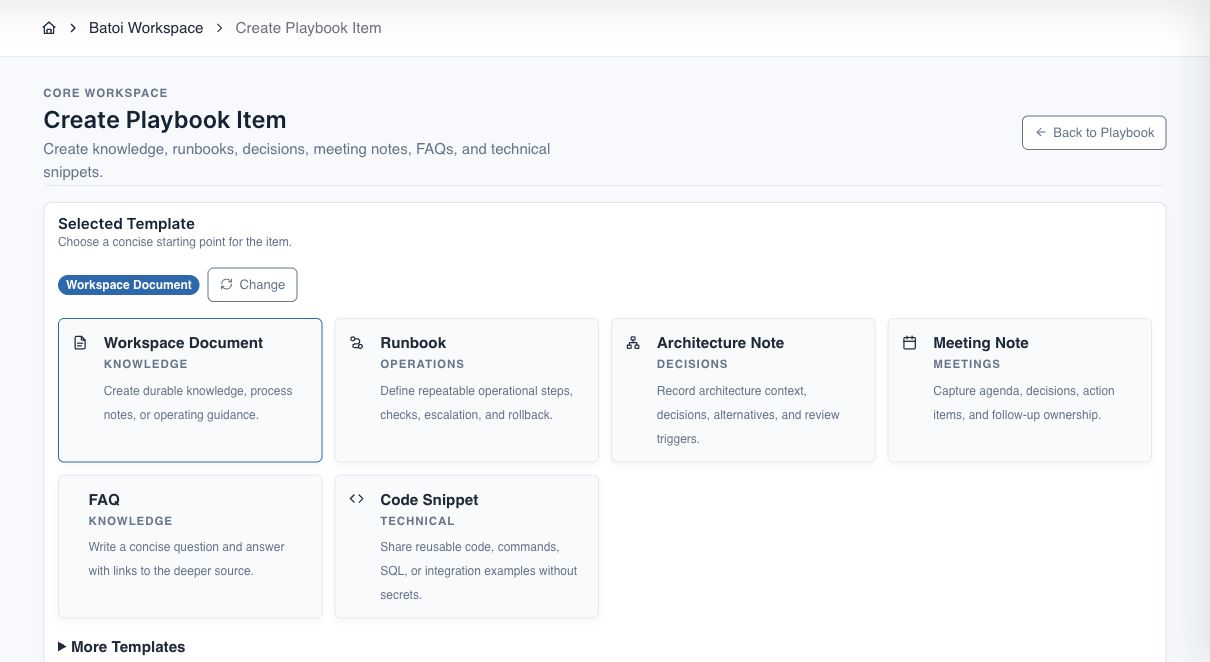
Step 2: Create the First Project-Linked Item
Open an important project and create a Playbook item linked to that project.
Recommended starting type:
| Project Type | Recommended Item |
|---|---|
| Delivery project | Implementation Spec |
| Operations project | Runbook |
| Governance project | Decision or Policy Interpretation |
| Security project | Vulnerability Triage Runbook or SBOM Review Note |
Outcome: project knowledge is connected to project work, files, tasks, and references.
Step 3: Record One Decision
Create a Decision item with:
| Field | What To Write |
|---|---|
| Decision statement | The choice made |
| Owner | Who owns the decision |
| Date | When it was made |
| Background | Why the choice was needed |
| Alternatives considered | Other options reviewed |
| Impact | What changes because of this |
| Review trigger | When to revisit it |
Outcome: future users understand why a path was chosen.
Step 4: Create One Runbook
Create a Runbook for one repeatable process.
Use these sections:
- Trigger
- Preconditions
- Procedure
- Validation
- Escalation
- Rollback
- Review date
Outcome: the team can execute the process consistently.
Step 5: Add References
Add related references to the item.
Useful references include:
| Reference Type | Use |
|---|---|
| Project overview | Connect the item to project work |
| Files | Link source material or evidence |
| Build spec | Support implementation work |
| Govern policy or evidence | Support governance work |
| Guard finding or SBOM | Support security work |
| Tools saved run | Preserve reusable output |
| Approved HTTPS URL | Link trusted external material |
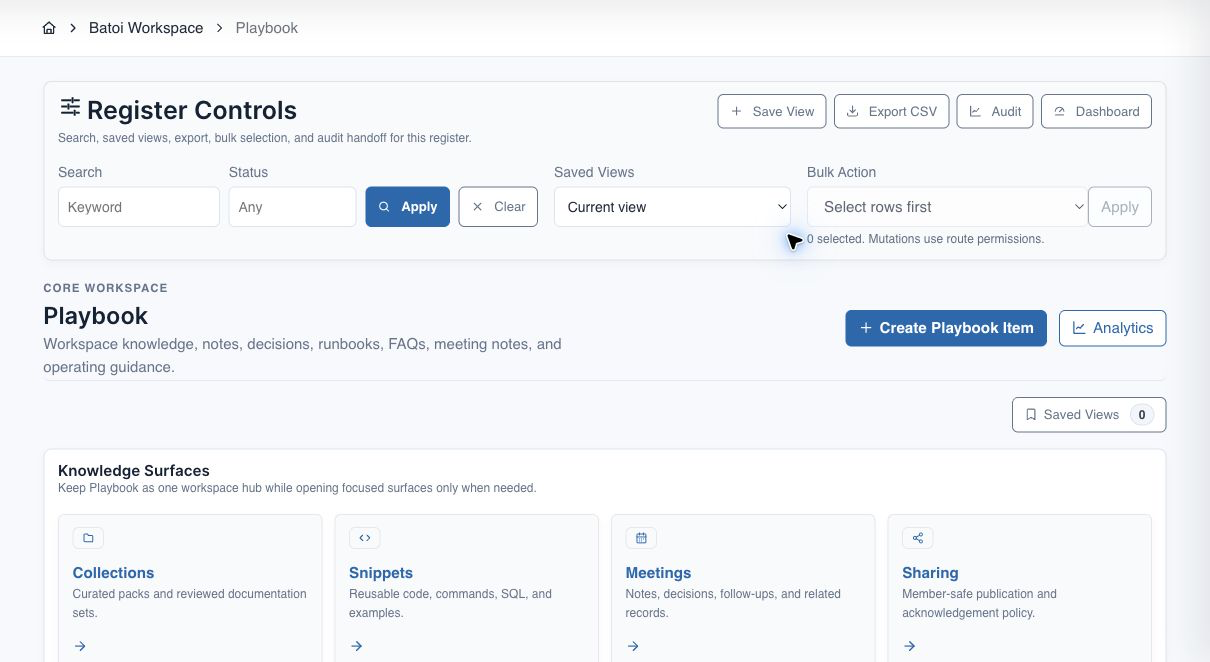
Outcome: the Playbook item becomes an operating hub rather than isolated text.
Step 6: Use Batoi Intelligence Carefully
Use Batoi Intelligence to:
- draft missing sections
- improve structure
- summarize for sharing
- extract follow-ups
- suggest a better item type
- flag stale or incomplete content
Review all suggestions before applying them.
Outcome: faster writing with responsible approval.
Step 7: Publish or Share After Review
Before sharing an item with Workspace Members:
- Confirm the audience.
- Choose the share policy.
- Apply redaction.
- Preview the member-safe version.
- Require acknowledgment when the item creates an obligation.
- Publish.
- Track acknowledgment and access analytics.
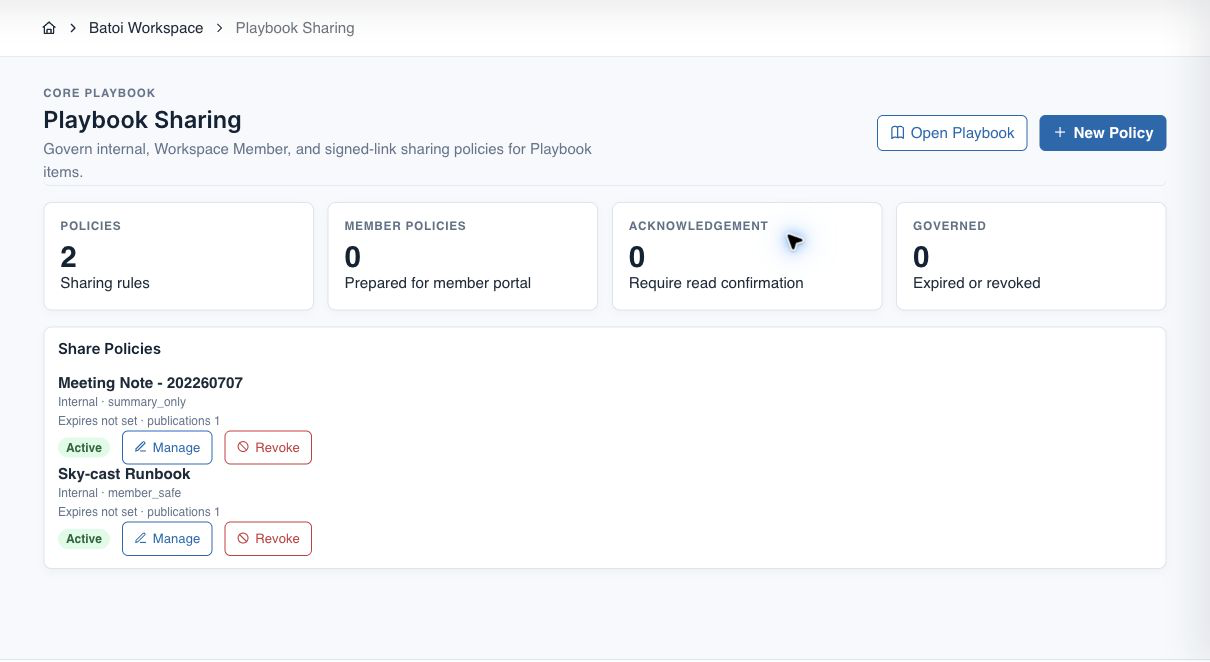
Outcome: external knowledge is controlled, safe, and auditable.
First 30-Day Rollout Plan
| Week | Goal | Actions |
|---|---|---|
| Week 1 | Establish foundation | Create Workspace Operating Guide, name owners, create first project item |
| Week 2 | Capture repeatable work | Add one Runbook, one Decision, one Meeting Note, and references |
| Week 3 | Connect product areas | Link Playbook to Build specs, Governpolicies, Guard findings, and Tools outputs |
| Week 4 | Improve quality and sharing | Review stale items, create share policies, publish member-safe items, check analytics |
Quality Checklist
Before marking an item ready:
- Title is specific.
- Item type matches the purpose.
- Summary explains why the item exists.
- Content has clear headings.
- Owner or review trigger is visible where needed.
- Related project or module references are linked.
- No raw secrets are present.
- Member-facing content is reviewed and redacted.
- Batoi Intelligence output has been checked by a responsible user
- Stale content has an action owner.
Recommended Starting Pack
For each important project, create:
| Item | Purpose |
|---|---|
| Project Overview or Implementation Spec | Gives the project its operating base |
| Architecture or Business Decision | Records rationale |
| Release or Operations Runbook | Guides repeatable execution |
| Meeting Note Trail | Captures decisions and follow-ups |
| FAQ | Answers repeated questions |
| Member-Safe Guide | Supports external or client-facing use |
Troubleshooting and recovery
| What you see | What to check | Safe next action |
|---|---|---|
| The expected record or action is missing. | Workspace, project/app context, role, status filters, and prerequisites. | Return to the intended context and ask an Owner or Admin to confirm access. Do not use another person’s account. |
| The status remains incomplete or needs review. | Required fields, evidence, approvals, source connections, checks, and owners. | Record the missing item and owner. Do not mark the task complete until it can be independently verified. |
| The result conflicts with policy or evidence. | Scope, source recency, exception authority, decision conditions, and reviewer independence. | Do not bypass the control. Return the item for correction or escalate it through the authorized route. |
Safety and governance
Final verification
Next step
Continue with the next verified article in this Product Guide, or return to the Batoi Platform Product Guide.