
Guide navigation 7 of 11
Open the correct organization's support home and choose the safest next action.
Before you begin
- Sign in to My Batoi.
- Confirm which customer organization owns the issue or request.
- Use My Organizations first if the correct organization is unclear.
Open organization support
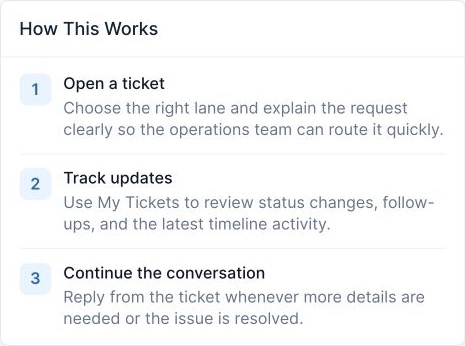
- Open Organization Support.
- If prompted, choose the organization whose product, workspace, order, invoice, or service is affected.
- Review the support summary and recent activity for that organization.
- Search Help Articles when the task can be completed safely without a ticket.
- Select Organization Tickets to review an existing request, or Open Organization Ticket to create a new request.
Choose the appropriate path
- Use an existing ticket when the new information concerns the same issue. This preserves the conversation and avoids duplicate triage.
- Open a new ticket for a separate issue, request, or billing question.
- Use the billing lane for invoices, payments, credits, renewals, subscriptions, or charge questions.
- If a delivery partner participates in support, the application controls what the partner can see. Do not send private information outside the ticket.
Troubleshooting
- If Organization Support returns you to My Organizations, select an approved organization with ticket-viewing permission.
- If an expected ticket is missing, confirm the organization and remove unnecessary filters before opening a duplicate.
- If ticket creation is unavailable, your role may allow viewing but not submission.
Completion check
- The correct organization is selected.
- You have chosen Help, an existing ticket, or a new ticket based on the actual task.
- No confidential information has been moved outside the authorized support workflow.
Expected result: You reach the correct organization support workflow without creating an unnecessary or incorrectly scoped ticket.
Related tasks
Continue to Open an Organization Support Ticket, Review and Manage Organization Support Tickets, or return to the Account, Support, and Billing guide.