Understand how to use the Forum for discussions and collaborations related to your program, including creating forums and responding to queries.
Forum
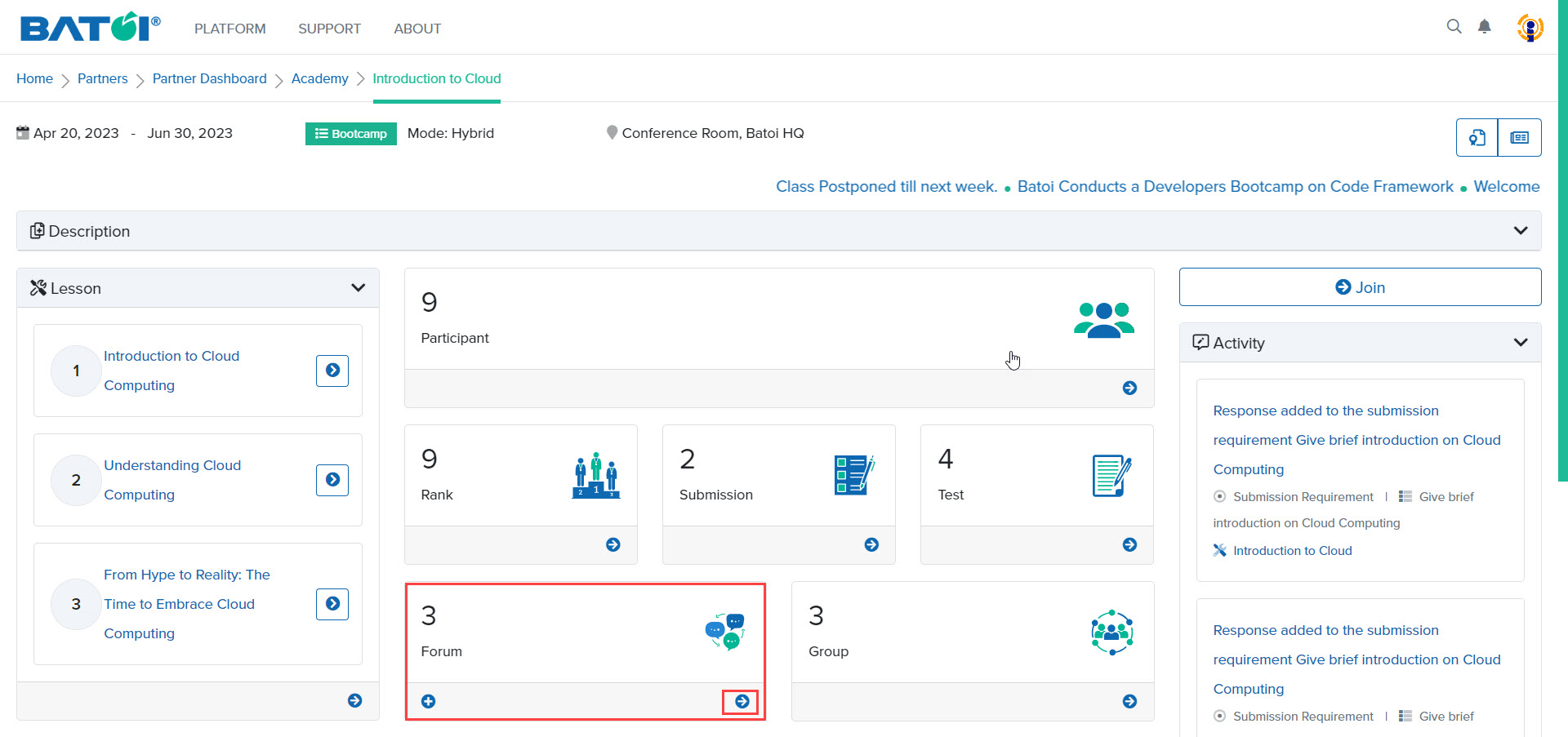
In Batoi Academy, forums are present to discuss and collaborate. In the forum, 3 represents the number of threads present in that forum. To view all the forums, click on the View All button in the forum section of the program dashboard, as illustrated in Figure 1.
Add Forum
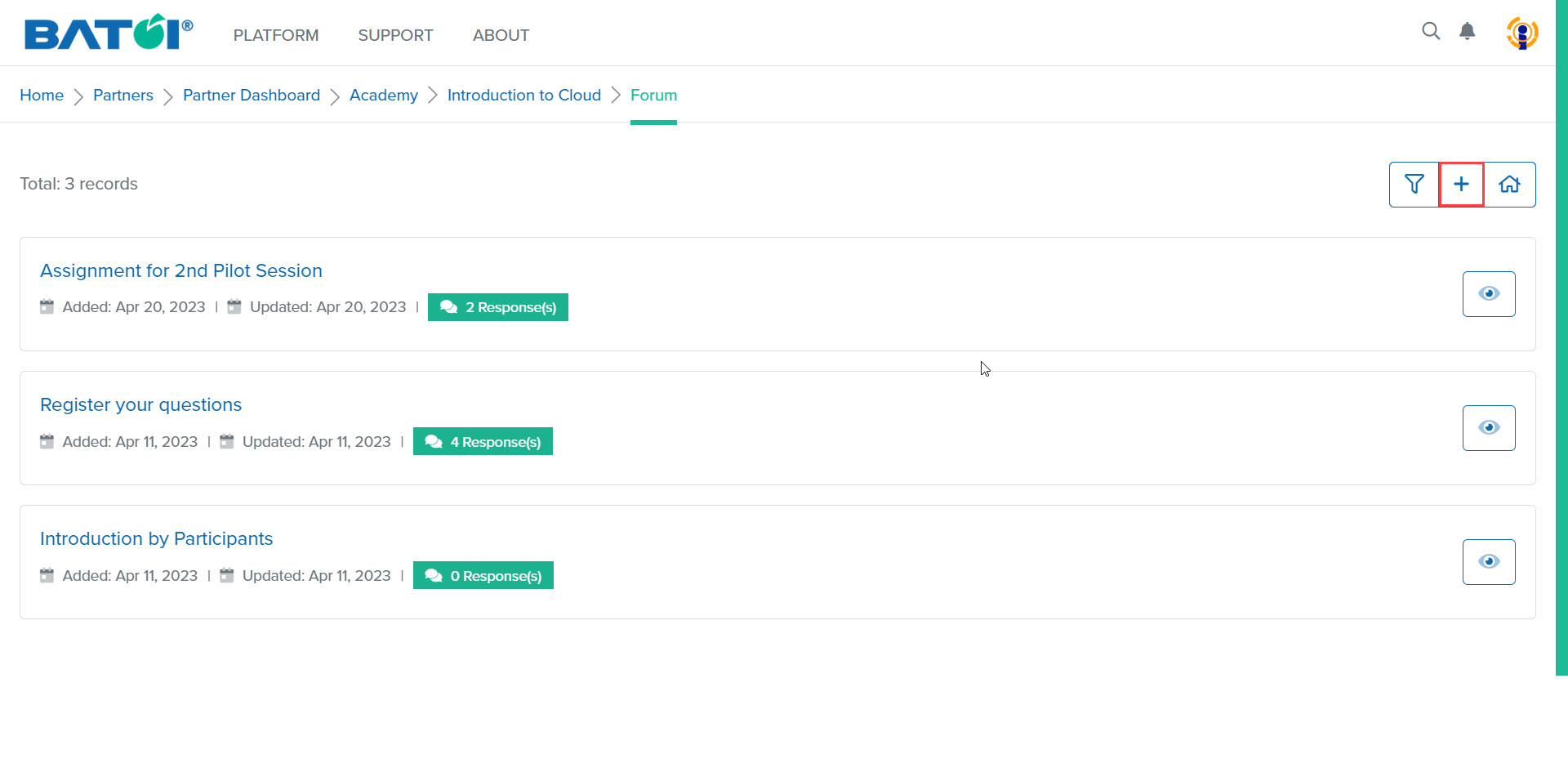
To add a thread to the forum, click on the Add Thread button, as illustrated in Figure 2.
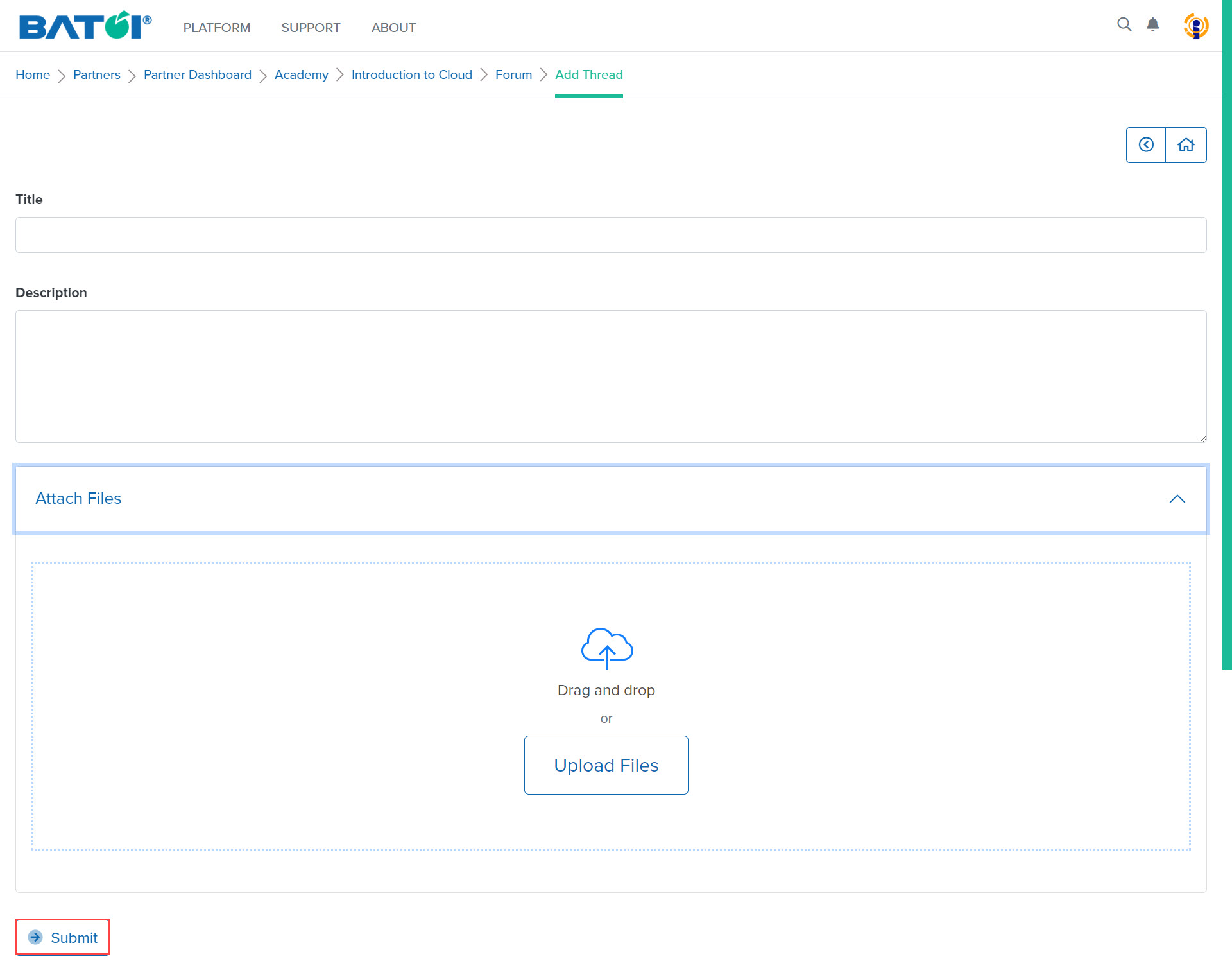
Enter the title, description, and attach files if necessary and click on the Save button to add a new forum, as illustrated in Figure 3.
View Forum
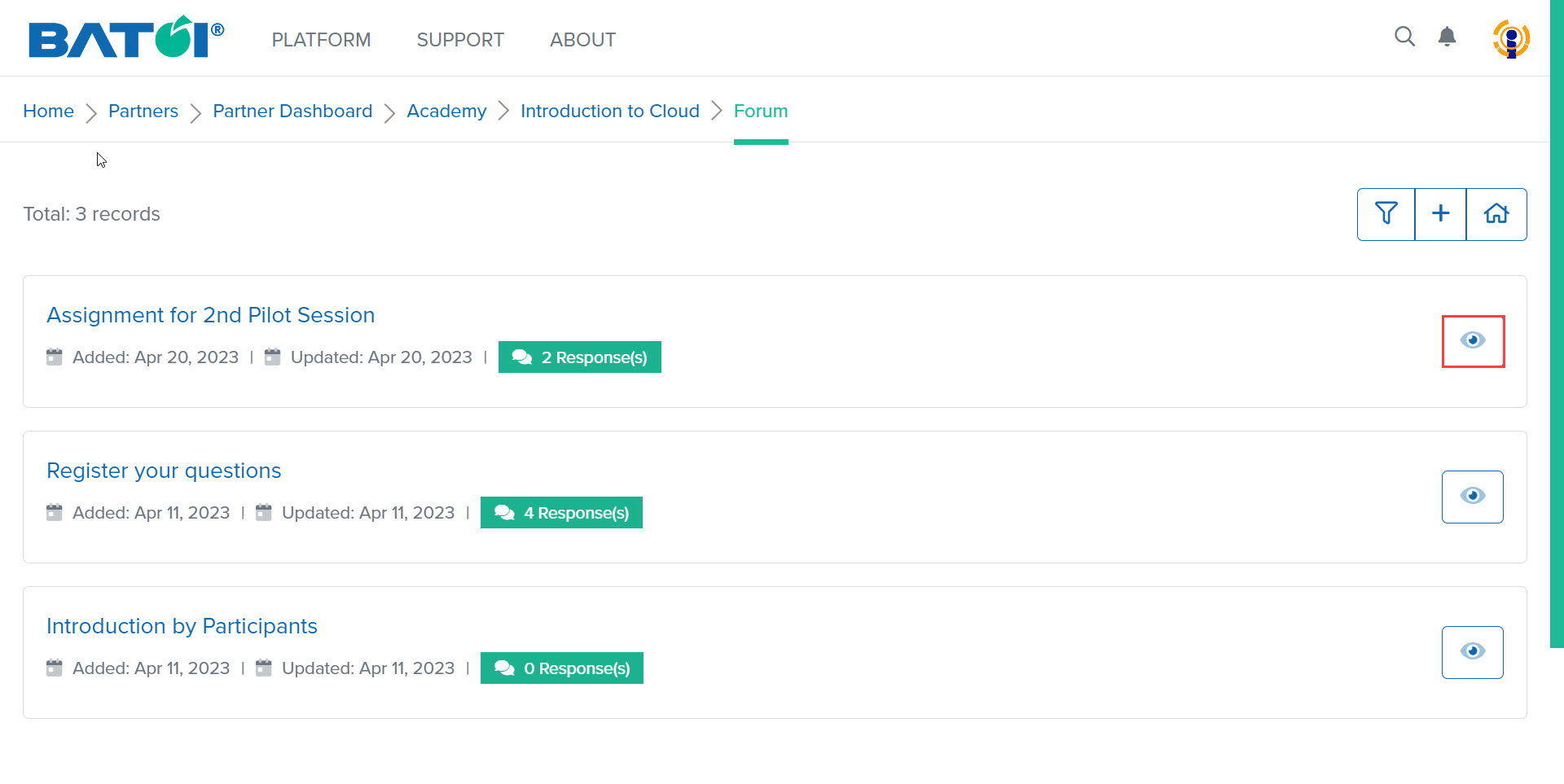
To view the thread of the forums in detail, click on the View Thread button, as illustrated in Figure 4.
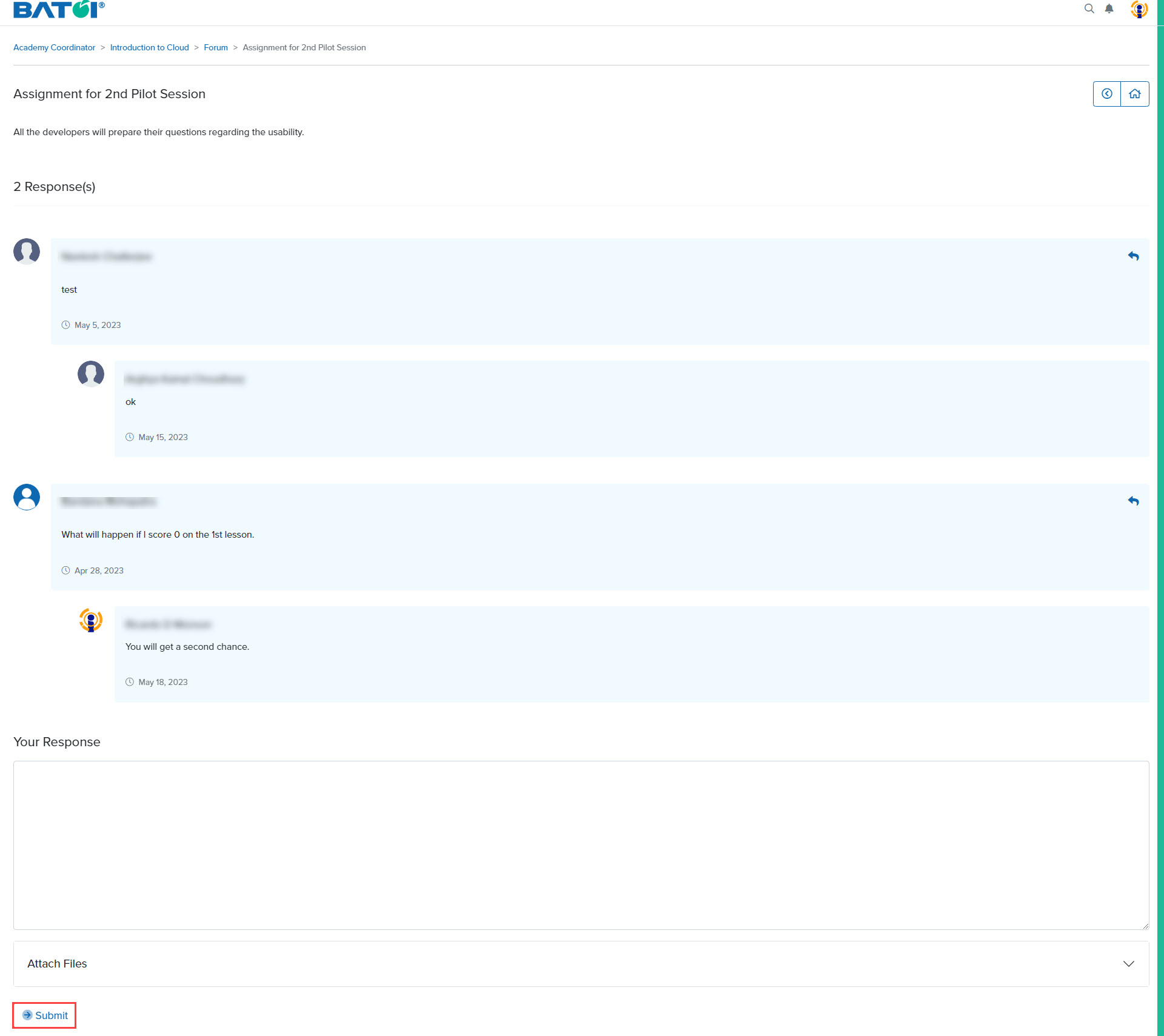
The thread along with responses added by the participants will be displayed. You can enter a response and click on the Submit button to save your response, as illustrated in Figure 5.
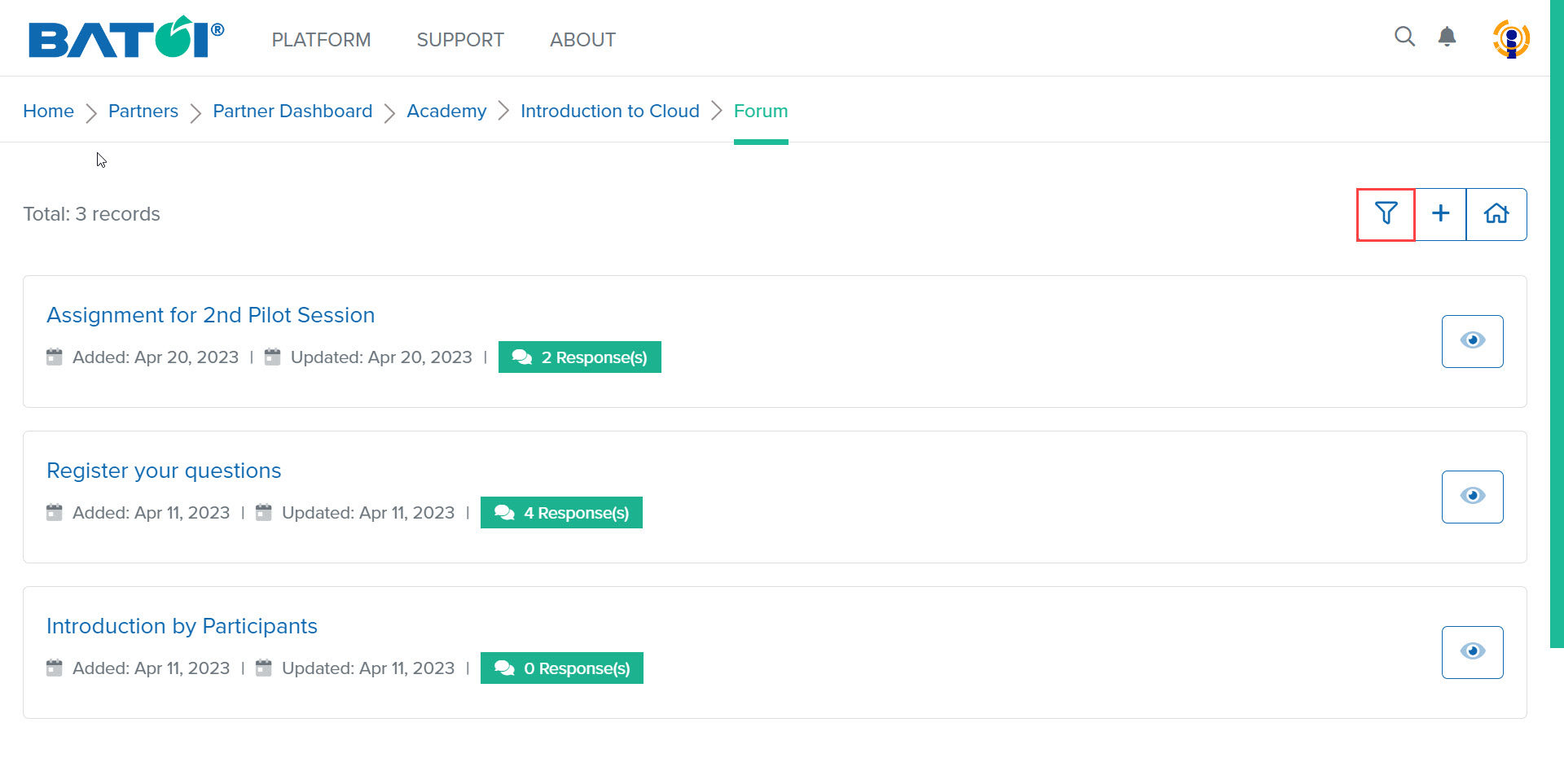
On the forum list page, search for any forum by clicking on the Filter button, as illustrated in Figure 6.
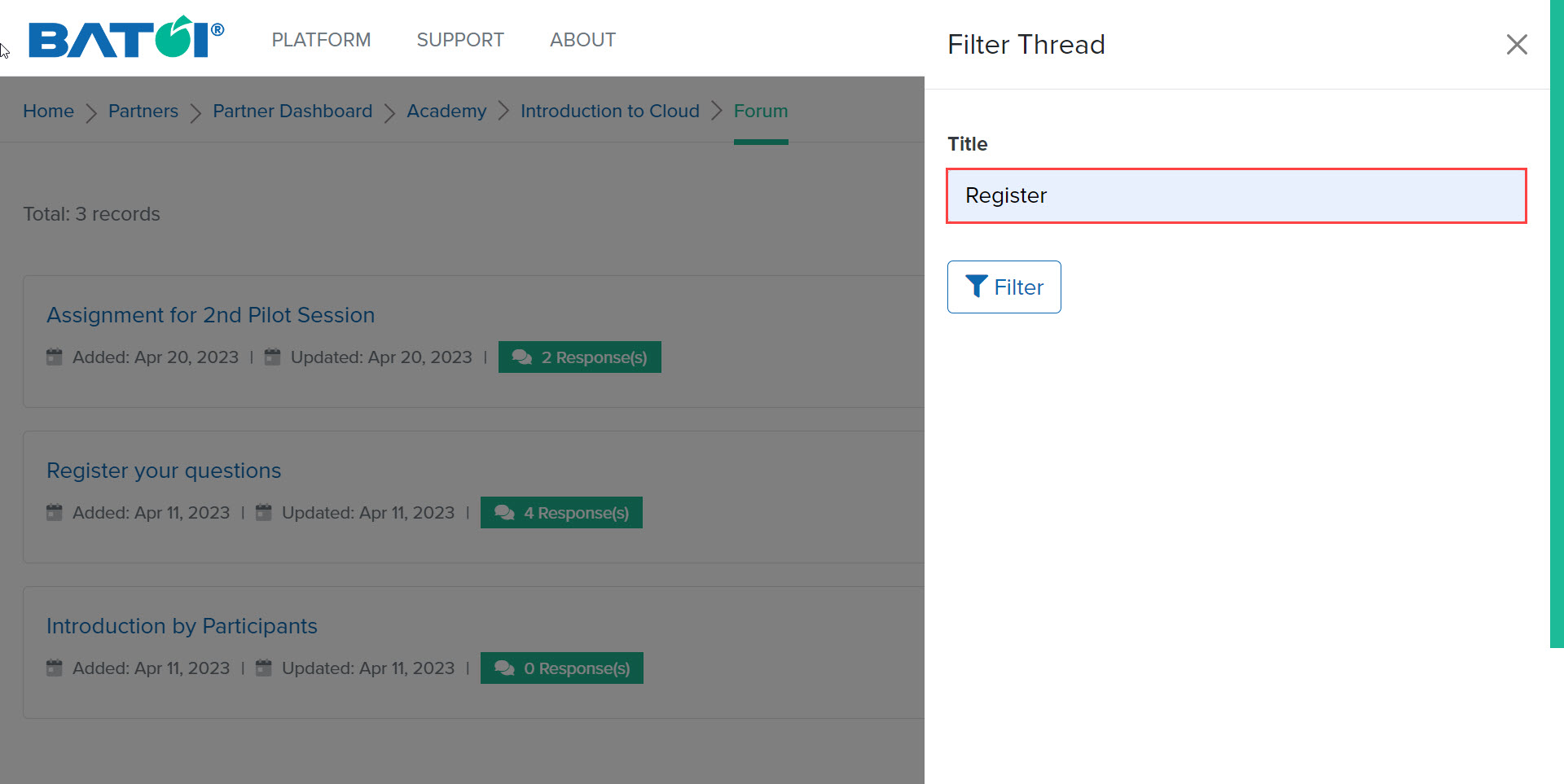
Enter the title of the thread, and click on the Filter button, as illustrated in Figure 7.
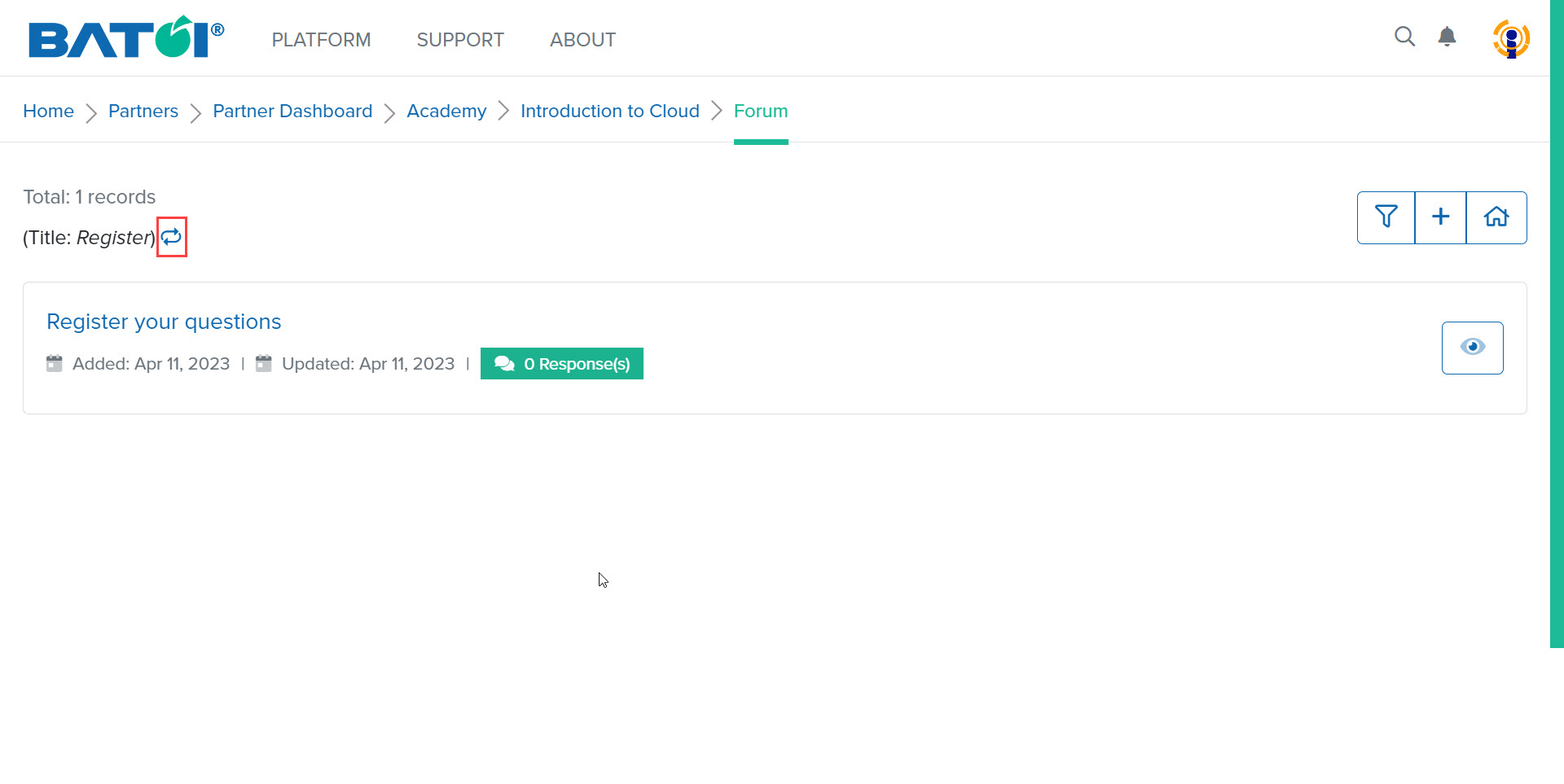
To go back to the list page of forum, click on the Reset button, as illustrated in Figure 8.