Rank
Discover how to use the Rank button to assign rankings to participants based on their performance in the program.
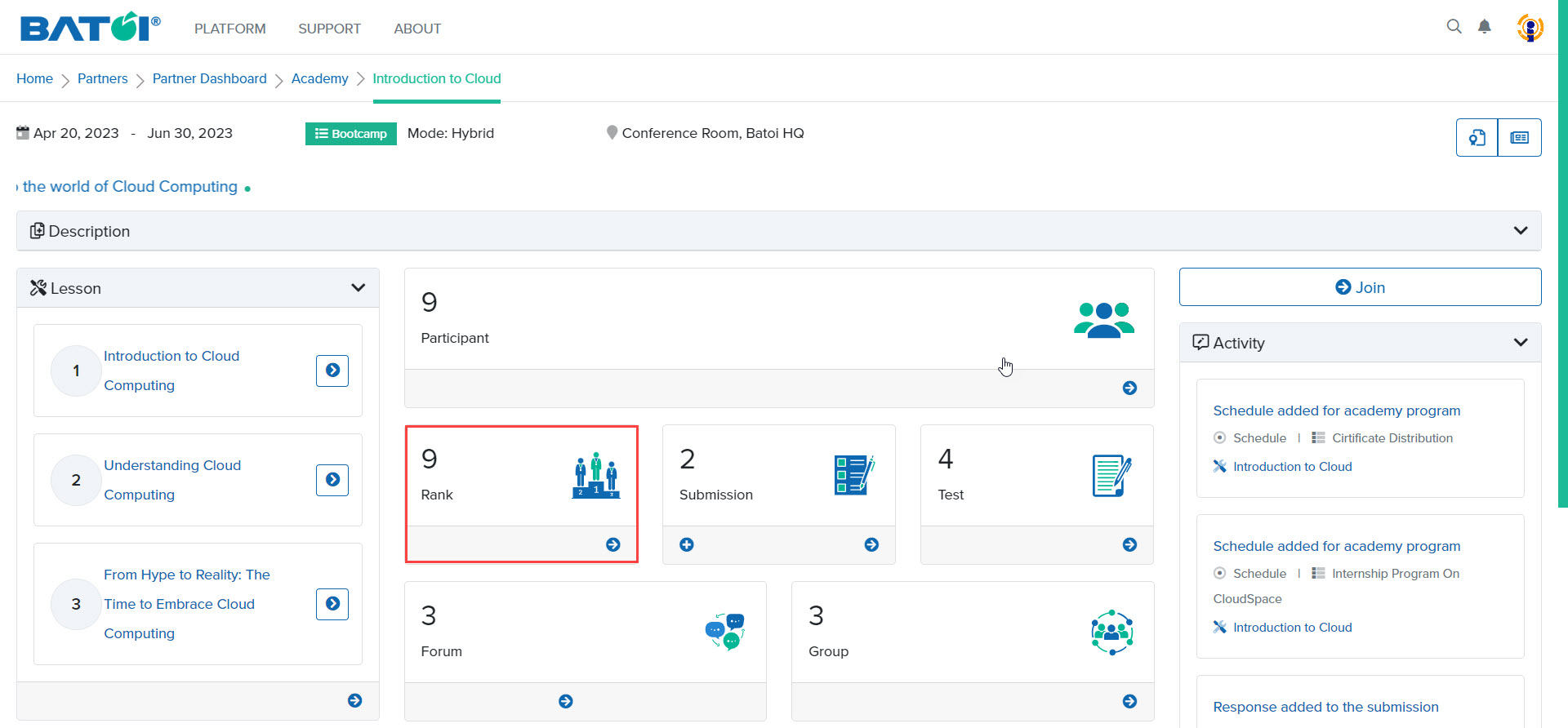
In the Rank section, number 9 shows the number of participants in the program. To provide ranks to the participants, click on the View All button, as illustrated in Figure 1.
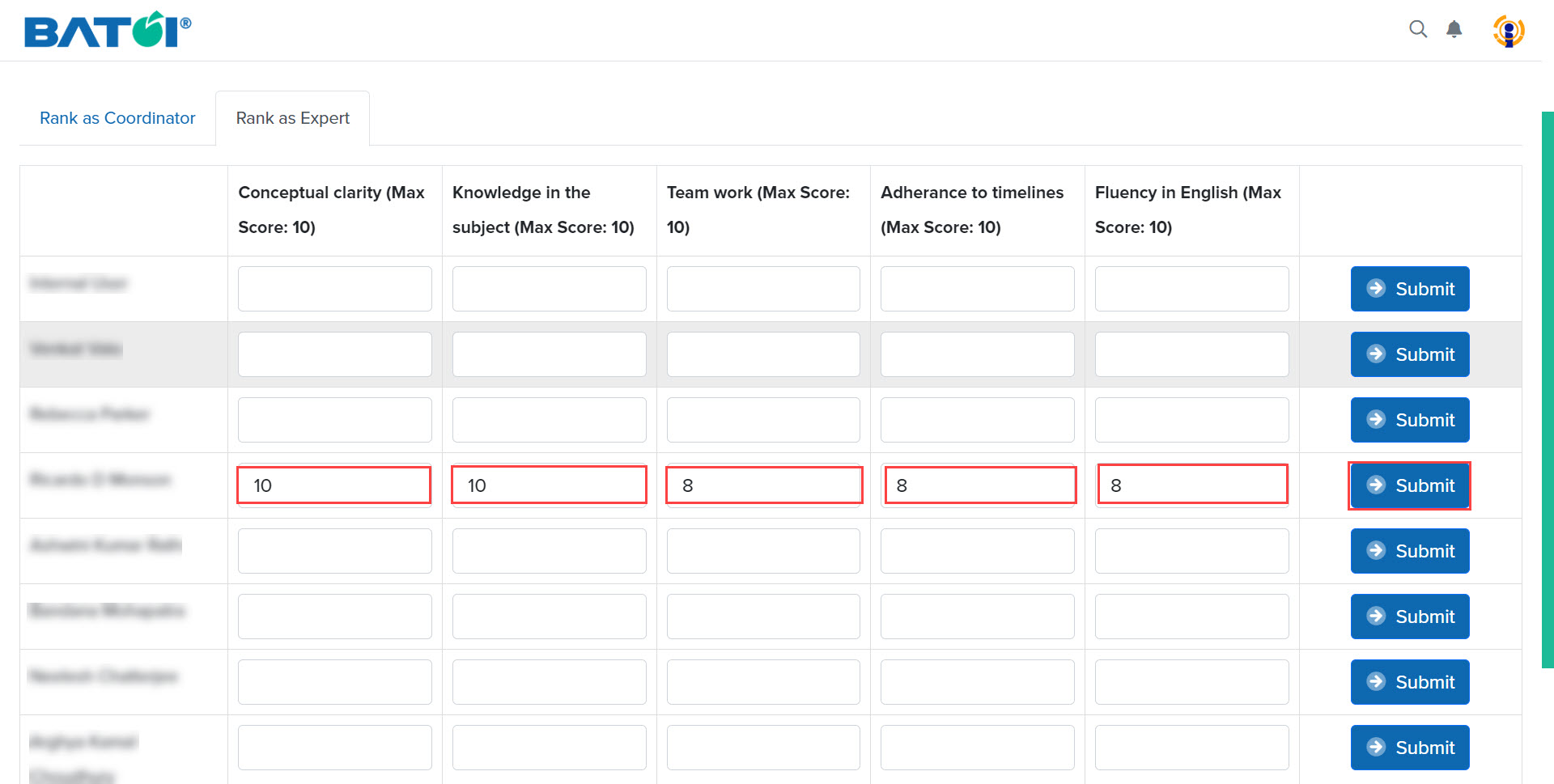
Give scores to all the participants based on the assignments submitted by them and click on the Submit button to save the scores, as illustrated in Figure 2.