
Guide navigation 15 of 44
What this page helps you accomplish
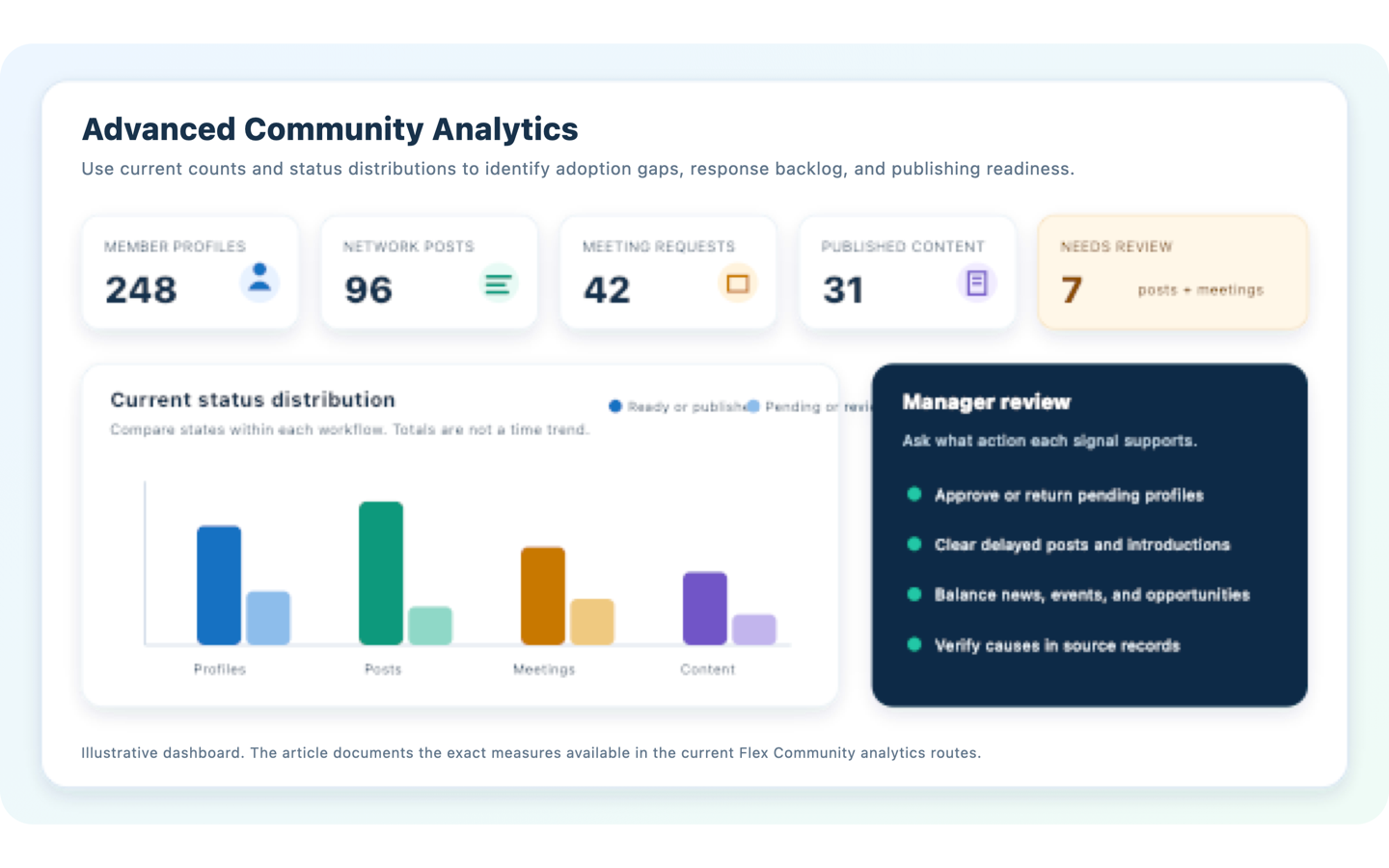
Use Advanced Community Analytics to review profile adoption, participation states, meeting outcomes, publishing readiness, and moderation workload without confusing current counts with trends or performance rates.
Scope and authority
A Flex plan that includes Advanced Community Analytics Community manager access to the workspace analytics routes
Analytics
Use Advanced Community Analytics to review profile adoption, participation states, meeting outcomes, publishing readiness, and moderation workload without confusing current counts with trends or performance rates.
Observable business result
A Community manager can choose the right analytical view, interpret its current-state measures correctly, verify causes in source records, and assign an appropriate follow-up action.
The analytics page is unavailable.
Recommended recovery: Ask an Owner or Admin to verify the plan and least-privilege access. Do not share screenshots or exports as a substitute for access control.Who should use this article
This article is for Workspace Owners, Workspace Admins, Community managers, and authorized analysts. Community analytics routes are manager-only and require the Advanced Community Analytics capability. Members and read-only participants should not receive manager analytics merely to view their own activity.
Before you begin
- State the operating question first, such as whether profiles need review, introductions are stalled, or editorial content is ready to publish.
- Confirm that the workspace plan includes Advanced Community Analytics and that your role permits manager access.
- Know the Community settings and moderation policy. A pending count can be expected when approval is required.
- Use the analytics views as current-state summaries. The current implementation does not calculate historical trends, conversion rates, response times, sentiment, retention, or forecasts.
- Verify every cause and consequential action in the underlying member, post, meeting, or content record.
Workflow overview
Choose the right analytics view
| View | Cards shown | Chart shown | Best management question |
|---|---|---|---|
| Community Analytics | Members, Posts, Meeting Requests, Published News, Published Events, Needs Review | The same six current totals | Which Community area needs a closer review now? |
| Members Analytics | Profiles, Visible, Pending, Categorized, Custom Fields | Up to ten profile categories by distinct profile count. When category data is unavailable, the chart shows Public, Members Only, and Private visibility counts. | Are profiles discoverable, organized, and moving through approval? |
| Networking Analytics | Posts, Published, Pending | Published, Pending, Hidden | Is the contribution queue delaying useful participation? |
| Meeting Requests Analytics | Requests, Accepted, Pending | Pending, Accepted, Declined, Completed | Are introductions being acknowledged and completed? |
| News Analytics | Published News, Drafts, In Review | Published, Draft, Review, Unpublished | Is editorial work ready and is the publishing pipeline balanced? |
| Events Analytics | Published Events, Upcoming, Drafts | Published Event versus Opportunity records | Does the visible content mix support upcoming participation and opportunities? |
Understand each measure
Overall Community measures
- Members counts active Community member profiles. It does not count every workspace user.
- Posts counts all active networking post records, regardless of published, pending, draft, or hidden state.
- Meeting Requests counts all active meeting request records.
- Published News counts published news and announcement records.
- Published Events counts published event and opportunity records.
- Needs Review adds draft or pending posts to pending meeting requests. It does not include pending profiles or editorial items in review.
Member measures
- Profiles counts active Community profile records.
- Visible counts profiles whose directory-visible flag is enabled. Record visibility and access rules still determine what another person can see.
- Pending counts profiles awaiting approval.
- Categorized counts distinct profiles with at least one active category mapping.
- Custom Fields counts active profile schema fields. It does not measure how many profiles completed those fields.
Workflow status measures
- Networking groups posts into published, pending, and hidden. The Pending value combines draft and pending states.
- Meeting analytics charts pending, accepted, declined, and completed requests. Canceled requests remain part of the total Requests card but are not a separate chart category in the current implementation.
- News separates published, draft, review, and unpublished records.
- Events compares published events with published opportunities. The Upcoming card currently counts published event or opportunity records that have a start time. It does not test whether that time is later than the current date.
Complete the workflow
- Frame one operating question. For example, ask whether pending profiles require review, whether meeting requests are unresolved, or whether content is ready to publish.
- Open the narrowest relevant view. Start with Community Analytics only for orientation, then move to Members, Networking, Meeting Requests, News, or Events Analytics.
- Read the cards before the chart. Confirm the population and the states included in each number. Note whether a combined card omits another queue, such as pending profiles.
- Use the chart for composition. Compare statuses within one workflow. A high pending count may reflect new activity, an approval policy, or delayed review, so it is not automatically negative.
- Read the AI Summary cautiously. The current implementation displays a view-specific explanation of what the analytics area is intended to show. It is not a workspace-specific diagnosis and does not calculate a cause from the displayed values.
- Verify source records. Open the related member, networking, meeting request, news, event, or moderation register. Check age, ownership, state, visibility, duplicates, and policy context.
- Assign proportionate action. Approve, return, publish, follow up, correct settings, or leave the state unchanged. Record an owner and review date when the action cannot be completed immediately.
- Recheck the view. Confirm that the intended records moved to the correct state and that no unrelated Community records were changed.
Turn signals into actions
| Signal | Questions to verify | Possible manager action |
|---|---|---|
| Many pending profiles | Is approval required? How old are the records? Are required fields missing? Is the directory purpose clear? | Review the queue, return incomplete profiles with clear guidance, or schedule a profile completion campaign. |
| Many uncategorized profiles | Are categories useful and current? Does a profile need more than one category? Is classification optional? | Simplify categories, update mappings, or leave profiles uncategorized when classification adds no value. |
| Pending or hidden posts | Are posts awaiting routine review, lacking context, duplicated, or inconsistent with participation rules? | Publish, return, hide, or clarify the policy. Do not infer intent from the count alone. |
| Pending meeting requests | Are requests recent, complete, within limits, and directed to active members? Has the recipient had reasonable time to respond? | Send a proportionate reminder, help correct the request, or close stale requests under the stated policy. |
| Many drafts or review items | Is there an editorial owner, publication date, approval dependency, duplicate topic, or expired item? | Assign editorial ownership, publish ready items, update dates, or unpublish material that should no longer appear. |
Verify the result
- The selected view answers the stated question and its metric definition is understood.
- The chart categories reconcile with the related source register for the same workspace and active-record scope.
- No current count has been described as a trend, rate, forecast, or causal explanation.
- Any excluded state, such as canceled meeting requests, is considered before interpreting the total.
- The action is supported by record evidence, Community policy, role authority, and a named owner.
- A later review can determine whether the operational backlog or readiness issue was resolved.
Troubleshooting and recovery
| What you see | What to check | Safe next action |
|---|---|---|
| The analytics page is unavailable. | Advanced Community Analytics entitlement, manager role, workspace membership, and the intended workspace. | Ask an Owner or Admin to verify the plan and least-privilege access. Do not share screenshots or exports as a substitute for access control. |
| A card does not match a visible list. | Active-record scope, applied list filters, combined content kinds, hidden or unpublished states, directory visibility, and canceled meetings. | Reconcile the metric definition with the unfiltered manager register before reporting a defect or changing records. |
| The chart appears to imply a trend. | Whether the view has any date axis or historical series. Current Community charts display categorical counts only. | Describe the result as a current distribution. Use a separately validated historical report if a trend decision is required. |
| The AI Summary seems generic. | The current summary implementation and the selected analytics view. | Treat it as view guidance, not analysis. Form a specific question and review the cards, chart, and source records. |
Safety and governance
- Limit manager analytics to people who need them for Community operations.
- Do not rank members by posting or meeting volume. More activity is not automatically more valuable.
- Document metric definitions and known exclusions when using the numbers in a report or decision.
- Follow applicable privacy, retention, participation, and employee or member monitoring requirements.
Use Batoi Intelligence safely
Next step
Return to Manage a Member Community in Batoi Flex for the operating workflow, or continue through the Batoi Flex Product Guide.