
Guide navigation 18 of 42
Business view
Batoi Platform · Govern
What this page helps you accomplish
Evaluate a defined scope against reviewed questions, evidence, and decision criteria.
Accountable roleAssessor
Business taskAssessment
Completion signalThe assessment records supported findings, accountable remediation, and an authorized conclusion.
Scope and authority
Access to the appropriate authenticated workspace through My Batoi Authority for the records, action, or decision involved
Assessment
Evaluate a defined scope against reviewed questions, evidence, and decision criteria.
Observable business result
The assessment records supported findings, accountable remediation, and an authorized conclusion.
Potential issue and recovery
The expected record or action is missing.
Recommended recovery: Stop and return to the intended context. Ask an Owner or Admin to confirm access instead of using another person’s account.Who should use this article
This article is for Assessor who are authorized to complete or review this task in the intended workspace. The person making a consequential decision remains accountable for the result.
Before you begin
- Access to the appropriate authenticated workspace through My Batoi
- Authority for the records, action, or decision involved
- Use sample or approved operational information only; never enter a password, token, private key, or unnecessary personal information.
Workflow overview
Complete the workflow
- Confirm the context. Enter the intended workspace through My Batoi, open Batoi Govern, and confirm the selected project, app, record, review period, and accountable owner.
- Check access and prerequisites. Make sure the required connection, source record, role, decision authority, and safe information boundary are ready before changing anything.
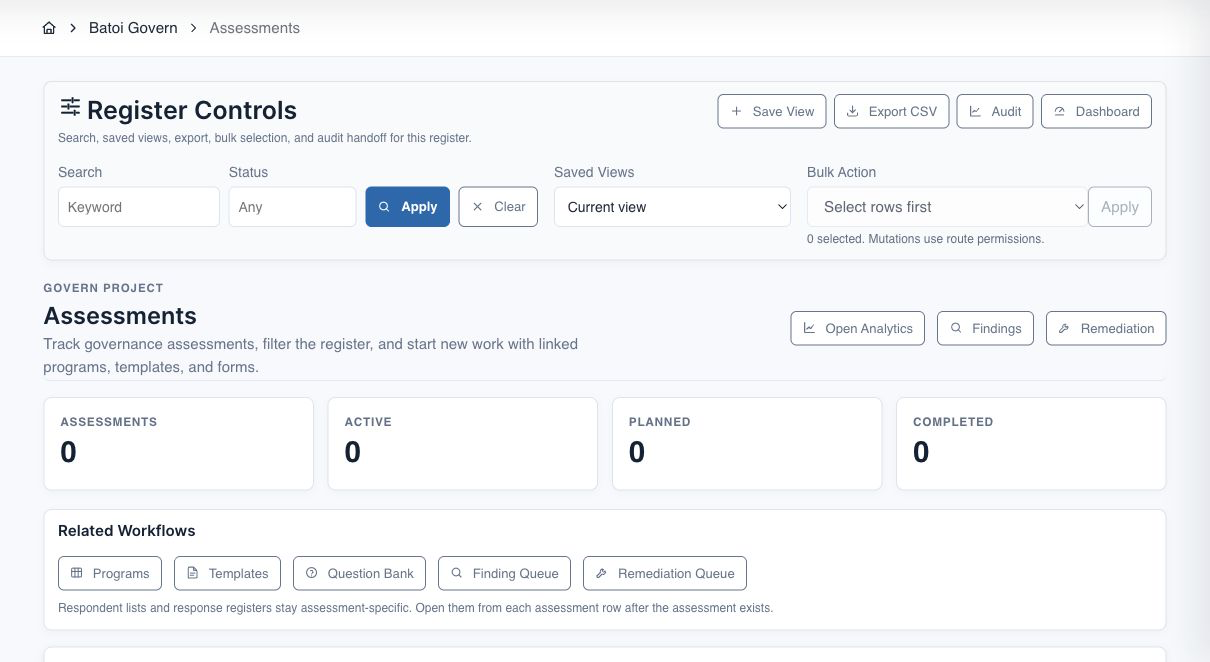
- Perform the task. Define the assessment scope, criteria, participants, response period, evidence expectations, reviewer, and completion condition.
- Review the result. Validate responses and evidence, record findings consistently, agree remediation owners and dates, and identify any decision requiring escalation.
- Verify and record the outcome. Compare the final state with the completion checks below, retain permitted evidence, and assign an owner for any exception or follow-up.
Verify the result
- The workspace, project, app, record, or review period still matches the intended scope.
- The assessment records supported findings, accountable remediation, and an authorized conclusion.
- Every required decision, exception, evidence item, and follow-up has an accountable owner.
- The visible status and next action can be independently understood by an authorized reviewer.
Troubleshooting and recovery
| What you see | What to check | Safe next action |
|---|---|---|
| The expected record or action is missing. | Workspace, project/app context, role, status filters, and prerequisites. | Stop and return to the intended context. Ask an Owner or Admin to confirm access instead of using another person’s account. |
| The status remains incomplete or needs review. | Required fields, evidence, approvals, source connections, checks, and assigned owners. | Record the missing item and owner. Do not mark the task complete until the requirement is independently verifiable. |
| The result conflicts with policy or evidence. | Scope, source recency, exception authority, decision conditions, and reviewer independence. | Do not bypass the control. Return the item for correction or escalate it through the authorized governance route. |
Safety and governance
Protect sensitive information. Do not place credentials, secrets, private keys, raw tokens, unnecessary personal information, private repository content, customer identifiers, or restricted documents in a public note, screenshot, prompt, export, or evidence caption. Use the workspace’s approved secret reference and permission-controlled records.
Next step
Continue with the next verified article in this Product Guide, or return to the Batoi Platform Product Guide.