
 Batoi Corporate Office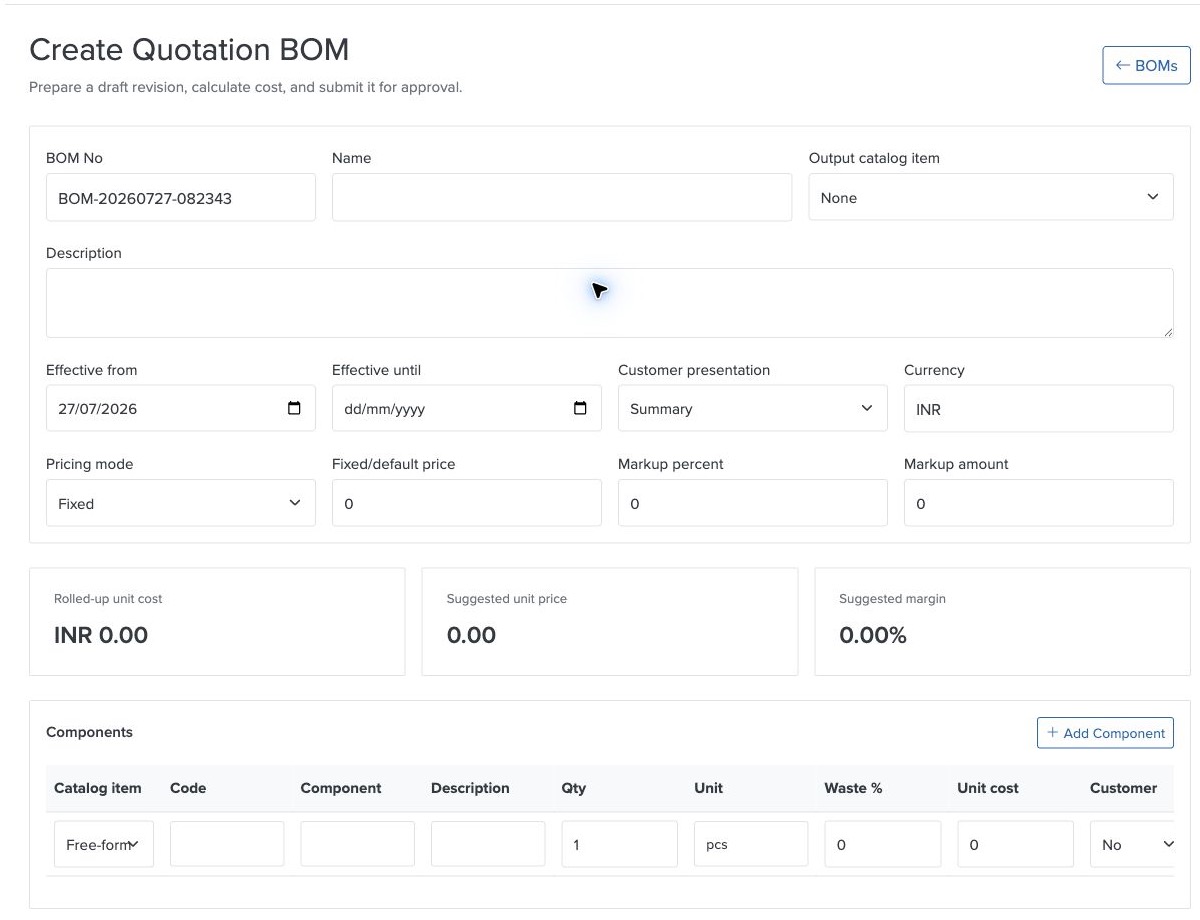
Batoi Flex supports quotation-oriented Bill of Materials (BOM) management for Scale workspaces. Teams can define reusable assemblies, kits, service packages, and bundled offerings; calculate their rolled-up cost; approve controlled revisions; and select them while preparing quotations.
The result is a faster and more consistent quotation process. Sales users work with approved packages, Finance can understand expected cost and margin, and customers continue to receive a clear commercial quotation with one priced parent line and an optional customer-safe component breakdown.
Why Bill of Materials Management Matters
Many products and services are sold as a package but delivered through several underlying components.
Examples include:
- an equipment kit containing hardware, accessories, installation, and training;
- a managed service package combining software, onboarding, support, and recurring services;
- an event package containing venue, catering, equipment, and staffing;
- a project deliverable made up of materials, subcontracted work, and professional services; and
- a maintenance package containing replacement parts and labor.
Without a reusable BOM, teams often rebuild these packages manually in every quotation. Component quantities are copied from spreadsheets, costs are recalculated by hand, descriptions vary between sales users, and margins can be difficult to verify.
Quotation BOMs provide a controlled source for that reusable commercial structure.
A Reusable Library of Sellable Packages
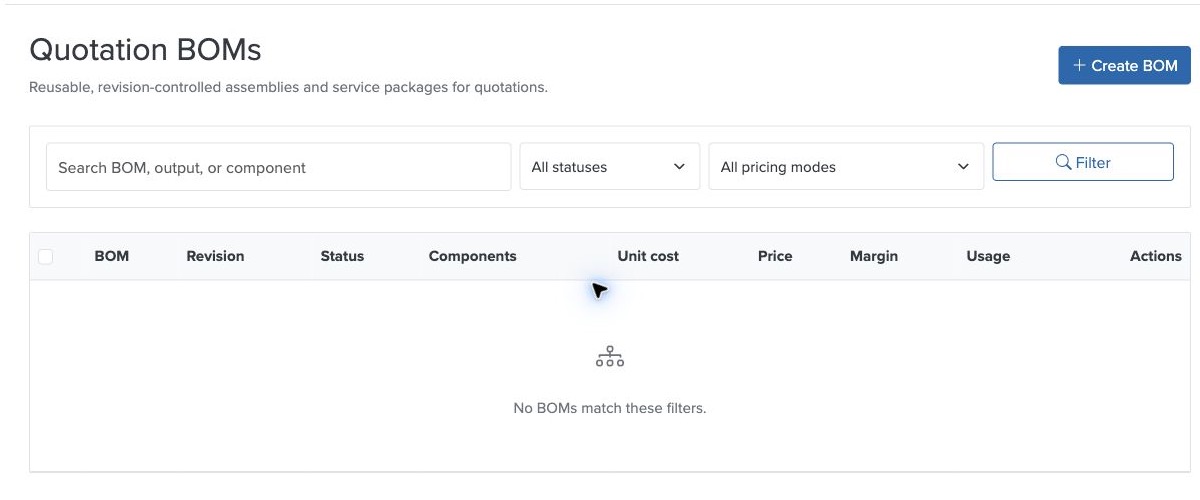
The Quotation BOM library brings assemblies and service packages into one workspace view. Users can search and filter definitions, see revision and approval status, review component counts, and understand quotation usage.
Each BOM can include:
- a BOM number and name;
- an optional output catalog item;
- a customer-safe description;
- effective dates;
- a presentation preference;
- a pricing method;
- one or more catalog-linked or free-form components;
- quantities, units, wastage, and unit costs;
- internal notes; and
- an approved revision used by quotations.
Costing and Pricing in One Workflow
Batoi Flex calculates the rolled-up unit cost from the BOM components. Component wastage is included in the required quantity and extended cost.
Teams can choose from four pricing approaches:
- Fixed: use a defined selling price.
- Cost plus percent: add a percentage markup to rolled-up cost.
- Cost plus amount: add a fixed amount to rolled-up cost.
- Manual on quote: provide a costing reference while allowing the authorized quotation user to confirm the commercial price.
The BOM editor shows rolled-up cost, suggested unit price, and expected margin so the person preparing the definition can review the commercial result before approval.
Controlled Approval and Revisions
A draft BOM remains editable while it is being prepared. Once approved, that revision becomes read-only and can be selected in quotations while it is active and within its effective dates.
When a package changes, an authorized user creates a new revision. The previous approved revision remains available for historical quotation and invoice traceability.
Use an Approved BOM in a Quotation
Scale users with the appropriate role can select an approved BOM as the source for a quotation item.
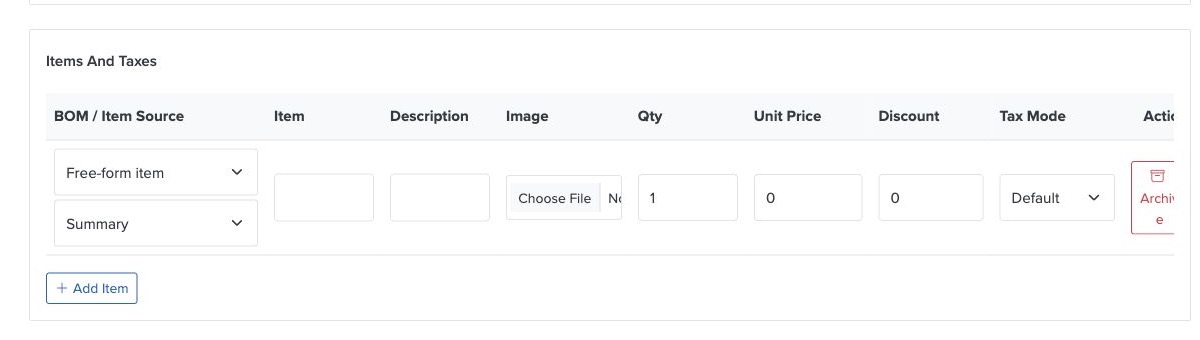
When a BOM is selected, Flex can prefill the parent item title, proposed unit price, catalog reference, revision, and presentation preference. The quotation retains one billable parent line, so existing discount and tax behavior remains clear.
The underlying component structure is stored as an immutable quotation snapshot. If the quotation is later converted into an invoice, Flex preserves the BOM revision and component traceability without recalculating the accepted commercial values from a newer definition.
Customer-Safe Presentation
Not every component belongs on a customer-facing document. Batoi Flex separates internal costing from customer presentation.
Summary
The customer sees the priced package or assembly as one quotation item.
Customer Detail
The customer sees the priced parent item plus selected informational component names, descriptions, quantities, and units. Component costs, wastage, margins, and internal notes are not included.
Internal Only
The customer sees the summary parent item, while authorized internal users can review the component detail needed for delivery and margin analysis.
Each component also has its own customer-visibility setting, allowing teams to keep internal materials or services out of customer documents.
Role-Aware Collaboration
Quotation BOMs support the different responsibilities involved in preparing and using a package:
- Owners and Admins govern approval, revision, retirement, and archival decisions.
- Finance users prepare definitions, maintain component costs, and review pricing and margin.
- Sales users select approved BOMs while preparing quotations.
- Delivery users can review allowed component quantities for fulfillment without needing to edit the commercial definition.
Access remains workspace-scoped and is available as a Scale-plan capability.
Analytics for Usage, Value, Margin, and Demand
BOM analytics help teams understand how reusable packages are being used in quotations.
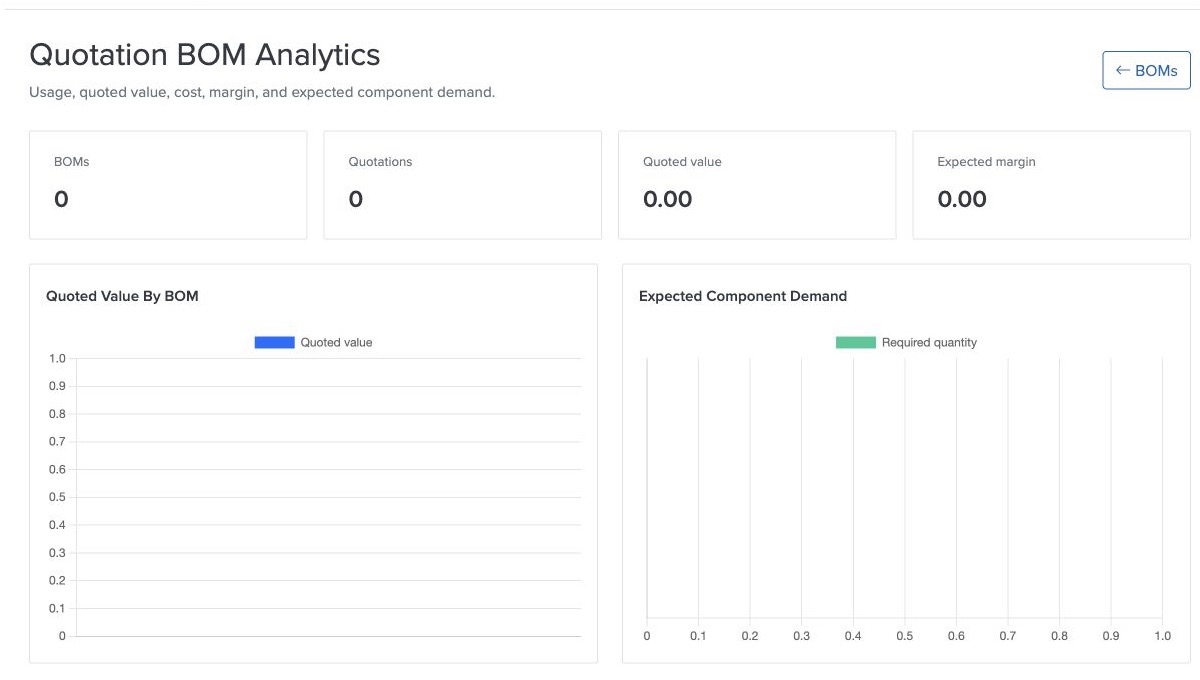
The analytics experience is designed to report:
- BOM usage in quotations;
- quoted value;
- expected cost and margin;
- quoted value and margin trends; and
- expected component demand.
Historical reporting uses quotation snapshots rather than mutable current definitions. This keeps prior commercial analysis aligned with the revision and component values used when the quotation was prepared.
Designed for Quotation Management
This release focuses on reusable quotation packages and commercial traceability. It does not create manufacturing orders, reserve stock, consume inventory, or generate procurement documents automatically.
That boundary keeps the quotation workflow understandable while giving Scale workspaces a reliable foundation for assemblies, service bundles, and kits.
Practical Benefits
Quotation BOM management can help teams:
- prepare repeatable packages faster;
- reduce manual spreadsheet calculations;
- apply consistent names, quantities, and descriptions;
- review expected margin before quoting;
- keep customer documents simple;
- protect approved definitions through revisions;
- preserve accepted quotation values;
- retain BOM traceability through invoice conversion; and
- forecast component demand from quotation activity.
In Short
Quotation BOM management in Batoi Flex connects reusable package design, component costing, controlled approval, quotation preparation, customer-safe presentation, invoice traceability, and commercial analytics.
For Scale workspaces that regularly sell assemblies, kits, or bundled services, it creates a more consistent path from internal costing to a professional customer quotation.