A ticketing system enables team members to tackle distinct tasks with considerably less overhead and better manage their time. The Ticket app in Batoi CloudSpace can keep track of the elements in your project. You can see who is involved in a task, issue or discussion and when they complete it, and you will know when the status changes.
Overview
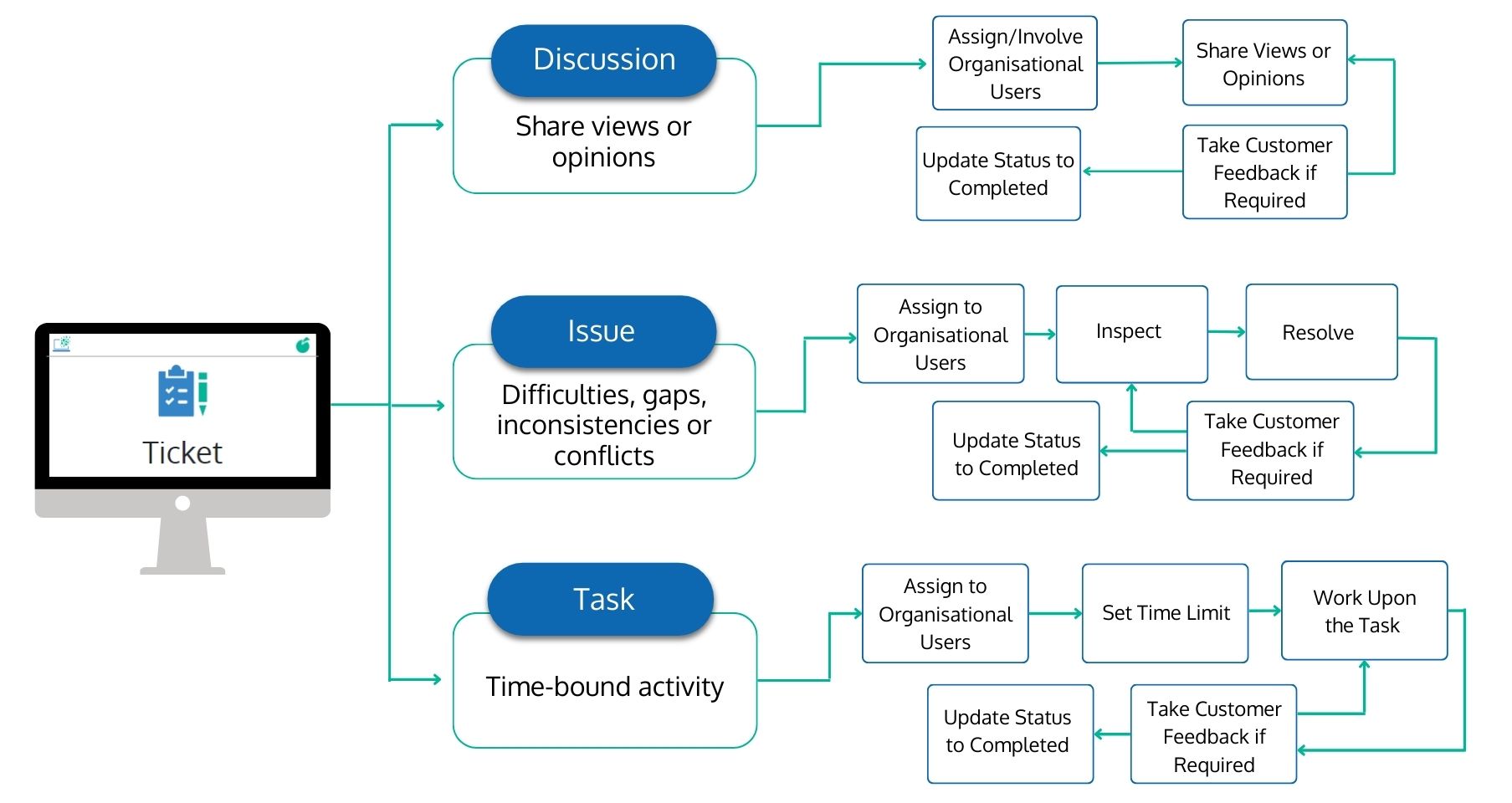
Depending on the nature, tickets can be a ‘Discussion’, an ‘Issue’ or a ‘Task’. Successful project completion may require many discussions with team members, which may be recorded in the log. With organisational users, you can hold/have conversations regarding possibilities, improvements, etc. You may add a ‘Discussion for the Project' and the organisational user(s) required during the discussion.
Issues are problems that arise unexpectedly throughout a project's lifespan. You may add an ‘Issue’ to the project and assign it to ‘Organizational Users’. You can opt for customer feedback by updating the status to ‘Customer Feedback Needed’. Once the issue is resolved, mark the status as ‘Completed’.
A task is a work-related time-bound activity that must be completed within a specific timeframe or by a deadline. It is a modest but essential part of the work that assists in distinguishing distinct project components. You may add a ‘Task’ to the project, assign it to ‘Organizational Users’, and add a distinct timeline and estimated hour(s) of work. Once the task is done, mark the status as ‘Completed’. You can opt for customer feedback by updating the status to ‘Customer Feedback Needed’.
Ticket
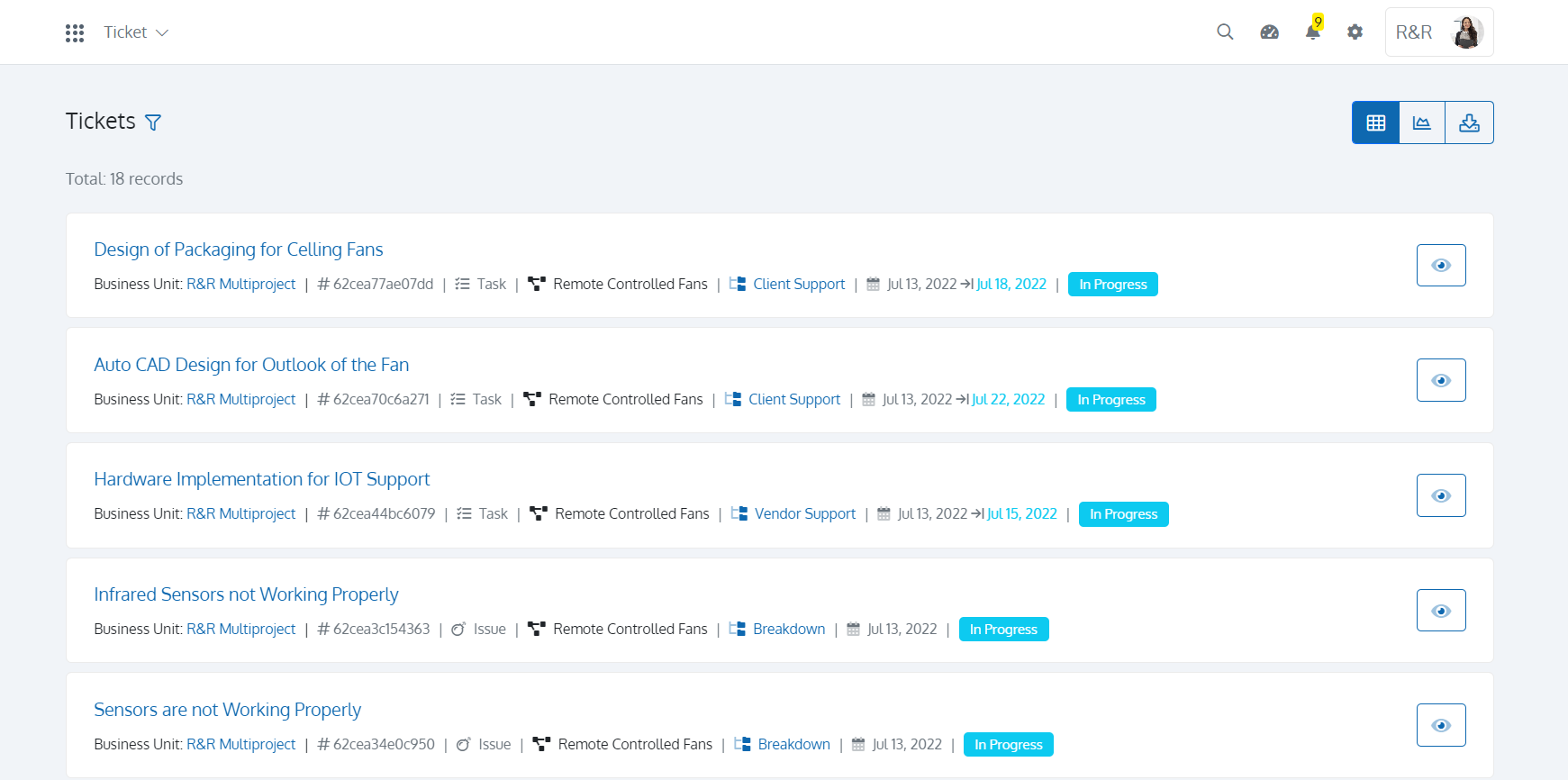
You can add a ticket to a project in the Project app in Batoi CloudSpace. All your tickets will be visible to you in the Ticket app in Batoi CloudSpace. The list page of the Ticket app gives you all the essential information about the Ticket, like ‘Type of the Ticket’, ‘Category’ and the Project it belongs to, along with the status.
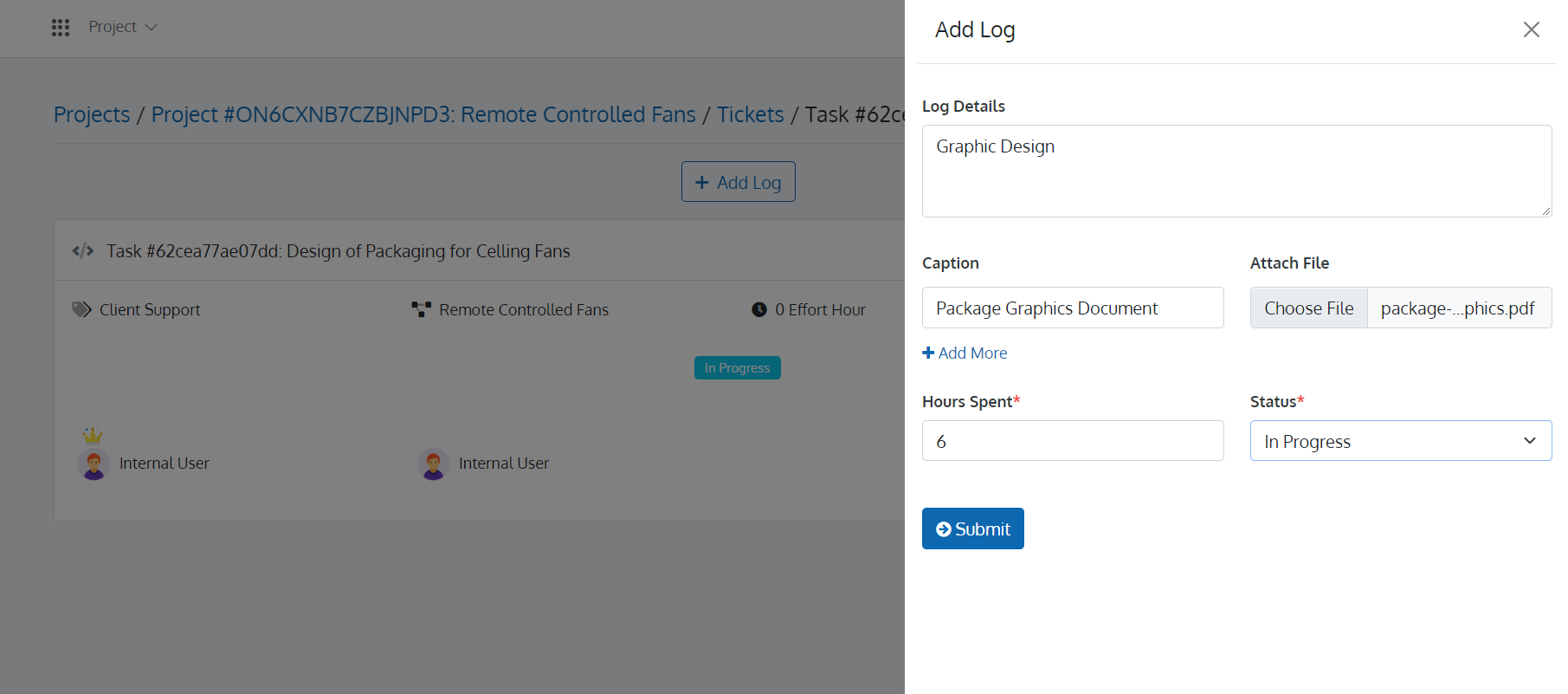
Resolving a ticket might require a lot of work. All this work can be recorded in the ticket logs. You can add logs for individual tickets in the Ticket app.
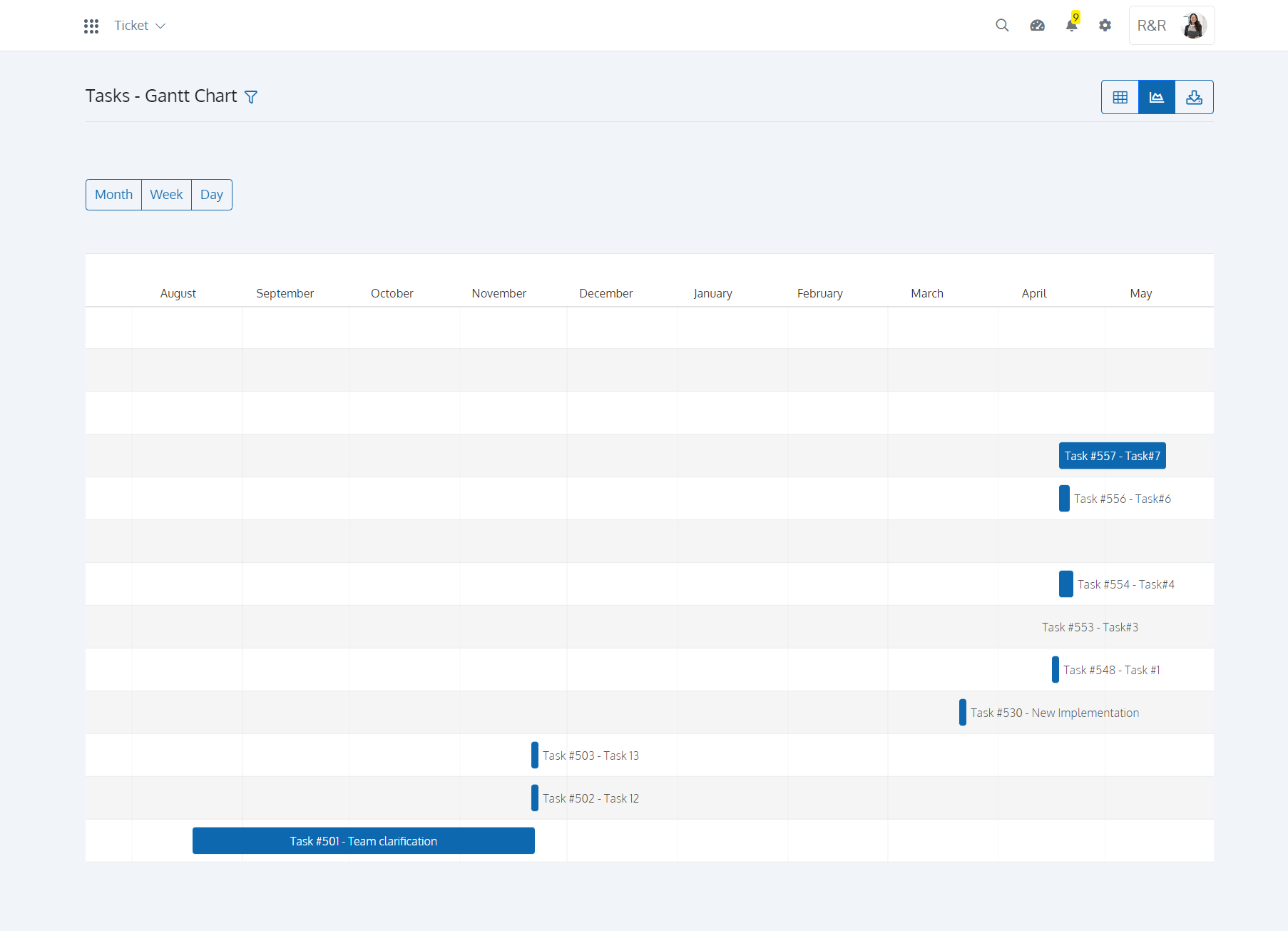
Gantt charts assist teams in planning work around deadlines and allocating resources. Your project managers can use Gantt charts to keep a broad perspective on their initiatives. Batoi CloudSpace can take a Gantt Chart view and relate dependent tasks and milestones with beginning and ending dates. You can also download tickets in CSV.