
 Batoi Corporate Office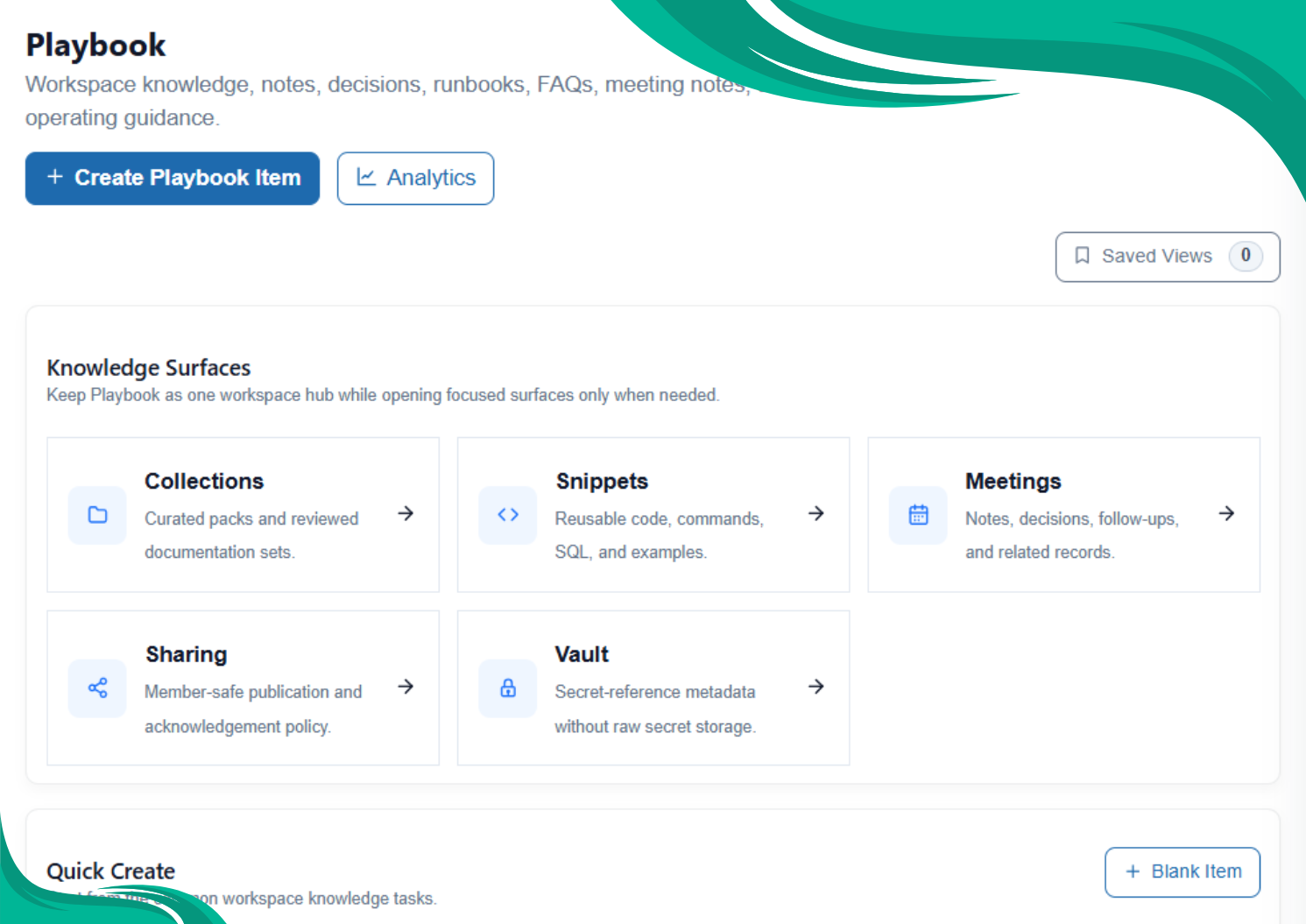
Every growing team carries a hidden cost: important knowledge gets scattered across messages, files, meetings, task comments, and individual memory.
A process is explained once but never documented. A project decision is discussed in a meeting but not recorded. A security review produces findings, but the remediation steps remain buried in chat. A team member creates a useful note, but no one knows whether it is up to date, approved, reusable, or safe to share.
Batoi Playbook addresses this by making repeatable workspace knowledge durable, reviewable, shareable, and useful in daily work.
Playbook is not a simple notes area. It is the governed knowledge layer inside Batoi Workspace.
What Playbook Does
Playbook helps teams maintain the operating memory of a workspace. It is the place for knowledge that should be reused, linked to projects, reviewed over time, shared with internal users or Workspace Members, or used as Batoi Intelligence input.
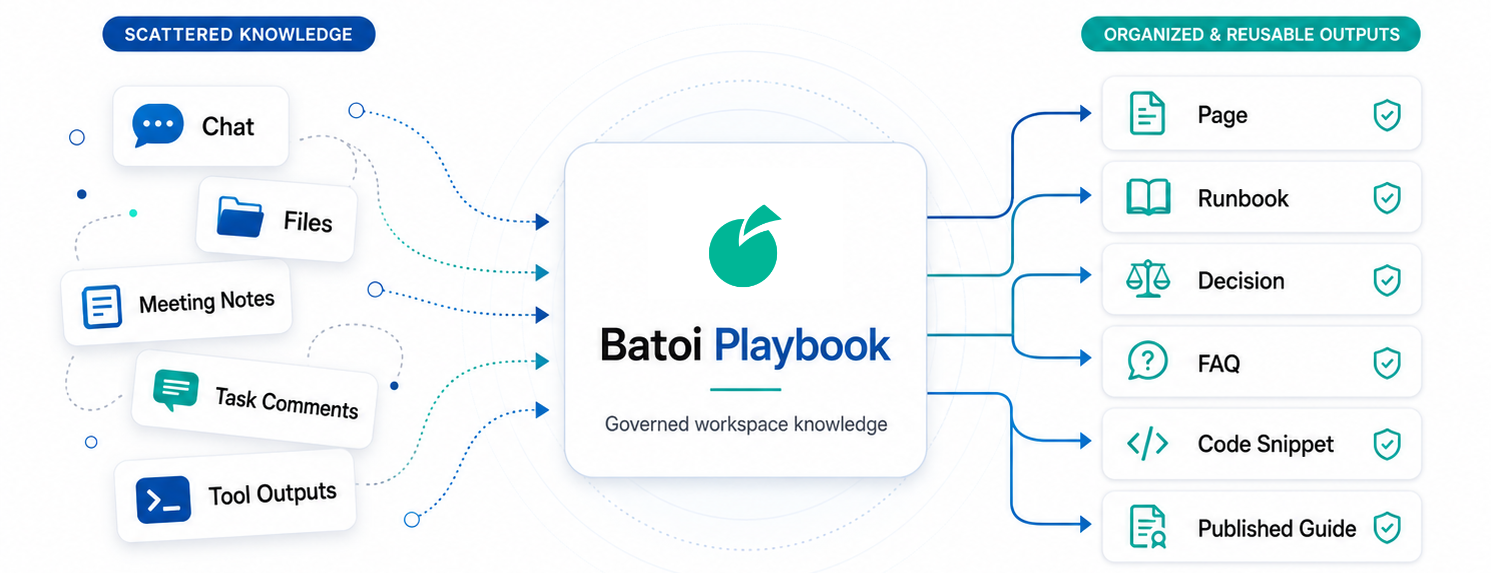
Teams can use Playbook to answer practical questions:
What should people know?
Use Pages, FAQs, project notes, and workspace guidance.
How should work be executed safely?
Use Runbooks, checklists, verification steps, escalation notes, and rollback guidance.
What did we decide and why?
Use Decision items with rationale, owner, alternatives, impact, and review trigger.
What happened and what follows?
Use Meeting Notes with agenda, decisions, follow-ups, and owners.
What technical artifact should be reused?
Use Code Snippets, implementation notes, commands, SQL, JSON, setup instructions, and safe references.
What can be shared externally?
Use member-safe publications, redacted summaries, controlled access, and acknowledgment policies.
Playbook Item Types
Playbook starts with simple item types that give each piece of knowledge a clear purpose.
A Page is used for general workspace guidance, documentation, and knowledge.
A Runbook is used for repeatable procedures that need steps, validation, escalation, and rollback.
A Decision records the rationale behind a choice, including owner, alternatives, impact, and review trigger.
A Meeting Note captures discussion, decisions, and follow-ups.
An FAQ answers repeated questions in a short, structured form.
A Code Snippet stores reusable code, commands, configuration examples, SQL, JSON, or YAML, with no-secret warnings.
This type discipline matters. A workspace where everything is stored as a generic page becomes hard to scan and harder to govern.
Reader-First Knowledge
Each Playbook item has a reader page. This is the primary way users consume knowledge.
The reader page can show the title, type, status, visibility, freshness, linked project, summary, rendered content, table of contents, item health, related knowledge, reader feedback, and next actions.
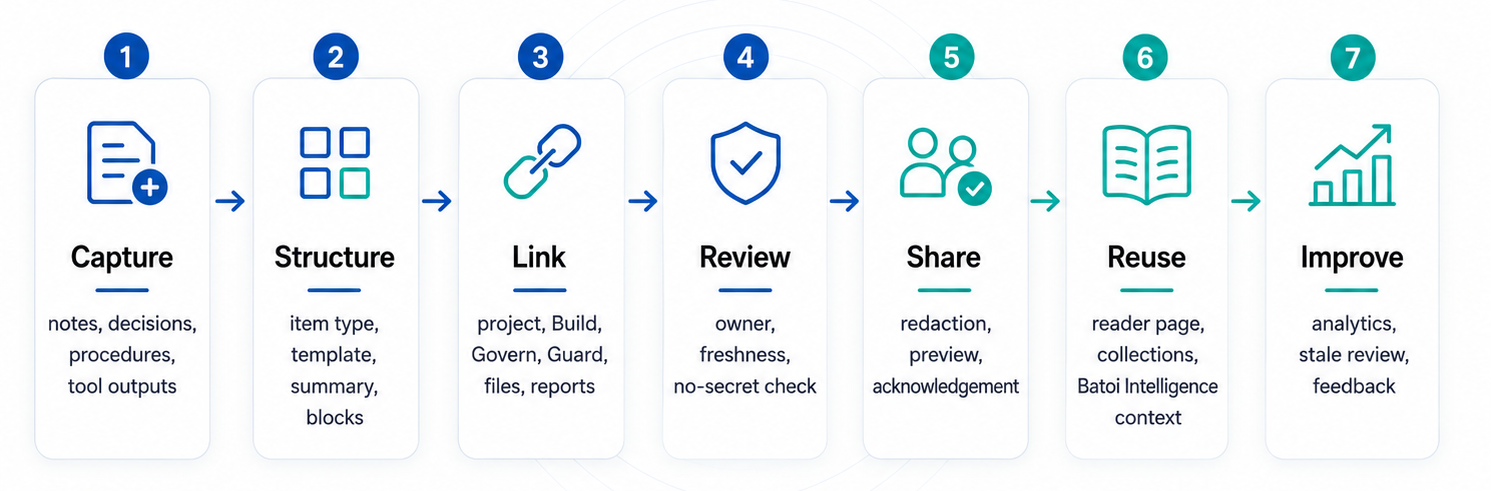
This design reinforces a simple practice: send people to the reader page first. The edit page should be used only when the item needs to change.
Structure Without Friction
Playbook supports a simple authoring flow: choose a type or template, add a title, write a summary, write the main content, link project background where useful, and save.
Advanced structure can be added through blocks, related references, tags, visibility controls, pinning, publication readiness, and collections.
Blocks are useful for checklists, evidence references, action items, decision details, meeting follow-ups, and technical snippets. Related references connect Playbook knowledge to projects, tasks, Build specs, Govern policies, Guard findings, files, reports, Tools outputs, and approved external URLs.
Safe Sharing and Publications
Many teams need to share selected knowledge outside their internal teams. Playbook supports this through sharing policies and controlled publications.
A Playbook item can be prepared for Workspace Member access using redaction, summary-only sharing, expiry, download policy, acknowledgment requirements, and member-safe preview.
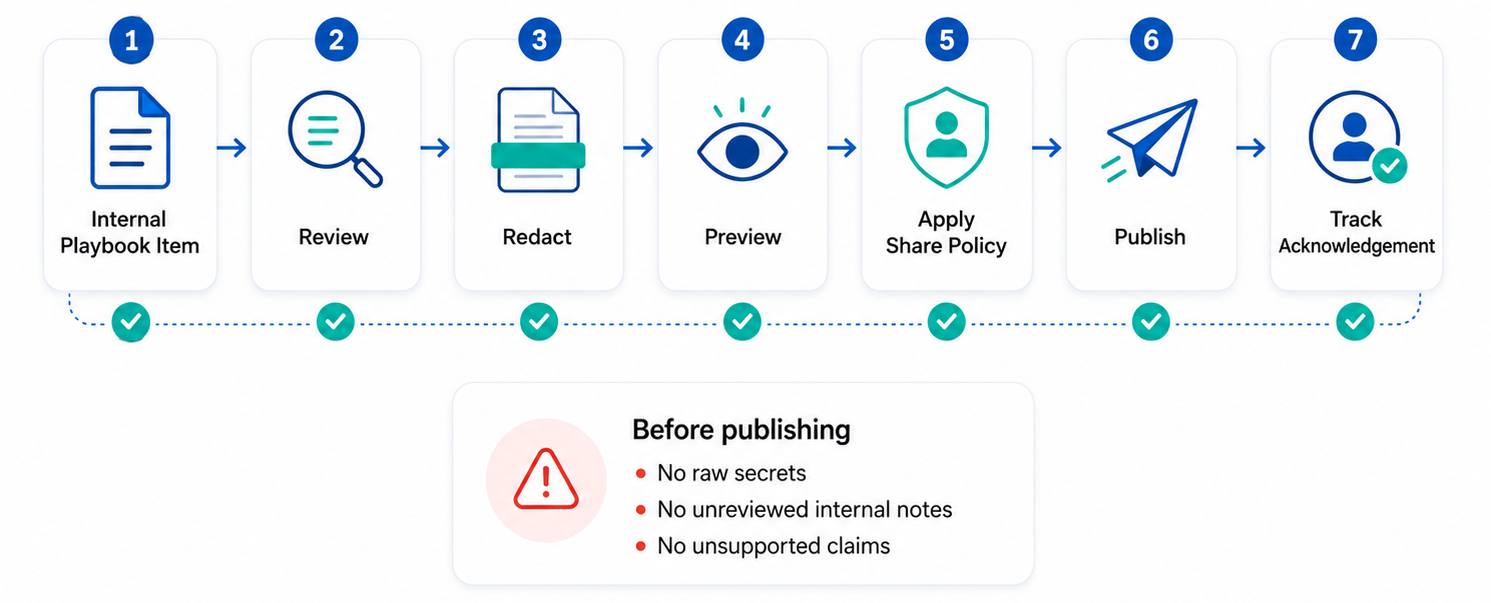
The rule is simple: do not publish raw internal notes. Review, redact, preview, and then share.
Secure References Without Secrets
Playbook also supports secure reference metadata. This means teams can document where an approved secret or protected reference lives, who owns it, what the handling policy is, and when rotation is due.
The raw secret must never be stored in Playbook.
This allows teams to keep operational guidance useful without weakening security practice.
Batoi Intelligence in Playbook
Batoi Intelligence can help teams draft missing sections, improve structure, summarize content for sharing, suggest a better item type, extract follow-ups, and classify stale or incomplete items.
The safety model is review-before-apply.
Batoi Intelligence should not publish, share, archive, create tasks, or change permissions without explicit user approval. It should assist responsible users, not replace their judgment.
Playbook Across Batoi Products
Playbook becomes stronger when used across the Batoi product family.
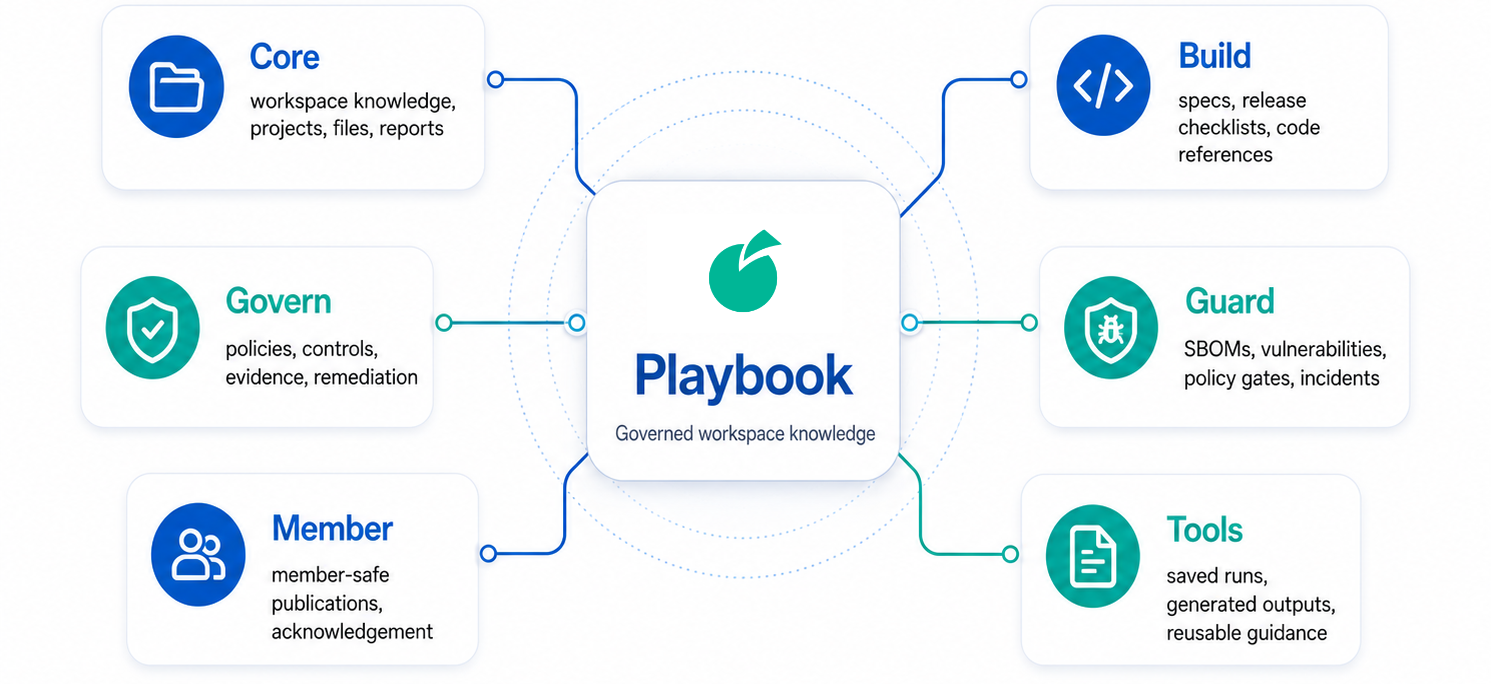
In the Platform Core, it acts as a source of truth for workspace knowledge, projects, sharing, files, reports, and search.
In Build, it supports implementation specs, design rules, release checklists, source-file guidance, and AI handoff notes.
In Govern, it supports policy interpretation, control operation guides, assessment evidence guidance, exception rationale, and remediation playbooks.
In Guard, it supports vulnerability triage, SBOM review notes, evidence handling, policy gate explanations, and incident timelines.
In Member, it provides a member-safe reading experience with acknowledgment where needed.
In Tools, useful generated outputs can be converted into durable Playbook items when they become reusable guidance.
A Practical Adoption Model
A team can begin with one Workspace Operating Guide, one project-linked Playbook item, one Decision, one Runbook, and a few useful references. From there, the team can build collections, connect Build, Govern, and Guard records, publish member-safe items, and review analytics for stale or underused knowledge.
A workspace is using Playbook well when important projects have current Playbook items, repeated procedures have runbooks, key decisions are documented, external guidance is shared safely, stale items are reviewed, and Batoi Intelligence improves content without bypassing approval.
Closing Note
Playbook gives workspace teams a disciplined way to preserve what matters: how work is done, why decisions were made, what should be reused, what must be reviewed, and what can be safely shared.
For teams using Batoi Platform to build, govern, secure, operate, and collaborate, Playbook becomes the operating memory of the workspace.