
Insight Dashboard
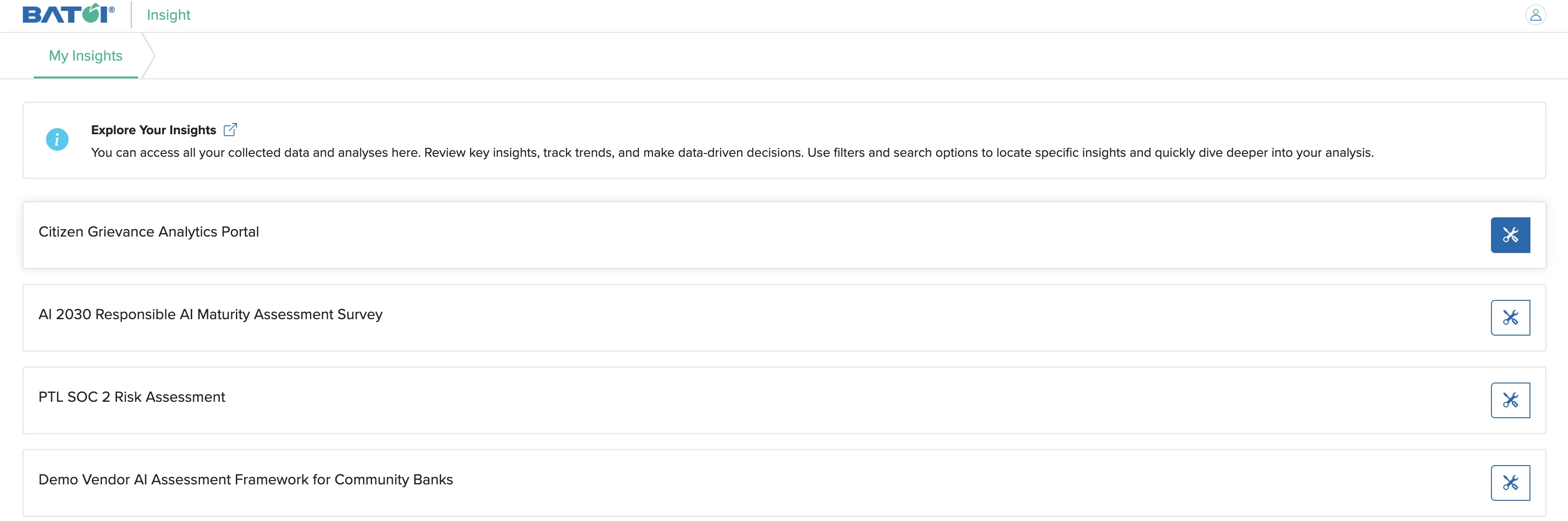
Click on the Management Control Panel button for an Insight, as shown in Figure 1 below.
You will be redirected to the dashboard page of Insight, as shown in Figure 2 below.
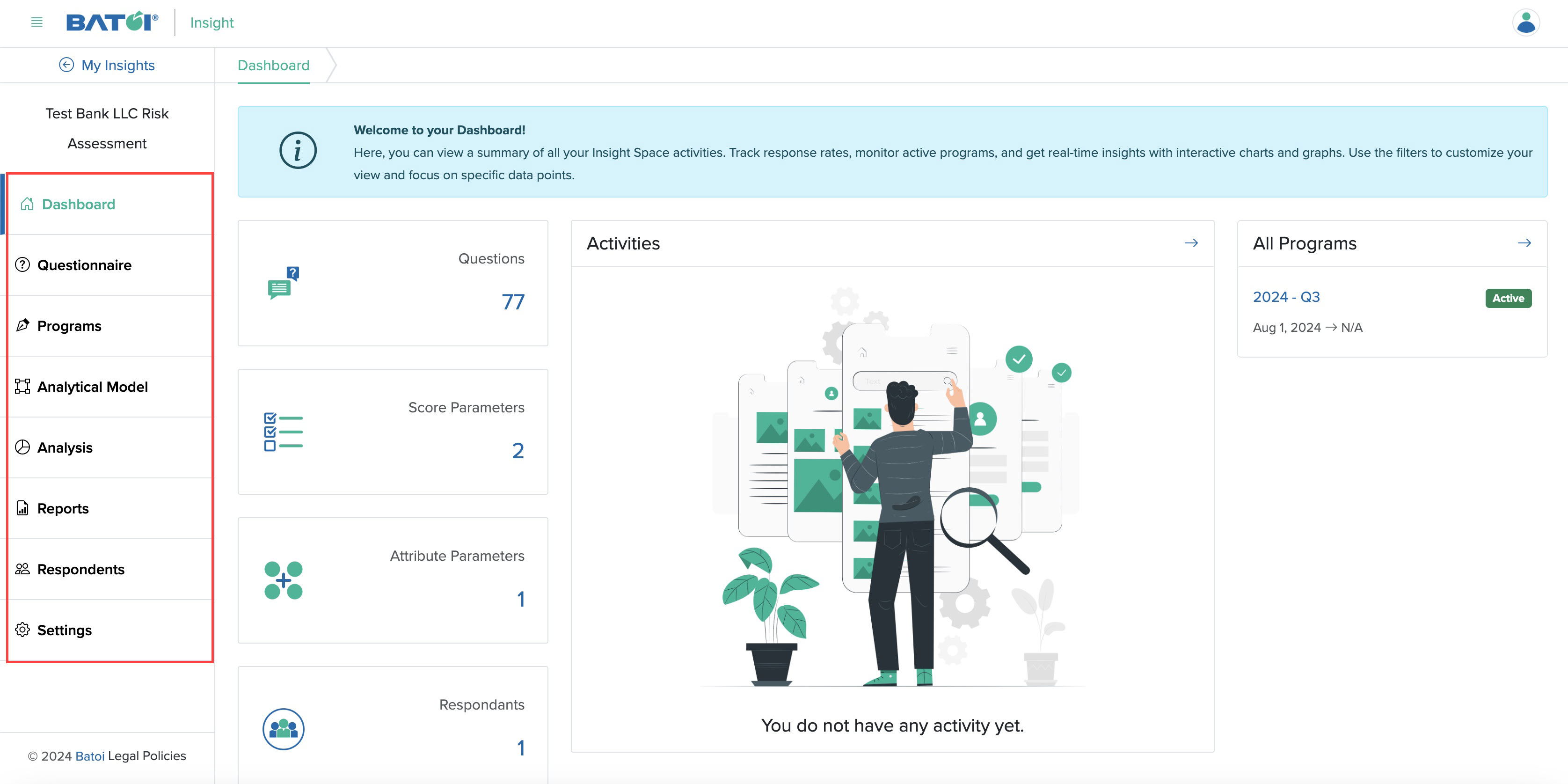
On the dashboard, you can find the primary menu as listed below, as shown in Figure 2 above:
- Dashboard
- Questionnaire
- Programs
- Analytical Model
- Analysis
- Reports
- Respondents
- Settings
You can find the basic information about the Insight in cards as listed below, as shown in Figure 2 above:
- The number of questions created
- The number of score parameters added
- The number of attribute parameters available
- The number of respondents added
- The number of activities
- All programs created