
Certificate
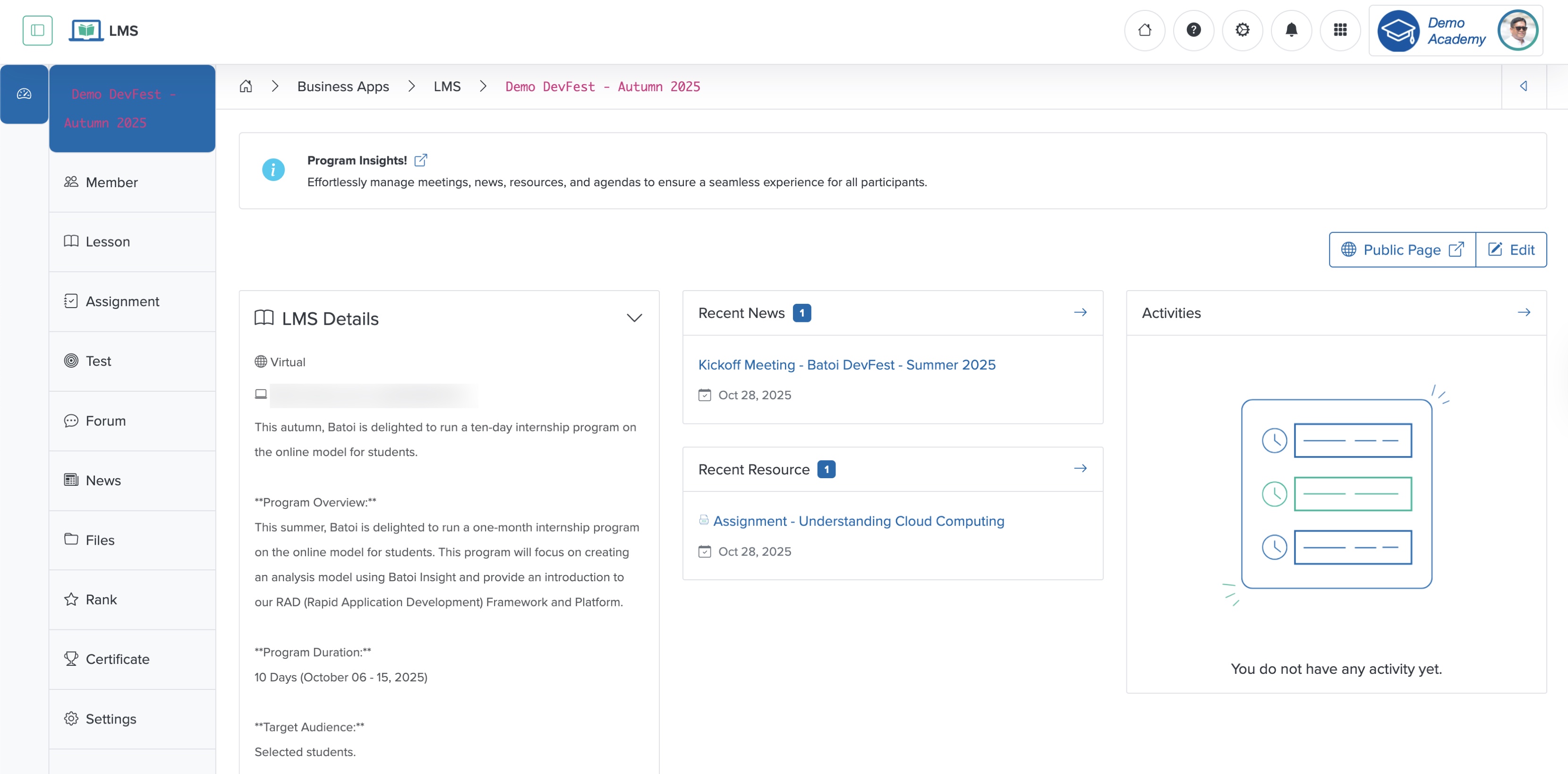
Click the Certificate menu from the sidebar, as shown in Figure 1 above, and the certificate generation page appears, as shown in Figure 2 below.
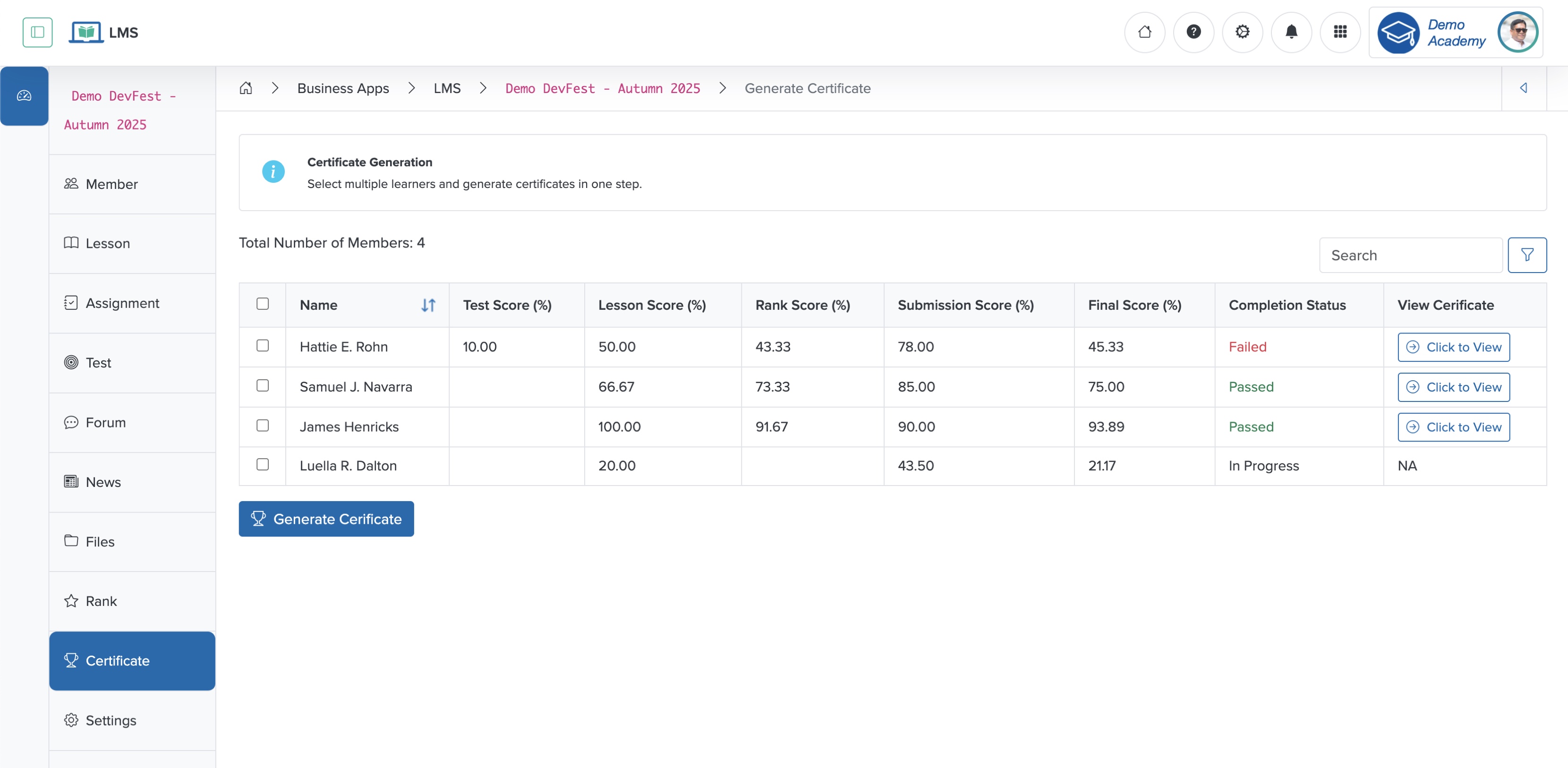
To generate the certificate, select the Checkbox for each participant and click the Generate Certificate button at the bottom of the page, as shown in Figure 2 above. The participant receives the certificate via email at their registered email ID.
To generate all participants' certificates, select the Checkbox in the header row.
Click the Click to View button associated with each participant to view the certificate, as shown in Figure 2 above.