
This guide explains the Batoi Flex sales cycle as a complete, connected workflow. It is written for end users who want to understand how to capture interest, qualify prospects, track opportunities, close deals, and maintain momentum through follow-ups. The flow is anchored in the left sidebar navigation so users can instantly map the steps to what they see in the product.
Where the Sales Cycle Lives in the Sidebar
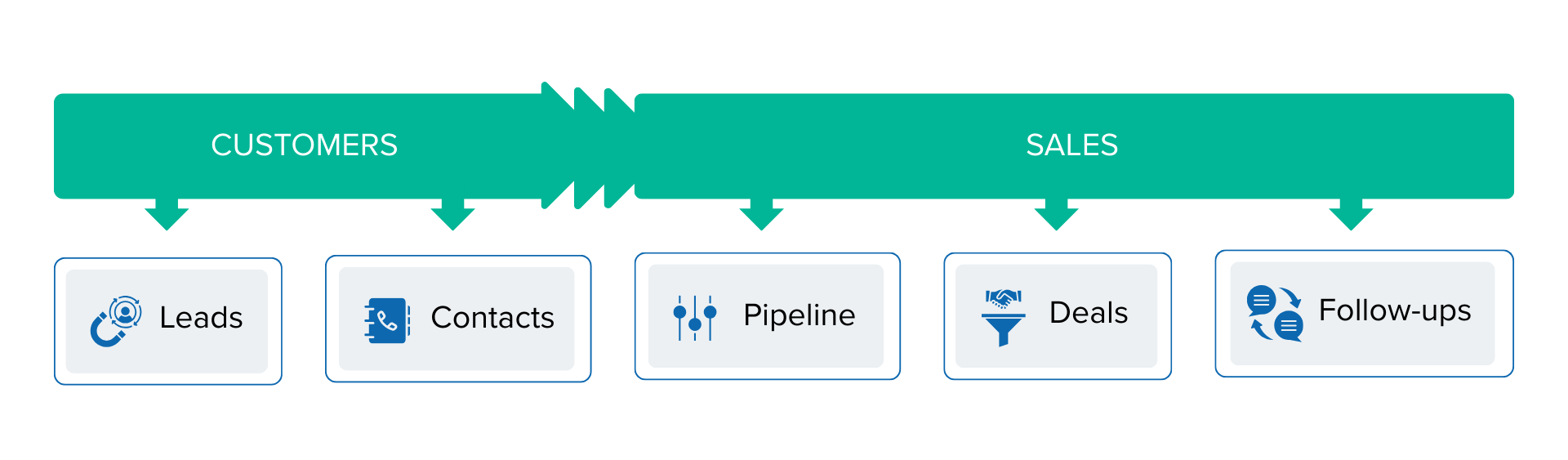
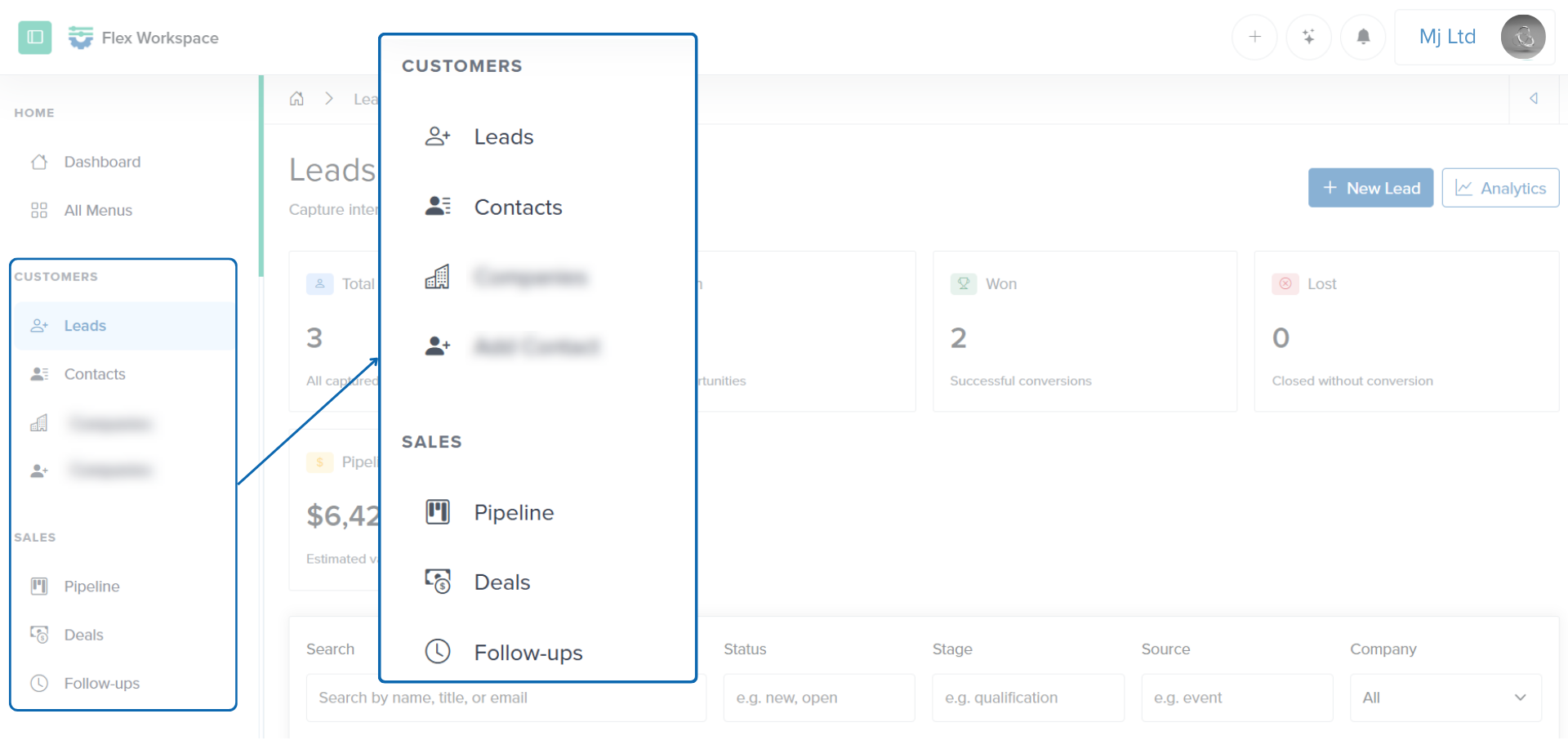
The sales cycle is intentionally split across two sidebar sections.
CUSTOMERS
- Leads
- Contacts
SALES
- Pipeline
- Deals
- Follow-ups
This separation reflects the lifecycle. You start with an early interest in Leads, convert qualified people into Contacts, then manage revenue opportunities in the Pipeline, promote mature opportunities into Deals, and keep progress steady with Follow-ups.
The Big Picture Flow
Batoi Flex uses a simple, practical progression:
- Leads capture interest and early information.
- Contacts store qualified people in a clean directory.
- Pipeline opportunities track active sales work and stages.
- Deals are the serious, revenue-focused subset of opportunities.
- Follow-ups drive next actions and prevent stalls.
Each step is connected. You are not forced into a rigid CRM structure, but the system encourages a steady, consistent path from first touch to closed revenue.
Step 1: Leads Capture Interest
Leads are the top of your funnel. A lead can come from a website form, an inbound inquiry, a referral, a social message, or a list import. The goal is to capture enough information to know who they are and why they matter, without demanding too much detail up front.
What a lead typically includes
- Name and contact details
- Role or title
- Company (optional)
- Source and stage
- Owner assignment
- Value estimate
- Notes and next action
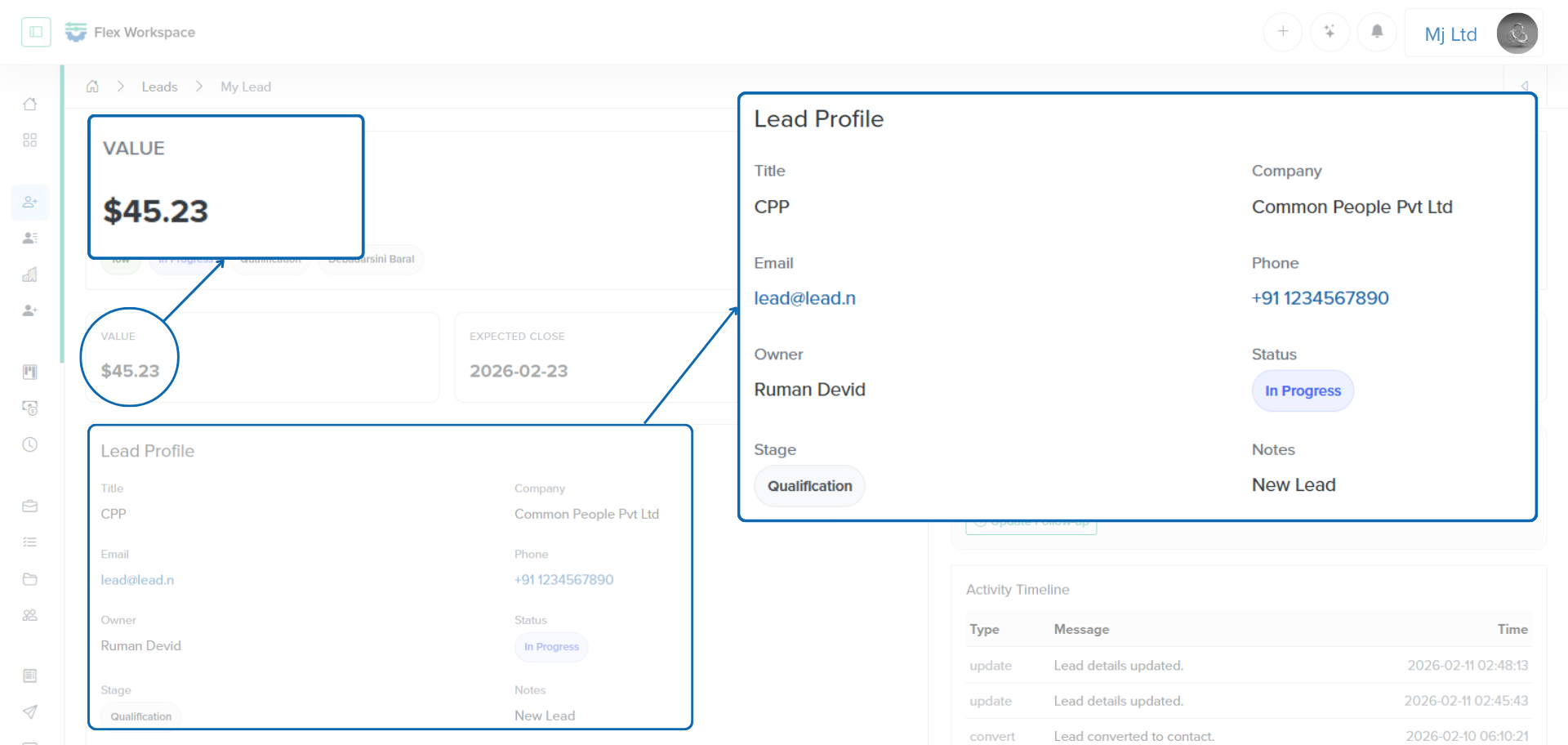
Leads are intentionally flexible. You can keep status and stage values simple, or customize them to match your organization’s pipeline language.
Common lead outcomes
- Open: still in progress
- Won or converted: qualified and ready for contact conversion
- Lost: not moving forward
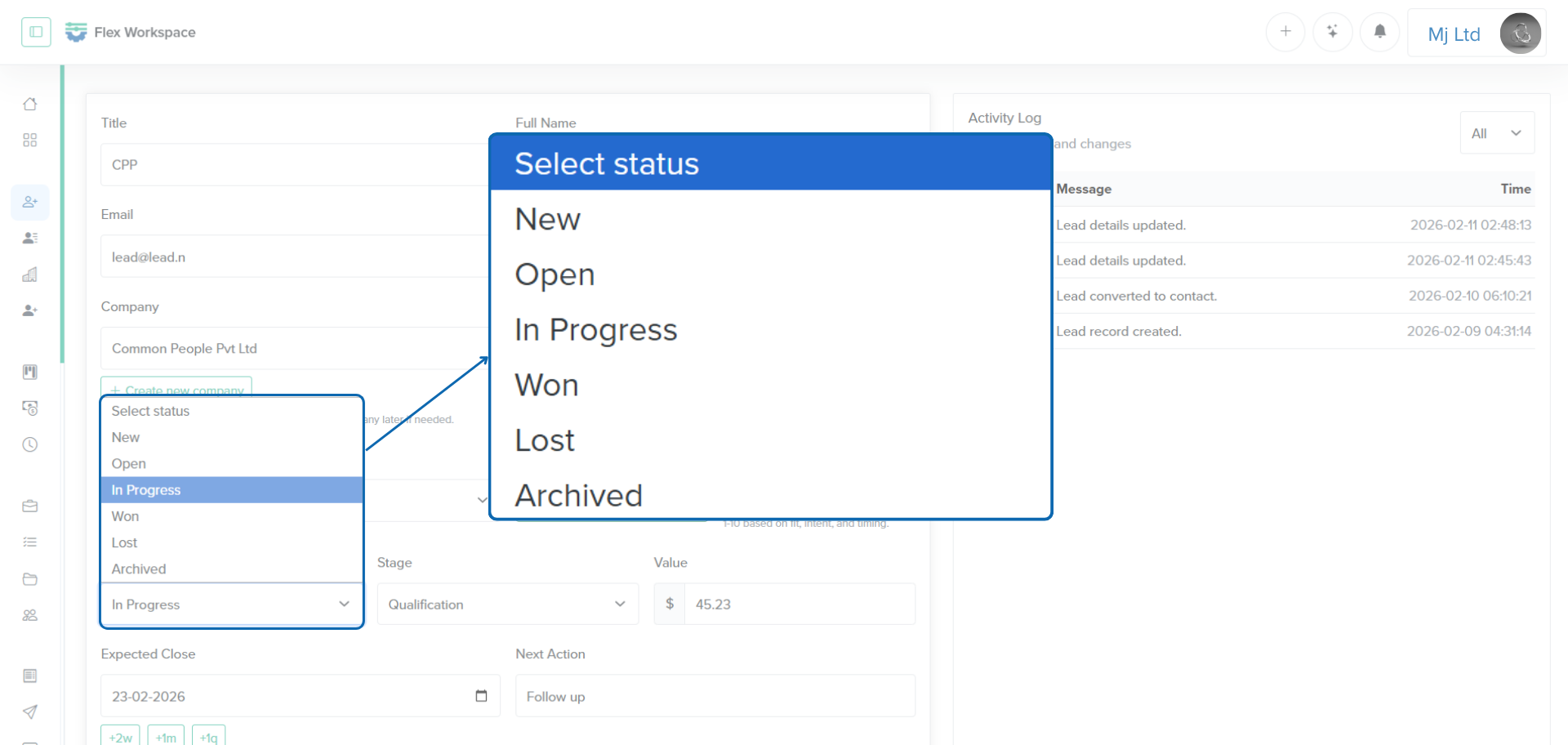
Leads also support quick, lightweight follow-ups by storing a next action and its due date. It helps you keep early-stage momentum without creating a formal task yet.
Step 2: Convert Leads into Contacts
Once a lead is qualified, convert it into a contact. A contact is a durable record of a person in your workspace. The conversion step keeps the lead history intact while ensuring your team has a clean, searchable list of real people.
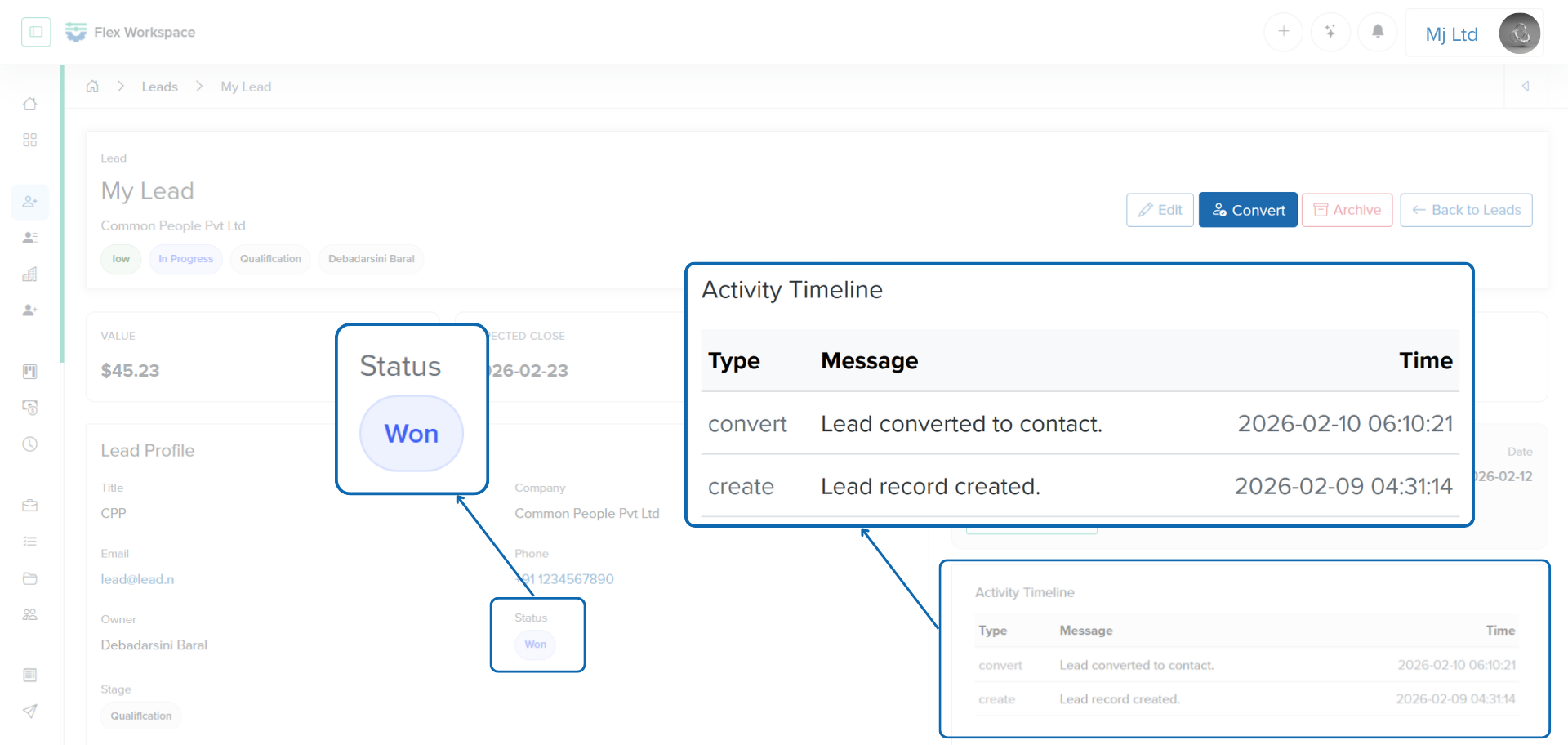
What happens during conversion
- A contact record is created using the lead’s details.
- The lead is marked as won or converted.
- The conversion event is logged for traceability.
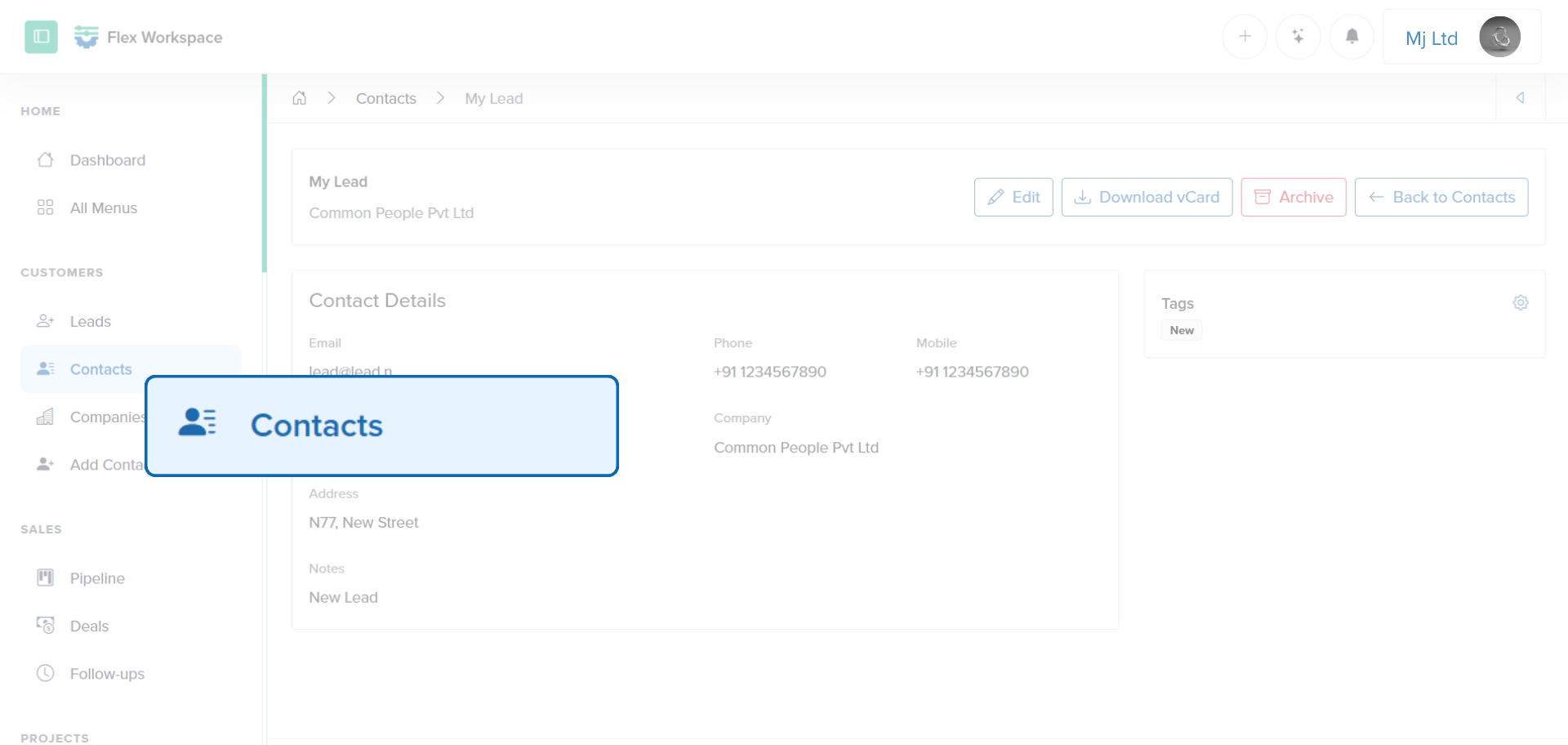
Why this matters
Contacts are the foundation of customer management. They are used in sales, projects, support, and communication. Converting leads into contacts ensures qualified people become long-term, organized relationships.
Step 3: Use the Pipeline to Track Opportunities
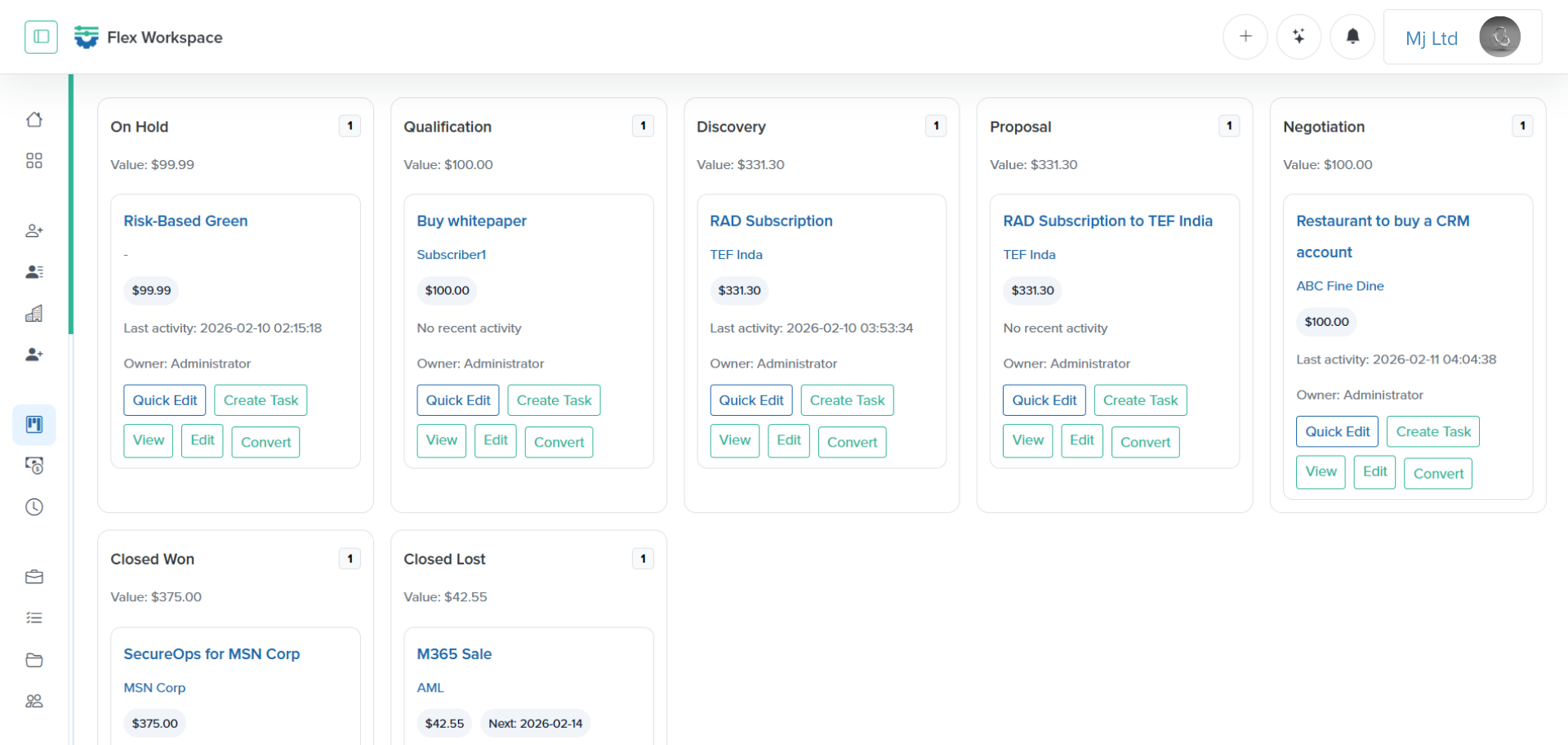
The pipeline is where the real sales work happens. Opportunities are tracked through stages, with value, status, and expected close dates. Batoi Flex uses a unified opportunity object so you can see the full story of each potential deal.
Pipeline basics
- Opportunities have titles, client details, value, currency, stage, status, and notes.
- Stages are defined in your workspace.
If no stages exist, Batoi Flex uses defaults such as Lead, Qualified, Proposal, Negotiation, and Won.
Typical pipeline actions
- Create a new opportunity from a qualified lead or inbound request.
- Move opportunities across stages as they progress.
- Update values and expected close dates.
- Track activity logs for stage changes and status changes.
This approach keeps the pipeline both visual and accountable. You can quickly scan stage health while still seeing the details behind each opportunity.
Step 4: Promote Opportunities into Deals
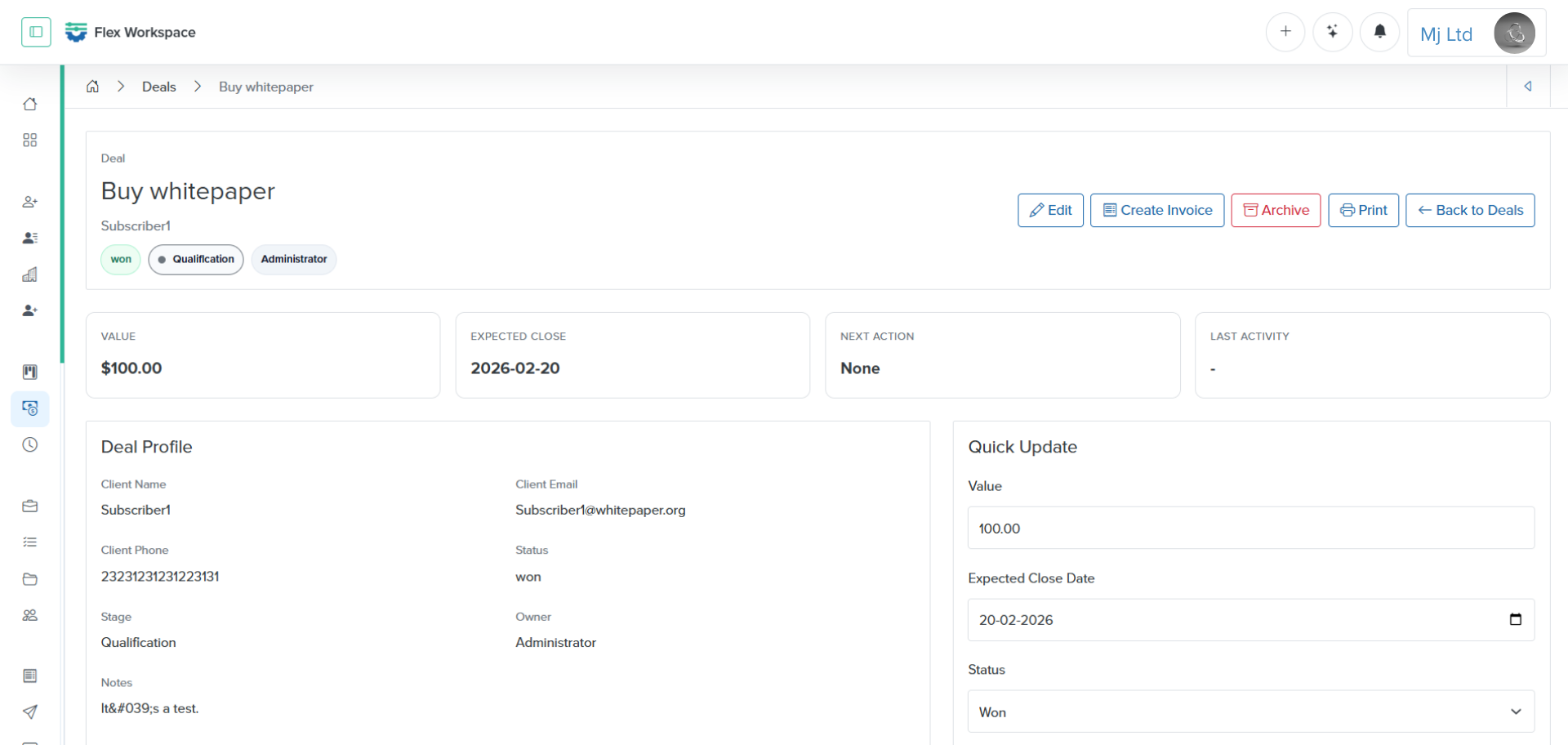
Deals are a focused subset of opportunities. In Batoi Flex, a deal is simply an opportunity marked as a deal. This design is intentional because it keeps the data model simple while letting teams separate early opportunities from late-stage revenue work.
When to convert to a deal
- The opportunity is validated and the budget confirmed.
- You are preparing an invoice or payment link.
- A decision or closing stage is in progress.
What deals enable
- Deal-specific views and stats.
- Close tracking with expected dates and values.
- Direct paths to payment and invoicing.
Deals let teams prioritize opportunities most likely to close without losing the history from earlier stages.
Step 5: Follow-ups Keep Everything Moving
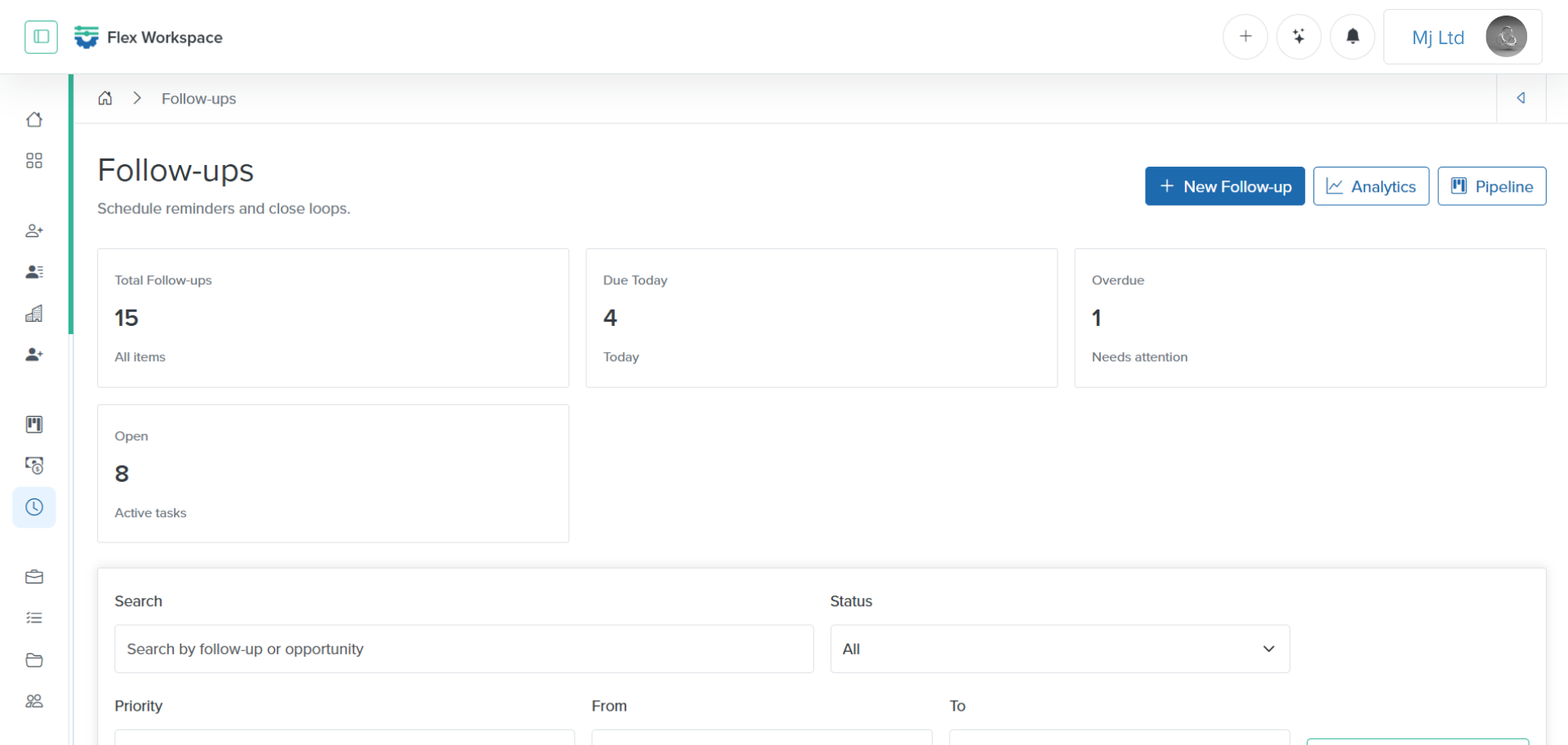
Follow-ups are action items attached to opportunities or deals. They are the task layer of sales, ensuring each opportunity has a next step, a due date, and a clear owner.
Follow-up essentials
- Every follow-up is linked to a specific opportunity.
- Each follow-up has a title, due date, status, priority, and notes.
- Status options include open, done, and snoozed.
- Snoozing moves the due date forward by one week.
What deals enable
- Leads have a simple next action field, which is enough for early qualification.
- Pipeline and deals require structured, trackable tasks.
- This split keeps early-stage work light and late-stage work rigorous.
Putting It Together: A Practical Example
Imagine a company offering a consulting service:
- A lead arrives via a website form requesting project pricing.
- The sales rep logs the lead and records the source as Website.
- After a short call, the lead is qualified and converted to a contact.
- An opportunity is created in the Pipeline with an estimated value.
- The opportunity moves from Qualified to Proposal after a draft is shared.
- A follow-up is scheduled in three days to review the proposal.
- The opportunity becomes a Deal once the budget and timeline are confirmed.
- A payment link is generated, and an invoice is created for the deposit.
- The deal is marked won after the invoice is paid.
This flow shows how Batoi Flex keeps everything connected from first touch to closed revenue, without forcing a heavy CRM process.
Checklist: Implementing the Batoi Flex Sales Cycle
Use this checklist to align your team with the Batoi Flex workflow:
- Capture all new inquiries as Leads.
- Assign owners to each lead.
- Keep lead status and stage values consistent.
- Record next actions on leads before conversion.
- Convert qualified leads into Contacts.
- Create an opportunity in the Pipeline for every qualified contact.
- Define and maintain clear pipeline stages.
- Update expected close dates and values regularly.
- Convert late-stage opportunities into Deals.
- Use Follow-ups to drive every active opportunity.
- Mark follow-ups done or snooze when needed.
- Generate payment links or invoices from Deals.
- Review pipeline and deal reports weekly.
Best Practices for Teams
Keep stages clear and limited.
A shorter list of stages is easier to manage and more consistent. Most teams do well with five to seven stages.
Define when a lead becomes a contact.
Make conversion a team habit. If a lead is qualified, convert it quickly so it is searchable and reusable across your workspace.
Never leave an opportunity without a next step.
Follow-ups exist for a reason. If a deal is active, it should always have a clear next action and due date.
Review outcomes consistently.
Track won, lost, and converted statuses in both leads and deals. Use the analytics screens to keep the pipeline healthy.
Use deals to focus energy.
Opportunities are broad. Deals are serious. Teach your team to use the Deals view to focus on closing.
Frequently Asked Questions
Is a deal different from an opportunity?
A deal is an opportunity that has been marked as a deal. It keeps the system simple while giving you a dedicated view for late-stage work.
Do I need to convert a lead to create an opportunity?
No, but it is recommended. Converting leads creates a clean contact directory and keeps sales relationships organized.
Where do follow-ups live?
Follow-ups are attached to opportunities or deals, not leads. Leads use next-action fields for early-stage follow-up.
Can I customize stages?
Yes. Pipeline stages are defined in your workspace. Default stages are provided if you have not created your own.
Summary
Batoi Flex gives you a clear, connected sales cycle without unnecessary complexity. Leads capture interest, contacts store qualified people, the pipeline tracks opportunities, deals focus on revenue, and follow-ups keep momentum alive. The result is a workflow that is easy to adopt, easy to manage, and consistent across teams.