Certificate Signing Request
This how-to will walk you through generating a certificate signing request (CSR) in cPanel.
Log on to you hosting control panel.
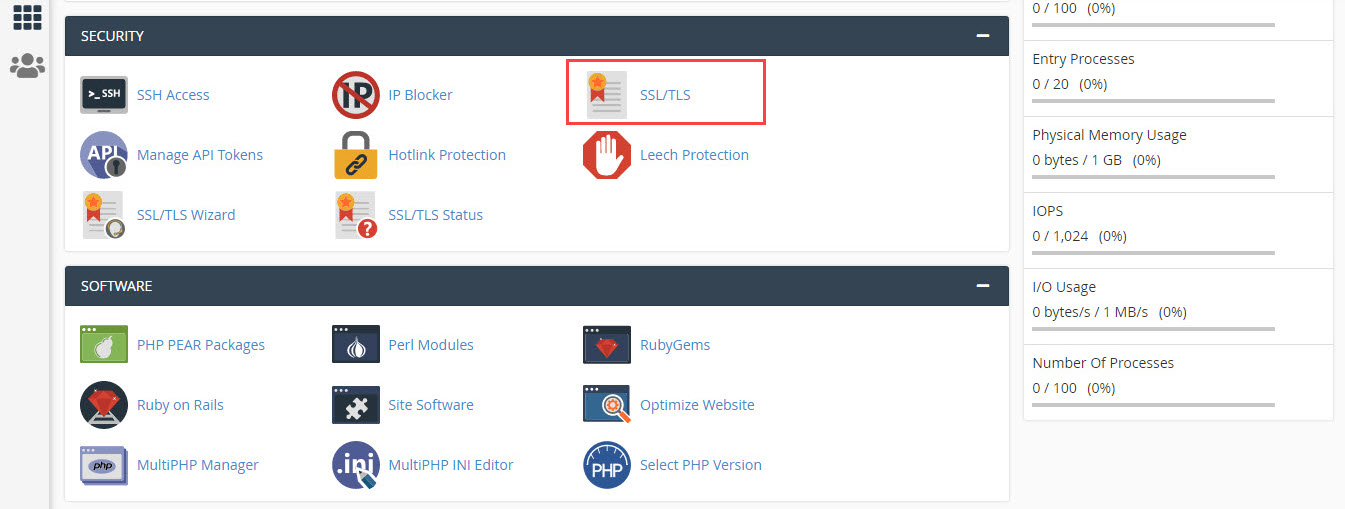
Go to SSL/TLS under SECURITY section and click on it, as shown in Figure 1.
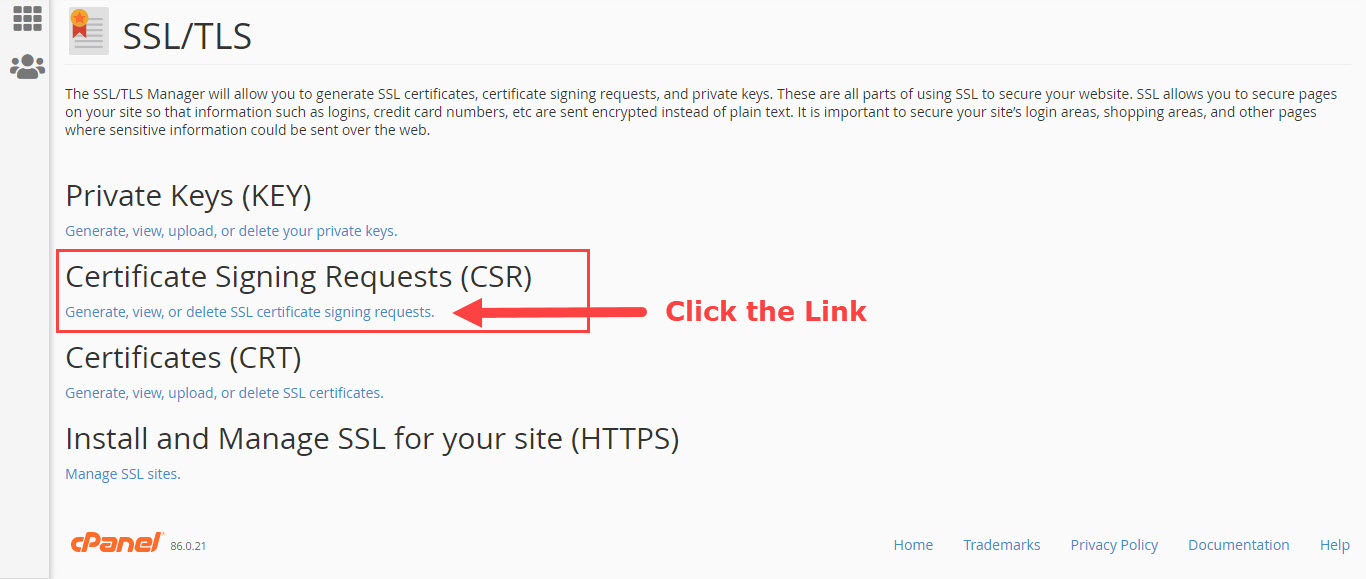
On the SSL/TLS click the link Certificate Signing Requests (CSR), as shown in Figure 2.
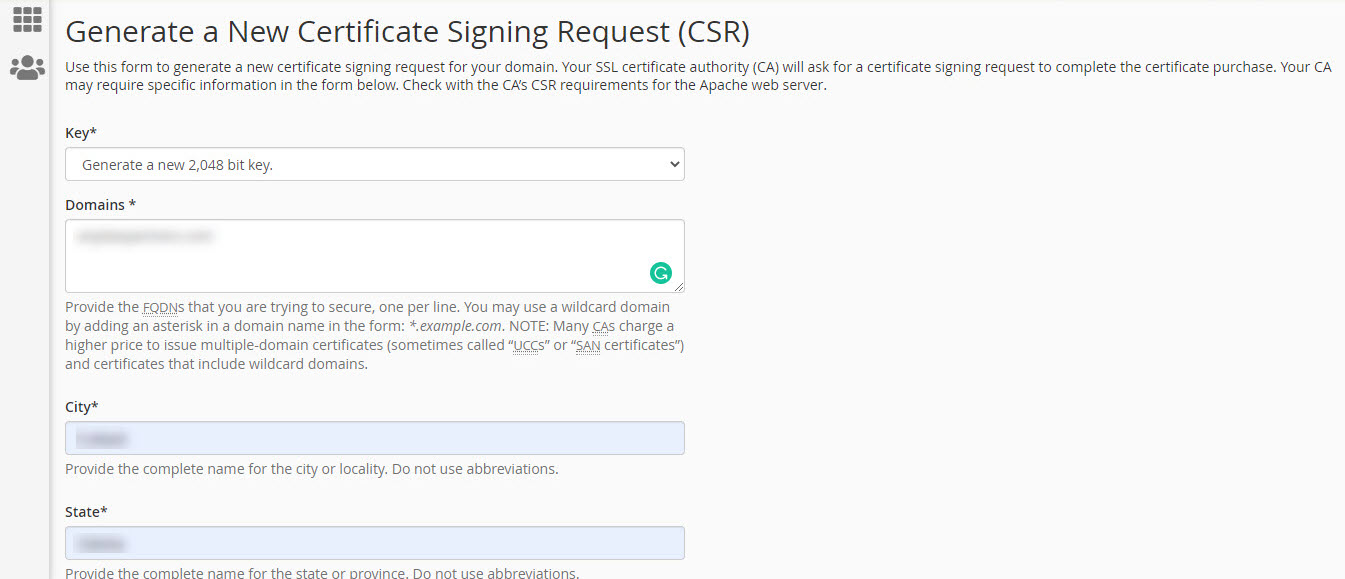
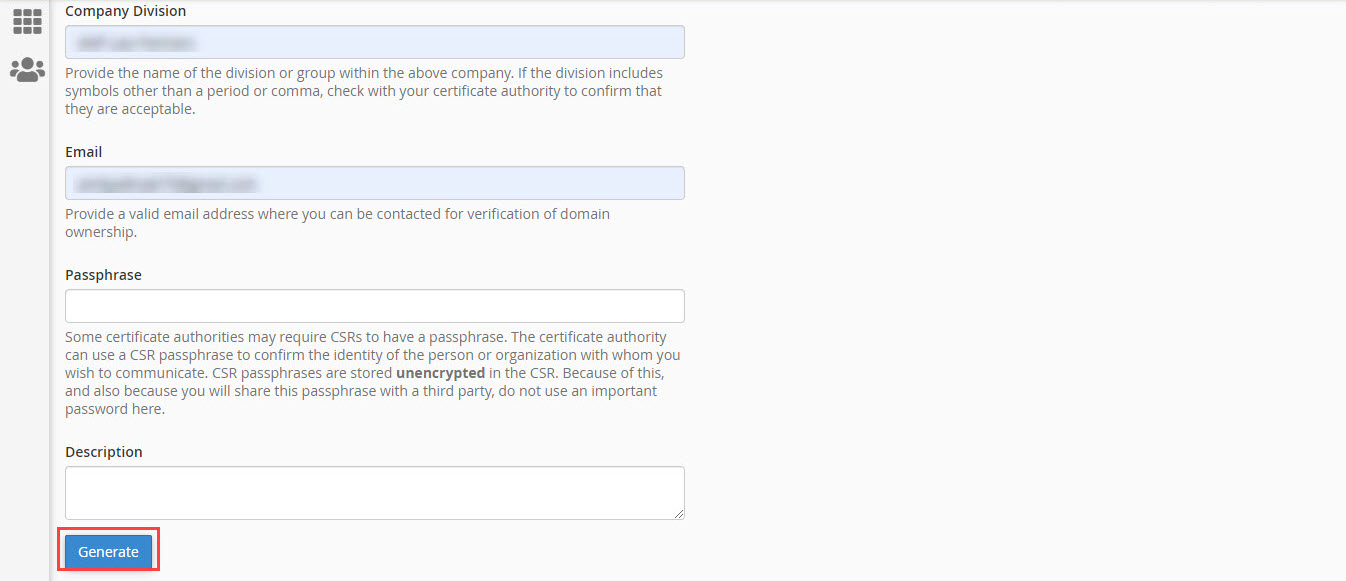
Fill up the form with the required details and click the button Generate, as shown in Figure 3 and 4.
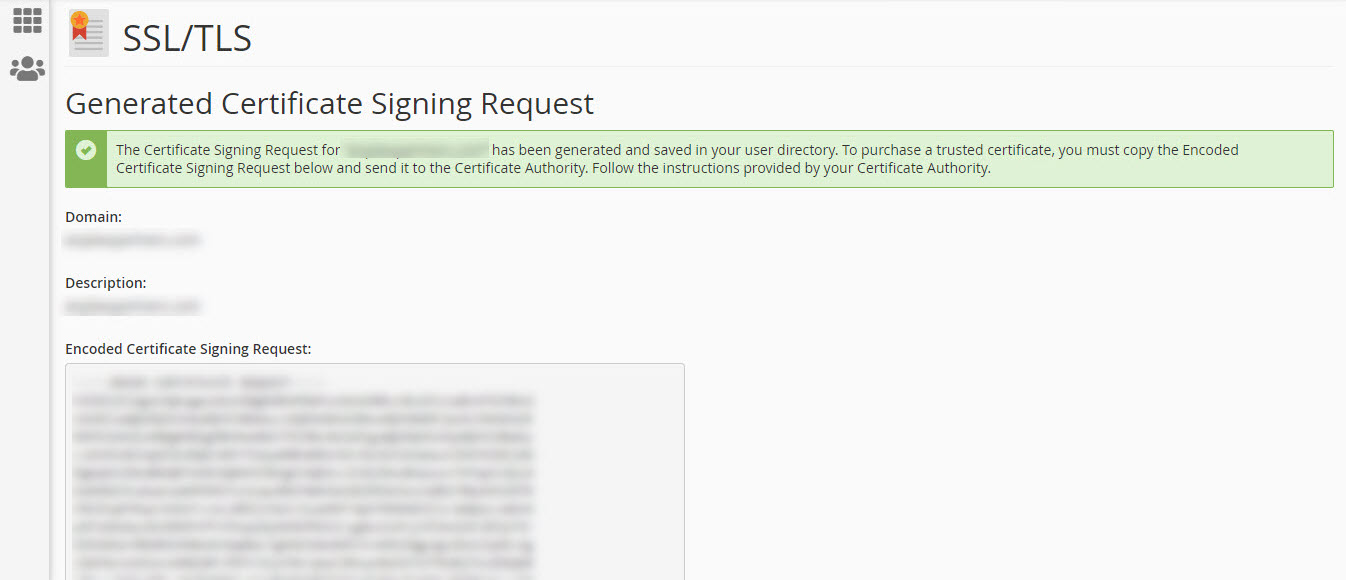
Once the Generate button is clicked the server will process your request and generate the Certificate Signing Requests (CSR), as shown in Figure 5.