
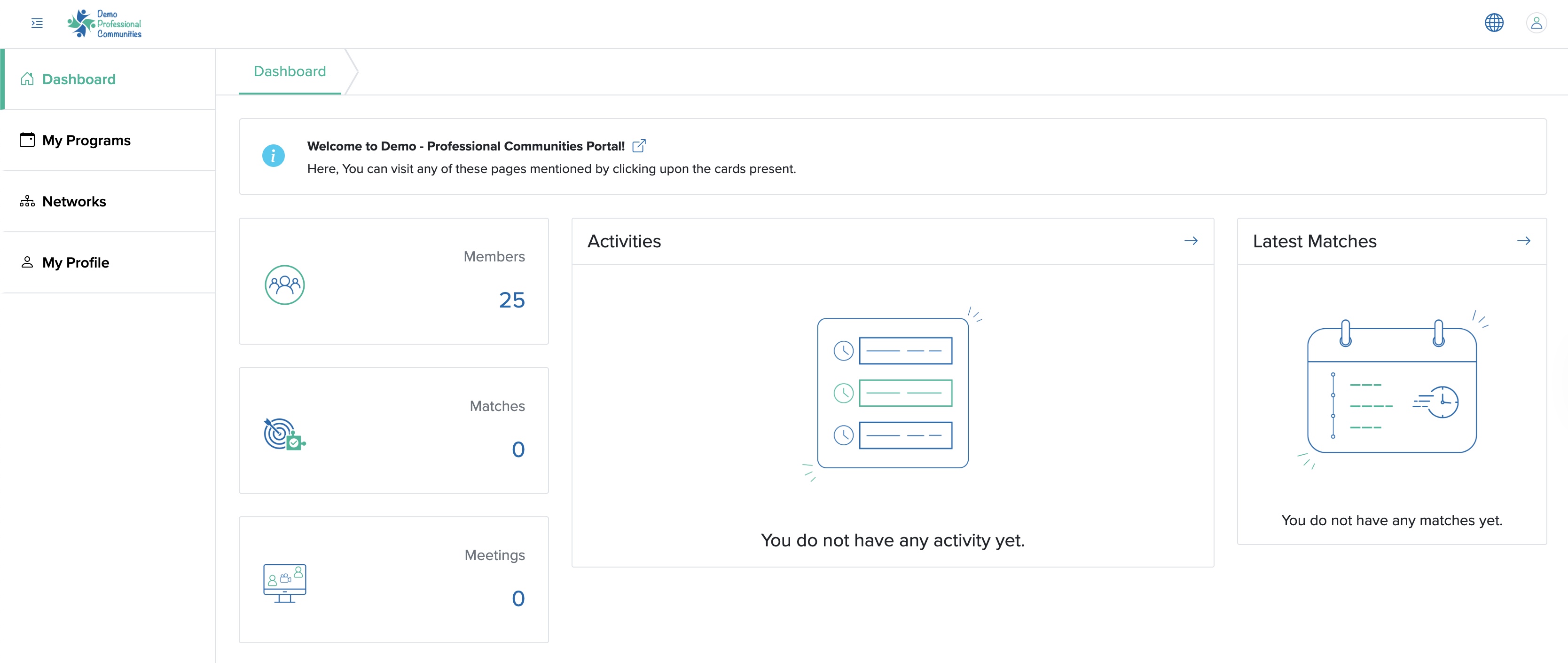
Click the Networks menu from the primary menu section, as shown in Figure 1 above and the network list page will open, as shown in Figure 2 below.
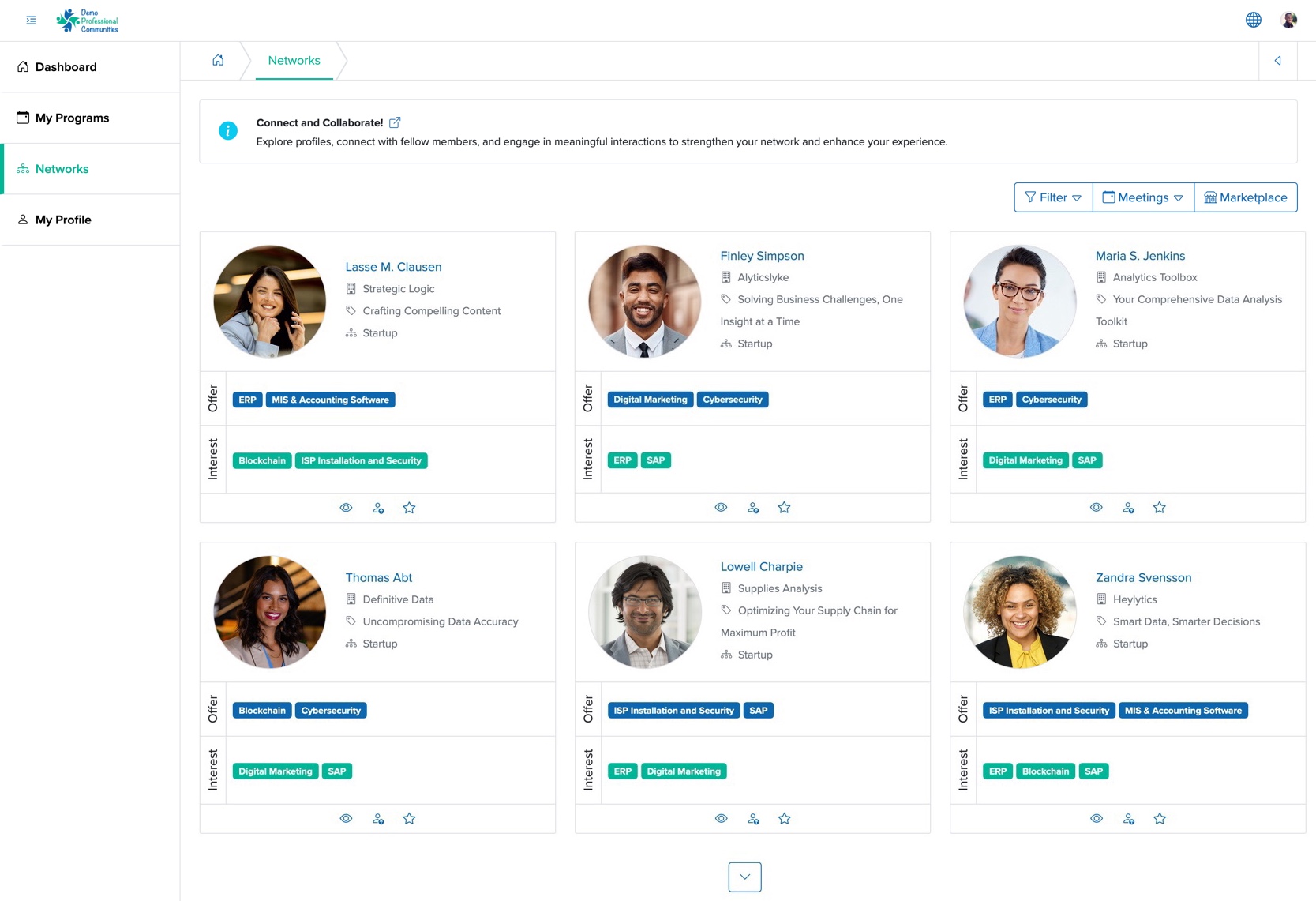
Click the Marketplace menu from the top right side of the network list page, as shown in Figure 2 above and the marketplace list page will open, as shown in Figure 3 below.
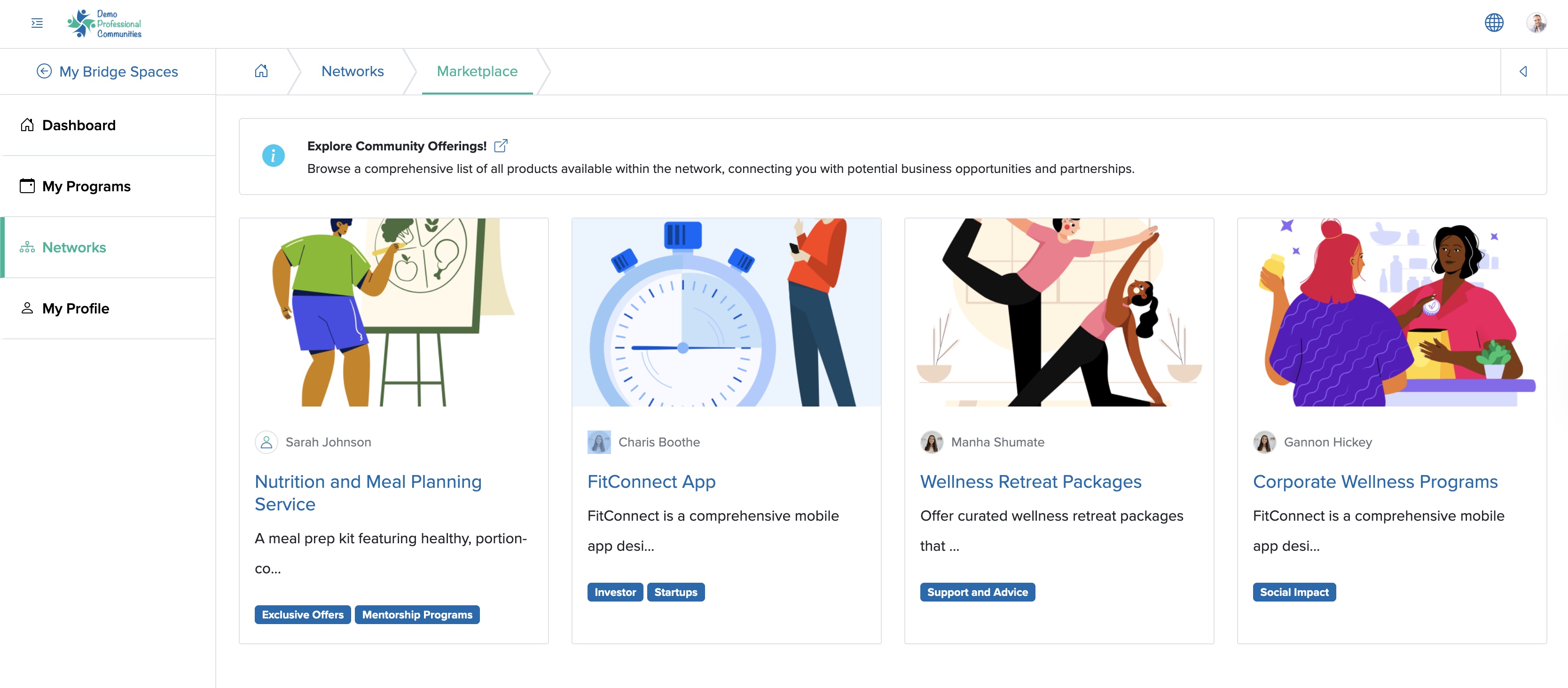
The list page consists of different cards where you can view the products and services of all members including yours, as shown in Figure 3 above.
View Marketplace Details
Click on the Title or Image of each product & service card, as shown in Figure 3 above, and the view screen will open for that particular product & service, as shown in Figure 4 below.
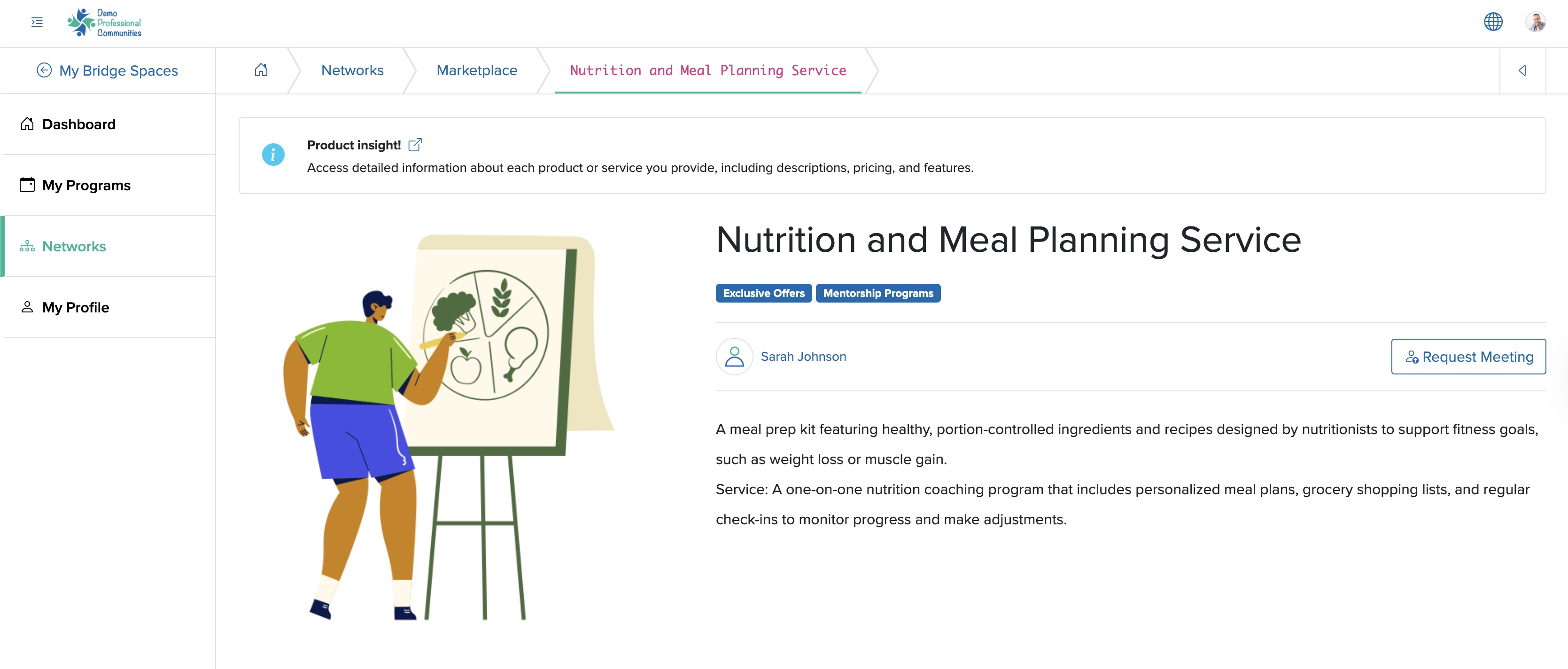
The View page consists of the necessary details of the product & service, with the Name of the Owner, which is a link, clicking on to which you will be redirected to their respective profiles and a Request Meeting button, shown in Figure 4 above.