
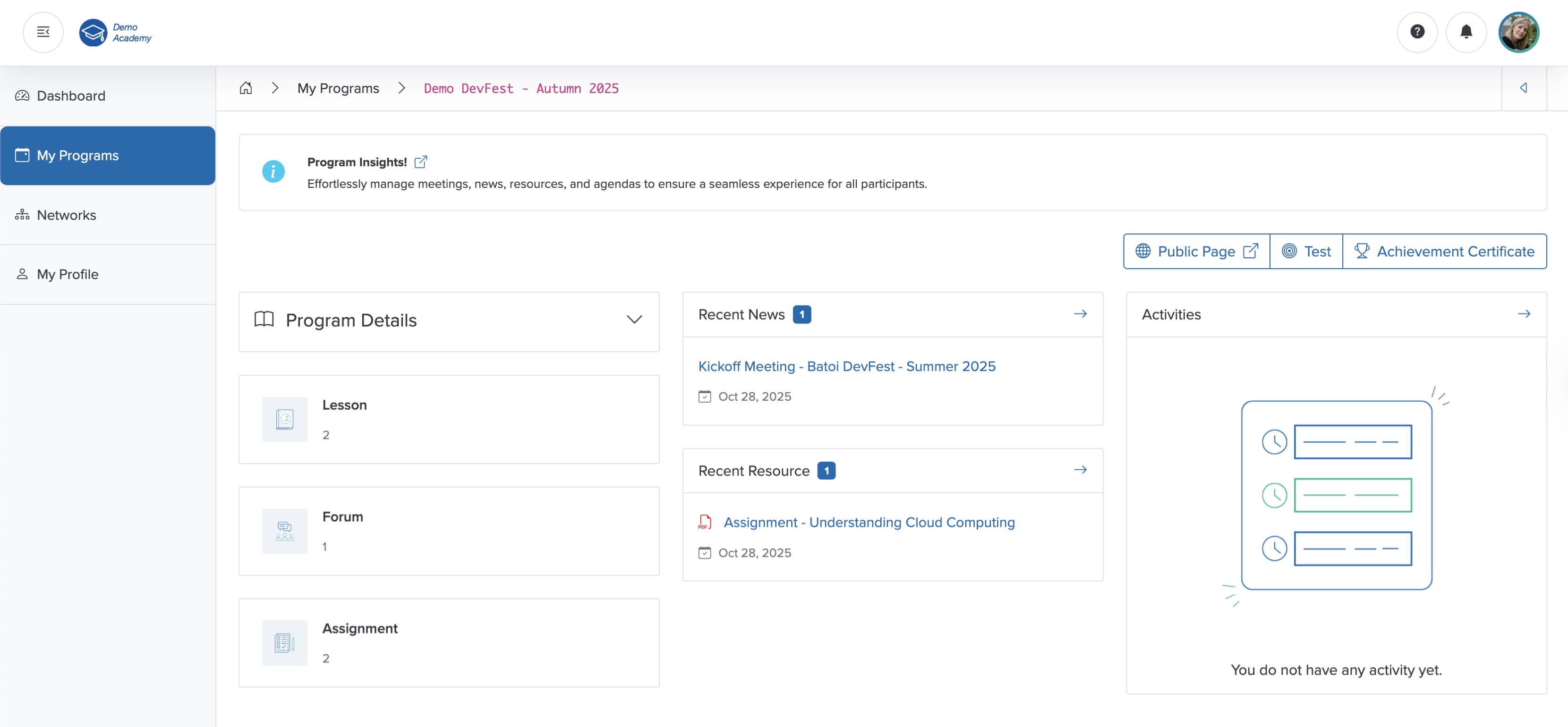
Forum
Click the Forum card on the course dashboard, as shown in Figure 1 above, and the forum list page opens, where you can see all the available threads in a tabular format, as shown in Figure 2 below.
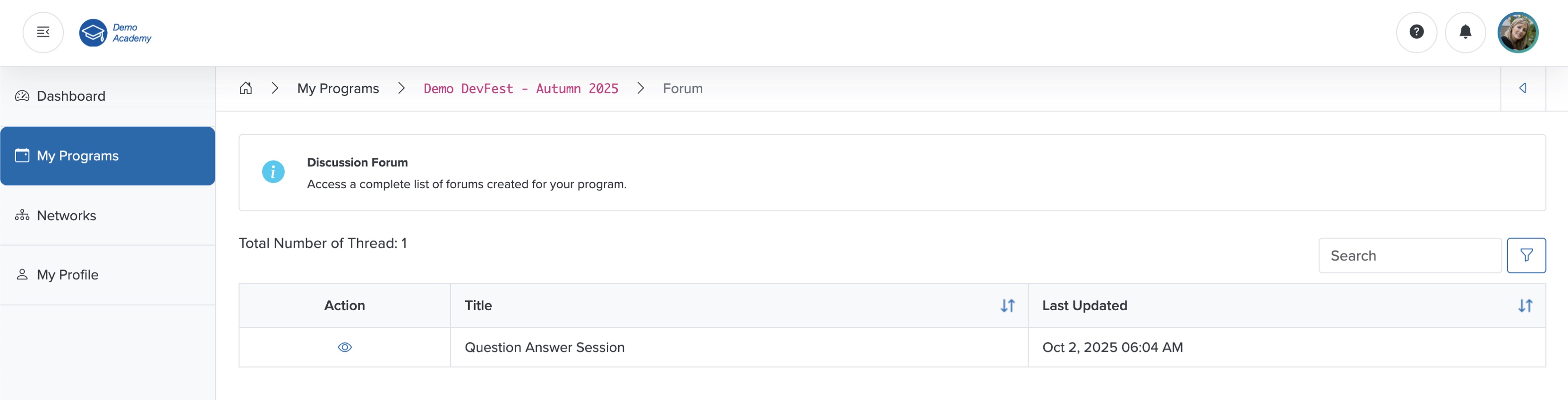
View Forum
Click the View icon in the Action column associated with each thread, as shown in Figure 2 above, and the detail page opens, as shown in Figure 3 below.
In the individual detail page, you can find all the participants' responses in threads, as shown in Figure 3 below.
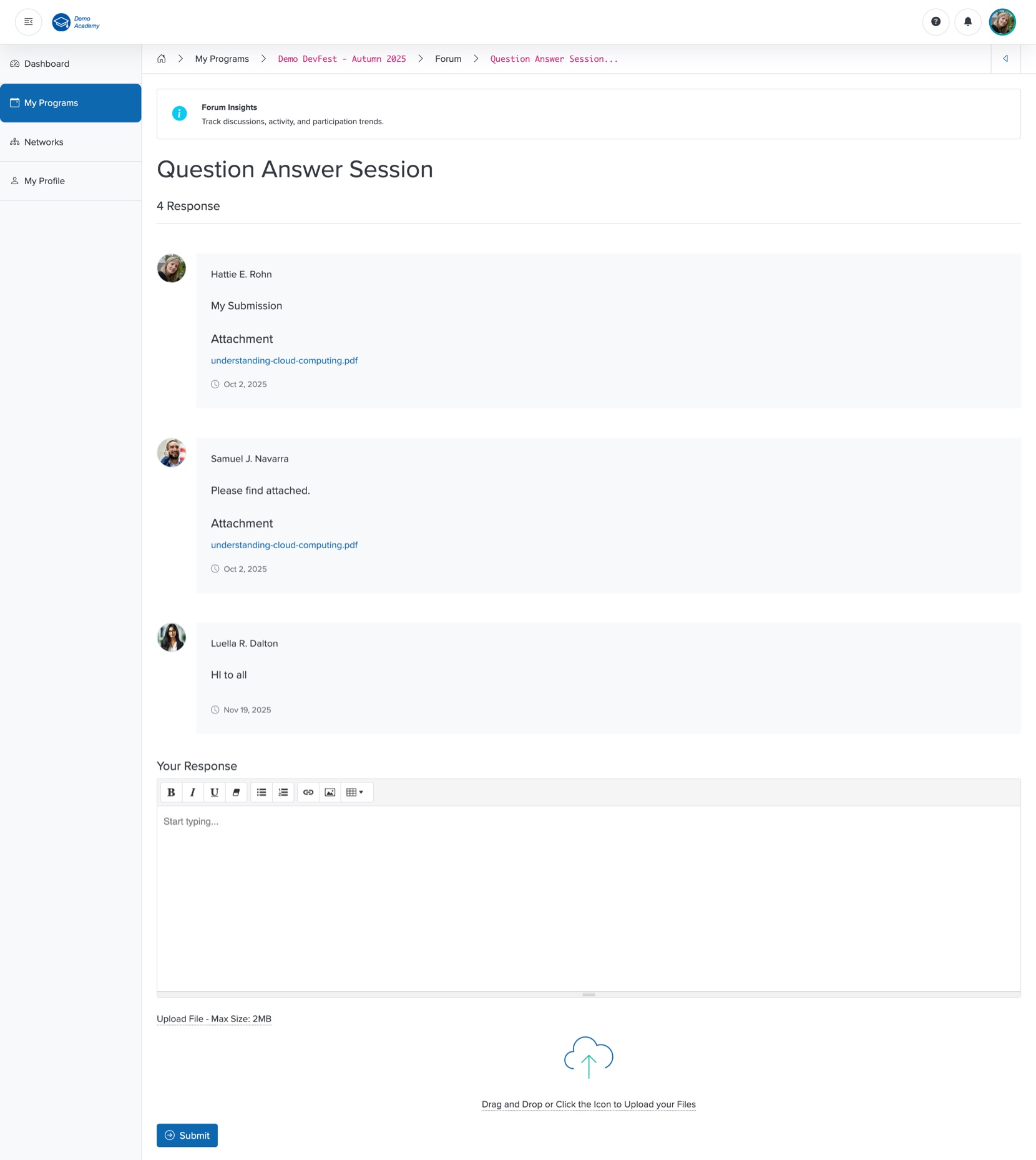
Add Response
Enter your response in the Summer Note section, and click the Submit button to add your response in the forum thread, as shown in Figure 3 above.
You can also upload files using the Upload feature, as shown in Figure 3 above.